
Feedspace Home Dashboard

How Do I Remove Feedspace Branding from My Wall of Love Page?

Last updated on June 11, 2026

Plan Requirement

Removing Feedspace branding from a Wall of Love page requires a paid plan. On a free plan, the toggle is visible but locked. Upgrading your account unlocks the option along with other professional customization features.

Steps to Remove Feedspace Branding

Step 1: Open the Branding Tab

  1. Log in to your Feedspace account.
  2. Go to Pages and click the edit icon on the page you want to update.
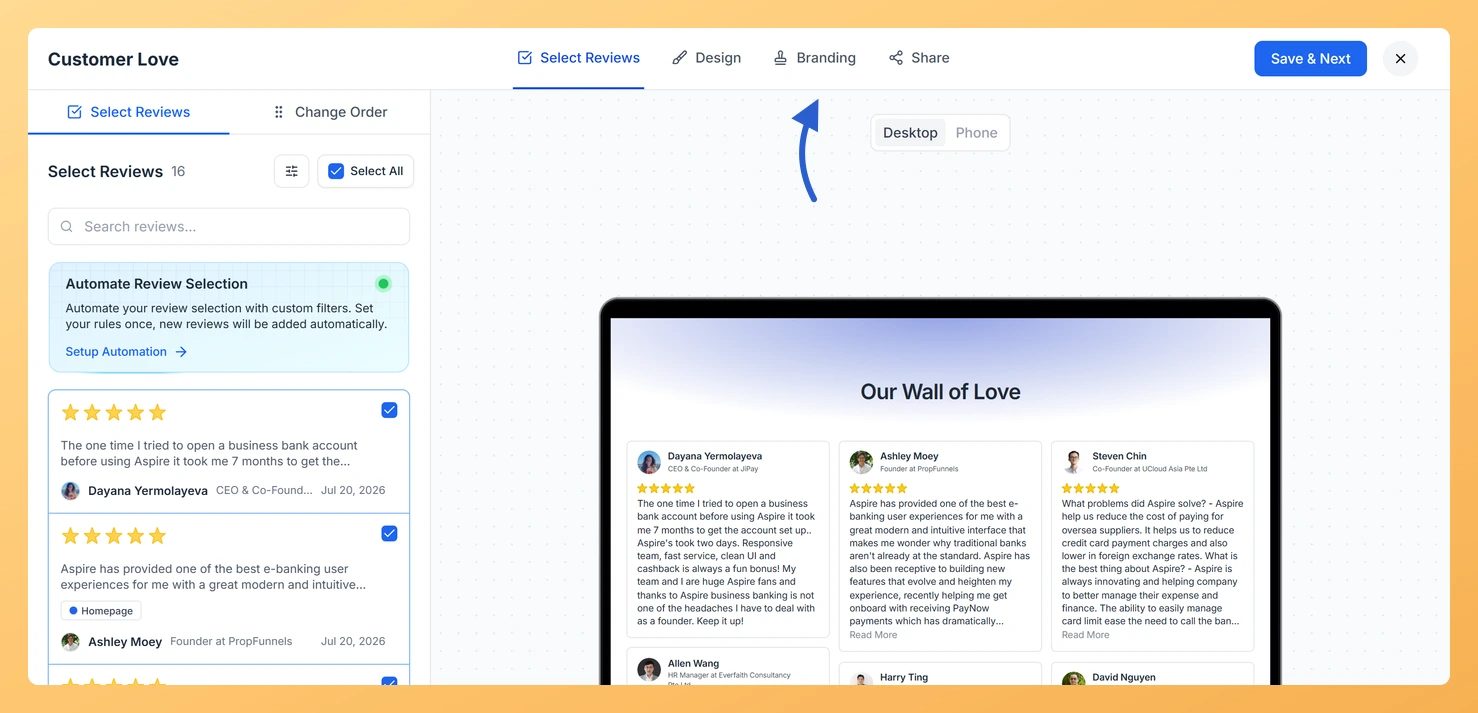
  3. Click the Branding tab at the top of the editor.

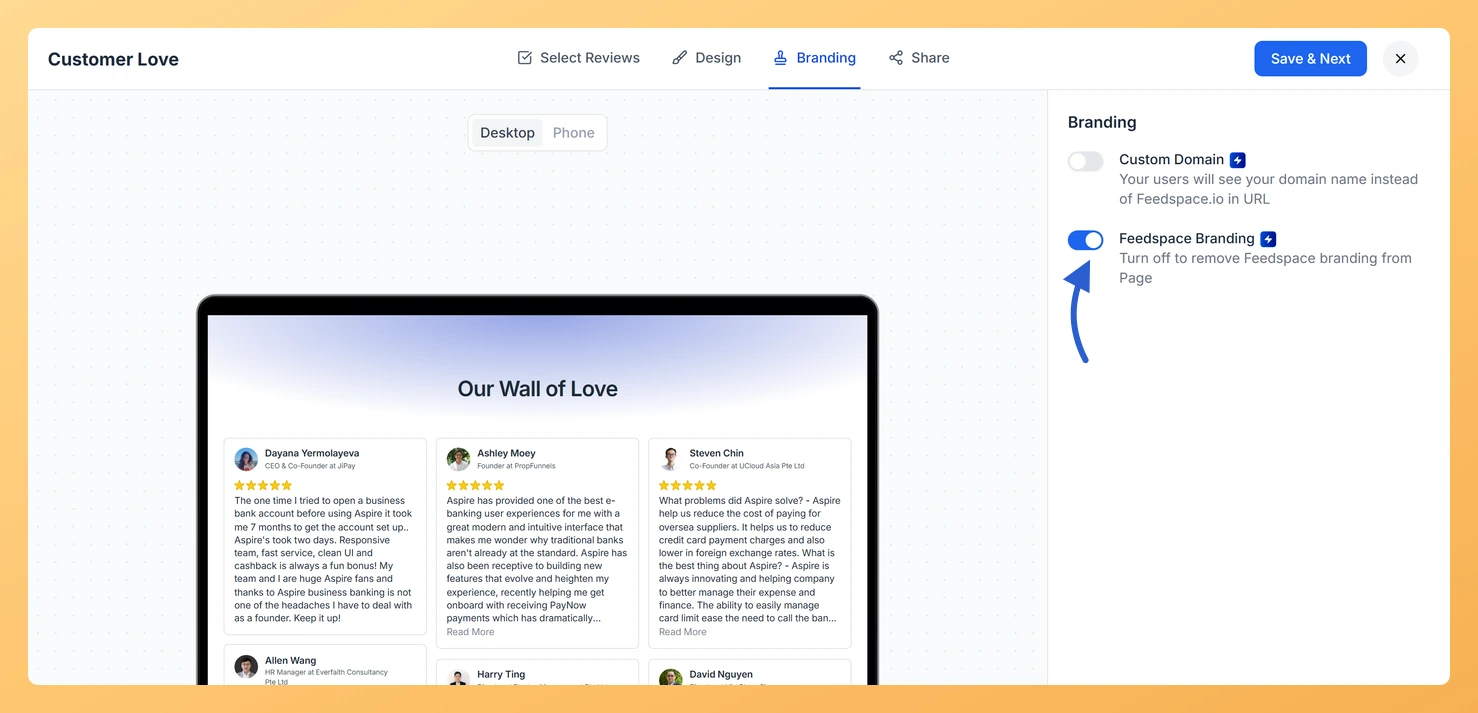
Step 2: Turn Off Feedspace Branding

Find the Remove Feedspace Branding toggle and turn it on. When enabled, the Feedspace logo and badge are removed from the bottom of your Wall of Love page.

Step 3: Save the Page

Click Save & Next to apply the change. Open the published page link to confirm that the Feedspace badge is no longer visible.

Troubleshooting

The toggle is locked

This means your account is on the free plan. Upgrade to a paid Feedspace plan to unlock branding removal on all pages.

The branding is still showing after saving

Your browser may be serving a cached version of the page. Open the page URL in a private or incognito window to see the current live version. If the branding is gone there, clear your main browser cache and reload.

What You Can Do with Branding Removal

  • Present a fully white-label testimonial page that keeps the focus entirely on your brand.
  • Strengthen trust with visitors by delivering a polished, professional experience without third-party logos.
  • Use the page as a seamless extension of your website and marketing materials.
  • Combine branding removal with a custom domain so the entire URL and page look like your own product.

You might also find helpful

How to Create a Wall of Love Page in Feedspace

Steps to Create a Page Log into Feedspace Sign in with your account credentials. Go to Pages From the left sidebar, click Pages. Create Page Click Create Page. This opens the creation screen with some reviews auto-selected in the space. Select Reviews Go to the Select Review page and choose...

How to Use Custom CSS Option in Wall of Love

Overview Feedspace gives you the flexibility to customize the look and feel of your Wall of Love using Custom CSS.This feature allows you to personalize font styles, colors, spacing, and other design elements to match your brand identity. Step 1: Go to Page Design Step 2: Enable “Add Custom CSS”...

How Do I Remove Feedspace Branding from My Review Form?

Feedspace gives you full control over branding on your review forms. If the logo is still visible after you turned it off, one of the checks below will clear it up in seconds. What You Can Do Reason 1: Hiding Branding Requires a Paid Plan White-label branding is available on...