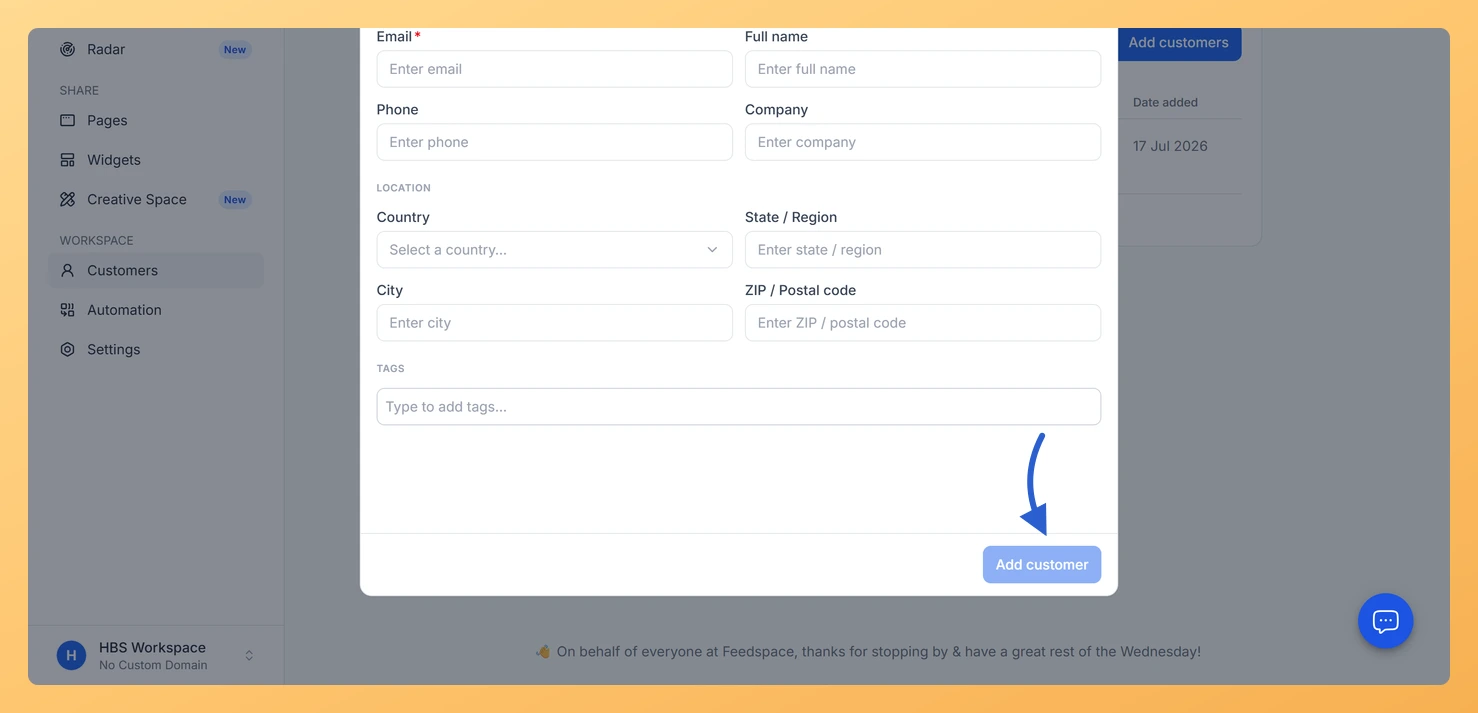
The Add manually option lets you add one customer at a time to your Feedspace workspace contact list. Use this when you want to add a specific person without uploading a file or connecting an integration.
Before You Start
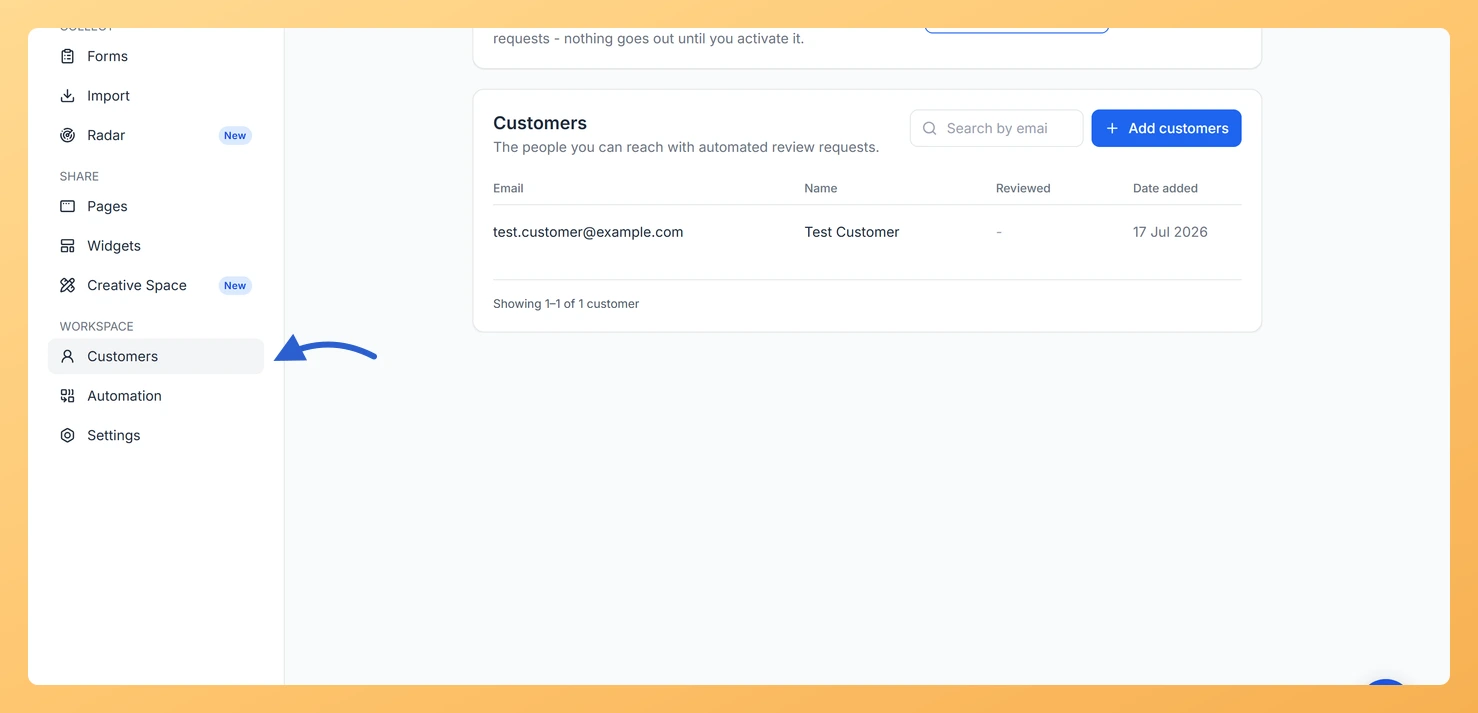
Sign in to the workspace you want to add the customer to. Customers is in the left sidebar, under the Workspace section.
Steps
Step 1: Open the Customers page
In the left sidebar, click Customers under the Workspace section.
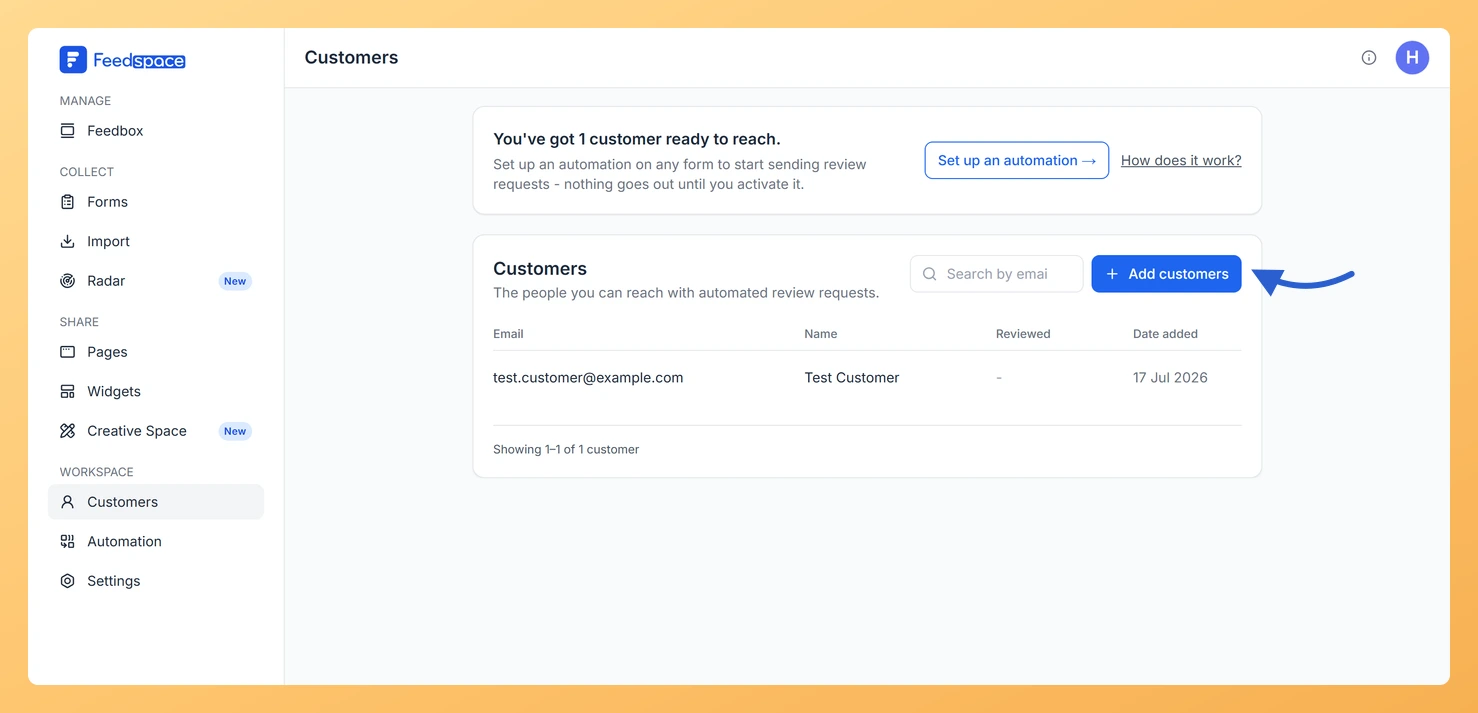
Step 2: Click Add customers
Click the Add customers button at the top right of the page.
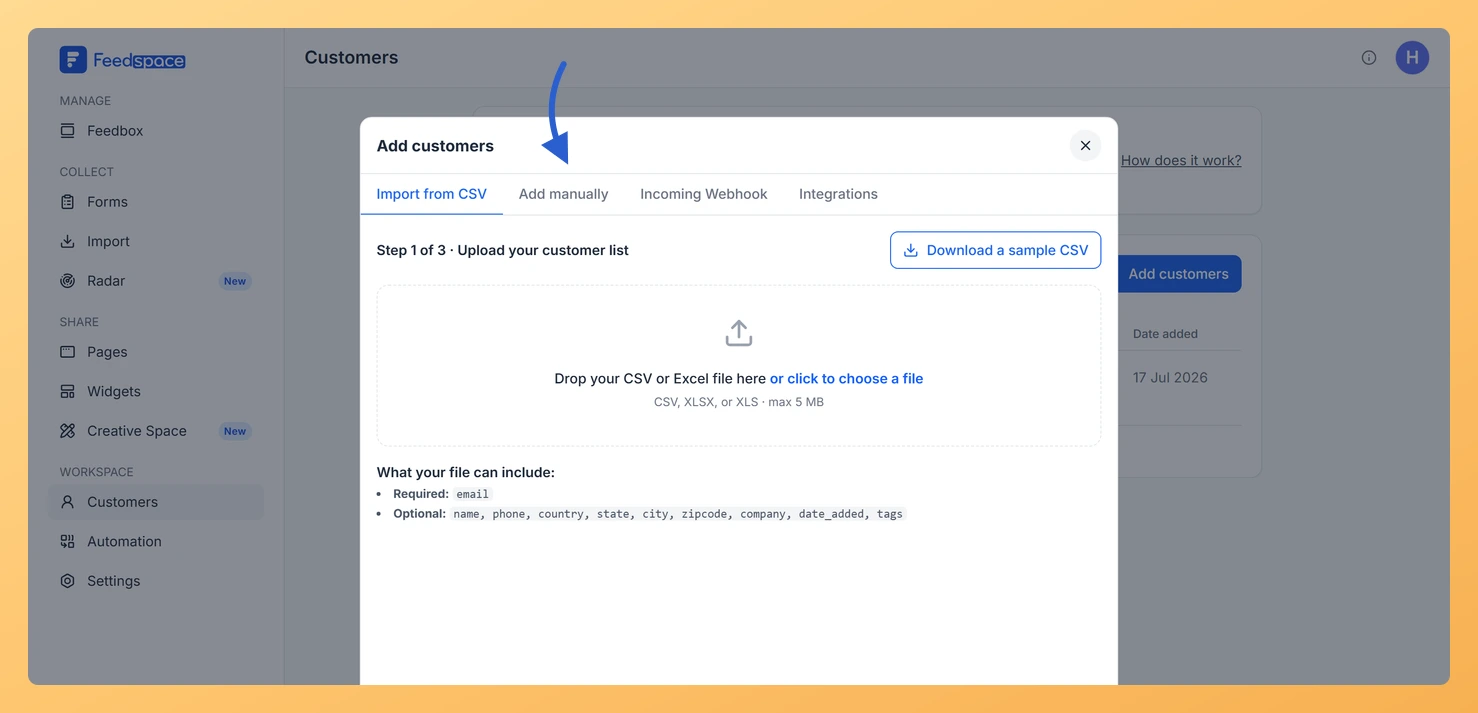
Step 3: Open the Add manually tab
In the modal that opens, click the Add manually tab.
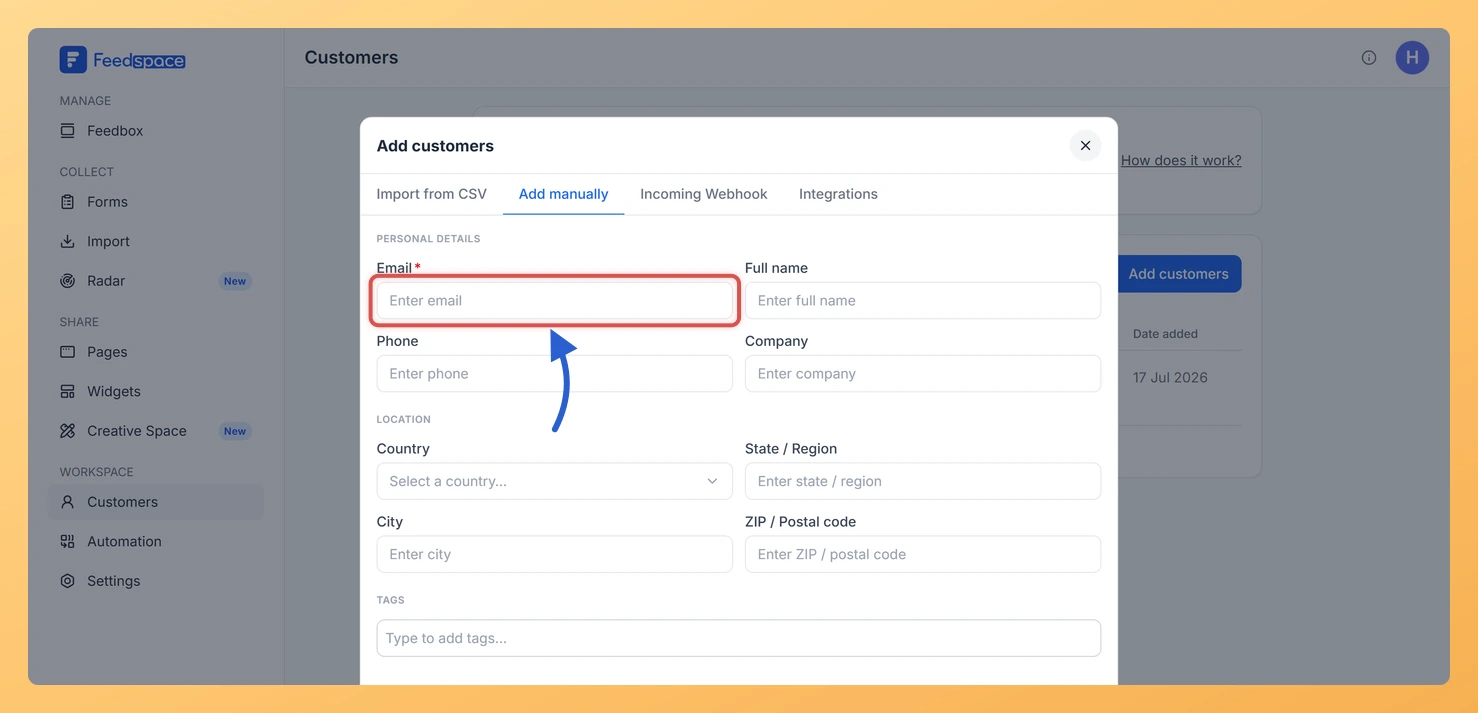
Step 4: Fill in the customer details
Enter the customer’s details. Only the email is required:
Email (required)
Full name (optional)
Phone (optional)
Company (optional)
Country, State / Region, City, ZIP / Postal code (optional)
Tags (optional, type a name to create a new tag)
Step 5: Save the customer
Click Add customer to save.
The customer now appears in your Customers list and is available for form automation.
Common questions
Does adding a customer send them an email right away?
No. Adding a customer saves them to your workspace list only. Review request emails are sent only when an active form automation includes that customer.
Troubleshooting
The Add customer button is not saving
Make sure the Email field is filled in with a valid address. Email is the only required field. If you see a red validation message below the field, correct the format before trying again.
What you can do next
Import many customers at once using a CSV file.
Click on a customer’s row to open their details and add or update tags.
Set up a form automation to begin sending review request emails to your customers.
You might also find helpful
What Is the Customers Module in Feedspace?
Overview The Customers module in Feedspace is a workspace-wide contact list. It stores the people you want to reach with automated review request emails. You can add customers in four ways: manually, by uploading a CSV file, via an incoming webhook, or by connecting an integration such as Stripe. Once...
How Do I Import Customers from a CSV File in Feedspace?
Overview The CSV tab in Add Customers lets you add many customers to your Feedspace workspace at once by uploading a spreadsheet file. This is the fastest way to populate your customer list when you already have contact data in a file. This page imports customer contacts, the people you...
How Do I View and Edit Customer Details in Feedspace?
Overview You can open any customer’s record in Feedspace to view their full details, make edits, manage their tags, or archive them. The customer details panel slides in from the right when you click on a customer row. How to open a customer record Step 1: Open the Customers page...