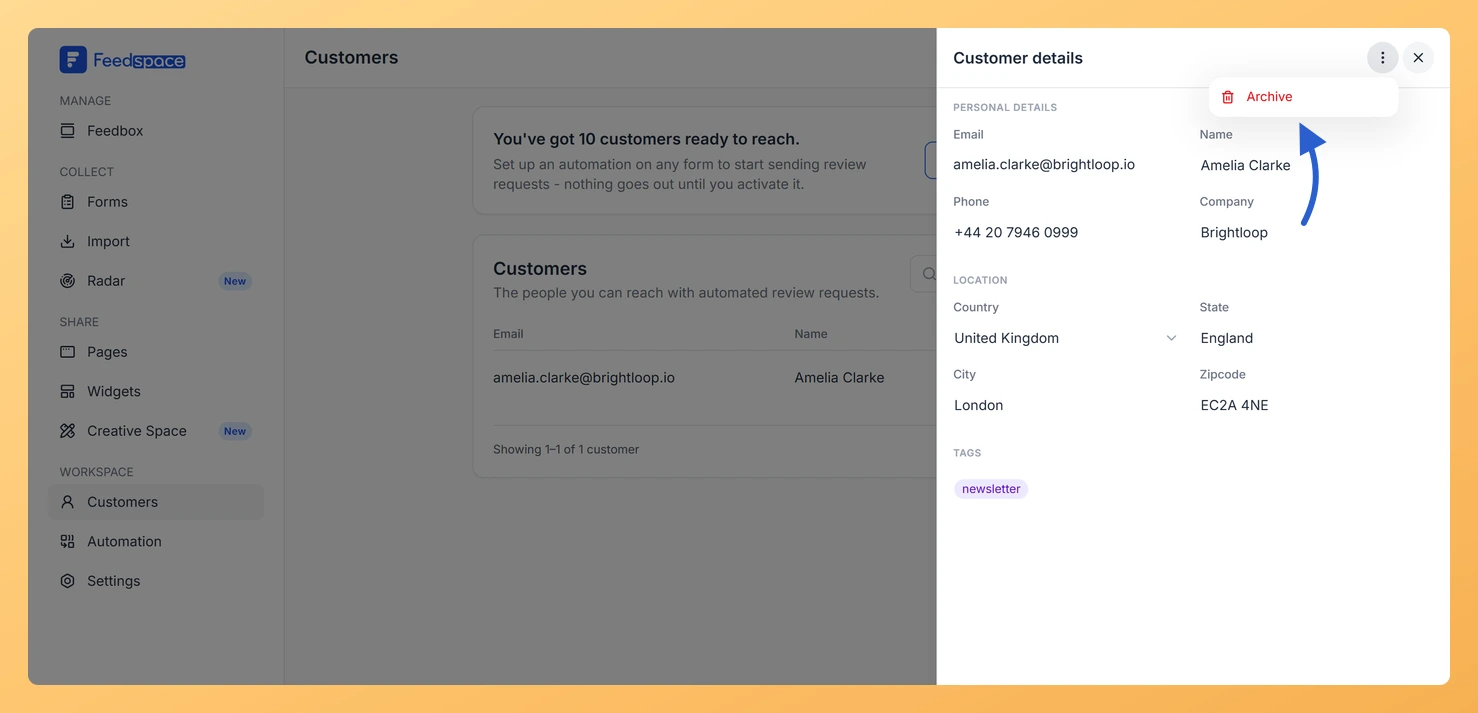
You can open any customer’s record in Feedspace to view their full details, make edits, manage their tags, or archive them. The customer details panel slides in from the right when you click on a customer row.
How to open a customer record
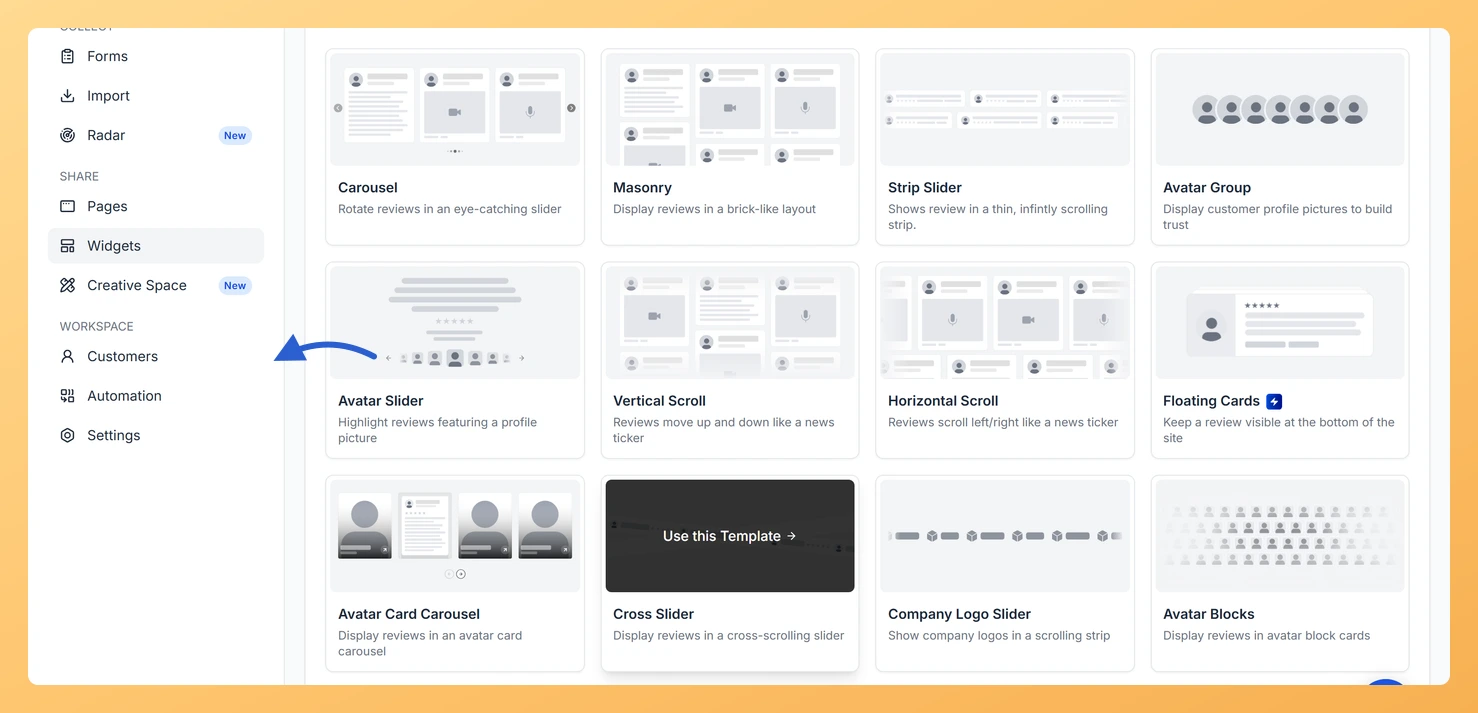
Step 1: Open the Customers page
In the left sidebar, click Customers under the Workspace section.
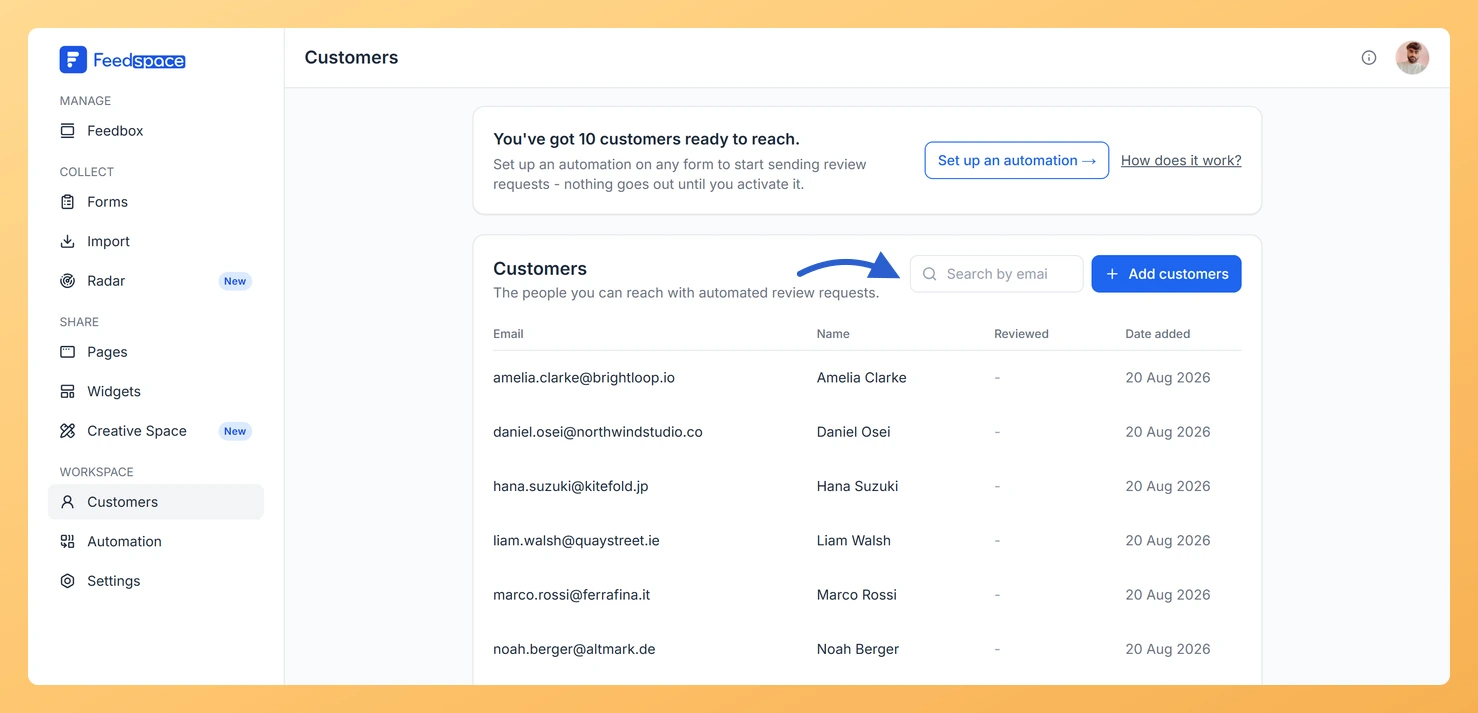
Step 2: Find the customer
Find the customer you want to view. Use the search bar to search by name or email.
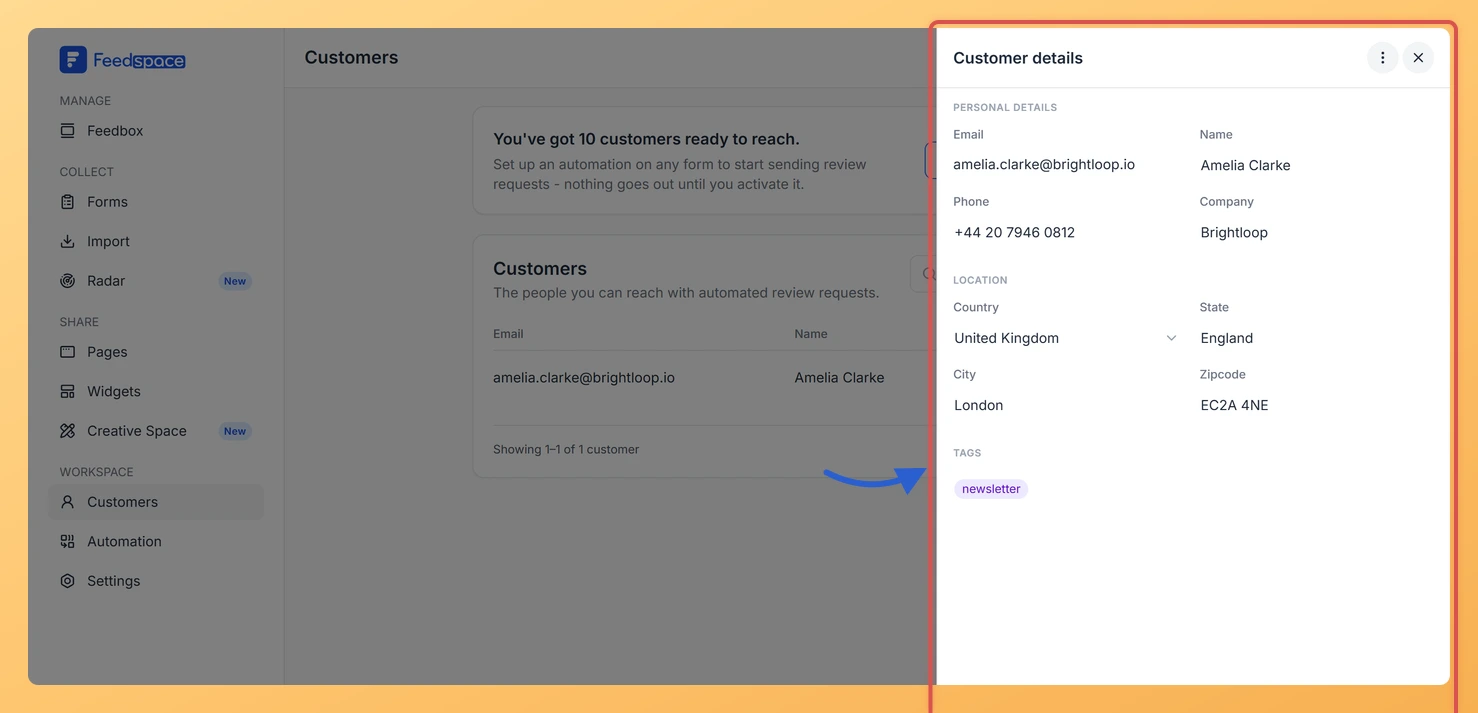
Step 3: Open the Customer details panel
Click on the customer’s row. The Customer details panel opens on the right side of the screen.
What you can see and edit
The customer details panel is divided into sections:
Personal details
Email, which is read-only because it identifies the record
Name
Phone
Company
Location
Country, chosen from a searchable dropdown
State
City
Zipcode
Tags
Add or remove tags to organize this customer. Type a tag name to create a new one or select from existing tags.
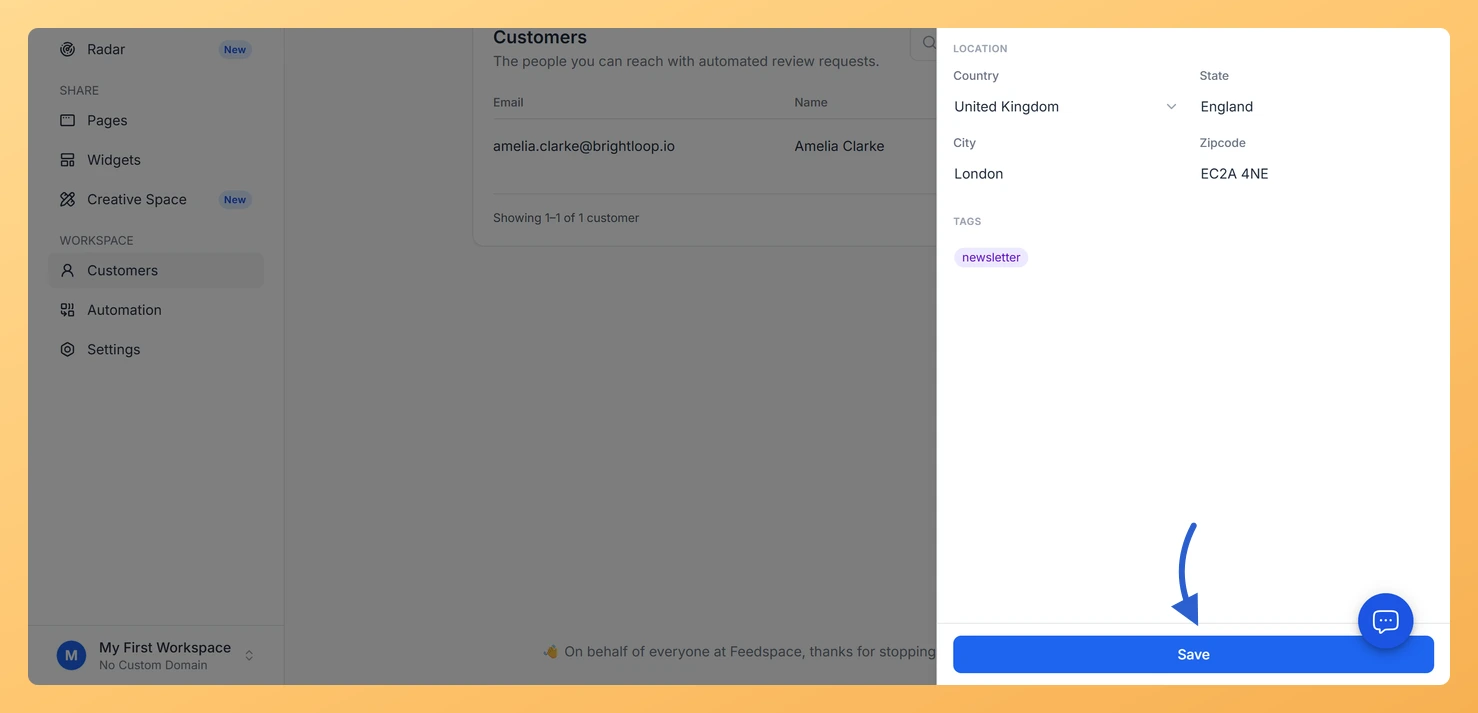
How to save changes
A Save button appears at the bottom of the panel as soon as you change any field. Click it to keep your edits. To close without saving, click the X at the top right of the panel or click anywhere outside it.
How to archive a customer
Step 1: Open the customer details panel
Open the customer details panel.
Step 2: Open the three-dot menu
Click the three-dot menu (⋮) at the top right of the Customer details panel.
Step 3: Select Archive
Select Archive.
Archiving removes the customer straight away. There is no confirmation step and the record cannot be brought back, so use it when you are sure you no longer need that contact. Any reviews they already submitted stay in your Feedbox and are not affected.
Common questions
Can I change a customer’s email address?
Email is the unique identifier for each customer record. If you need to change the email, it is best to archive the old record and add the customer again with the correct email address.
What you can do next
Add tags to group this customer with similar contacts.
Return to the Customers list and use the search bar to find other customers to update.
Set up a form automation that targets customers with specific tags.
You might also find helpful
What Is the Customers Module in Feedspace?
Overview The Customers module in Feedspace is a workspace-wide contact list. It stores the people you want to reach with automated review request emails. You can add customers in four ways: manually, by uploading a CSV file, via an incoming webhook, or by connecting an integration such as Stripe. Once...
How Do I Archive a Customer in Feedspace?
Overview Archiving a customer in Feedspace permanently removes them from your customer list. The customer will no longer appear in your list or receive automated review request emails. This action cannot be undone. Steps to archive a customer Step 1: Open the Customers page In the left sidebar, click Customers...
How Do I Use Customer Tags in Feedspace?
Overview Tags in Feedspace let you group customers into categories so you can filter and target them more precisely in your form automation. For example, you could tag customers as “enterprise”, “trial”, or “vip” and then set up an automation that only emails customers with a specific tag. You can...