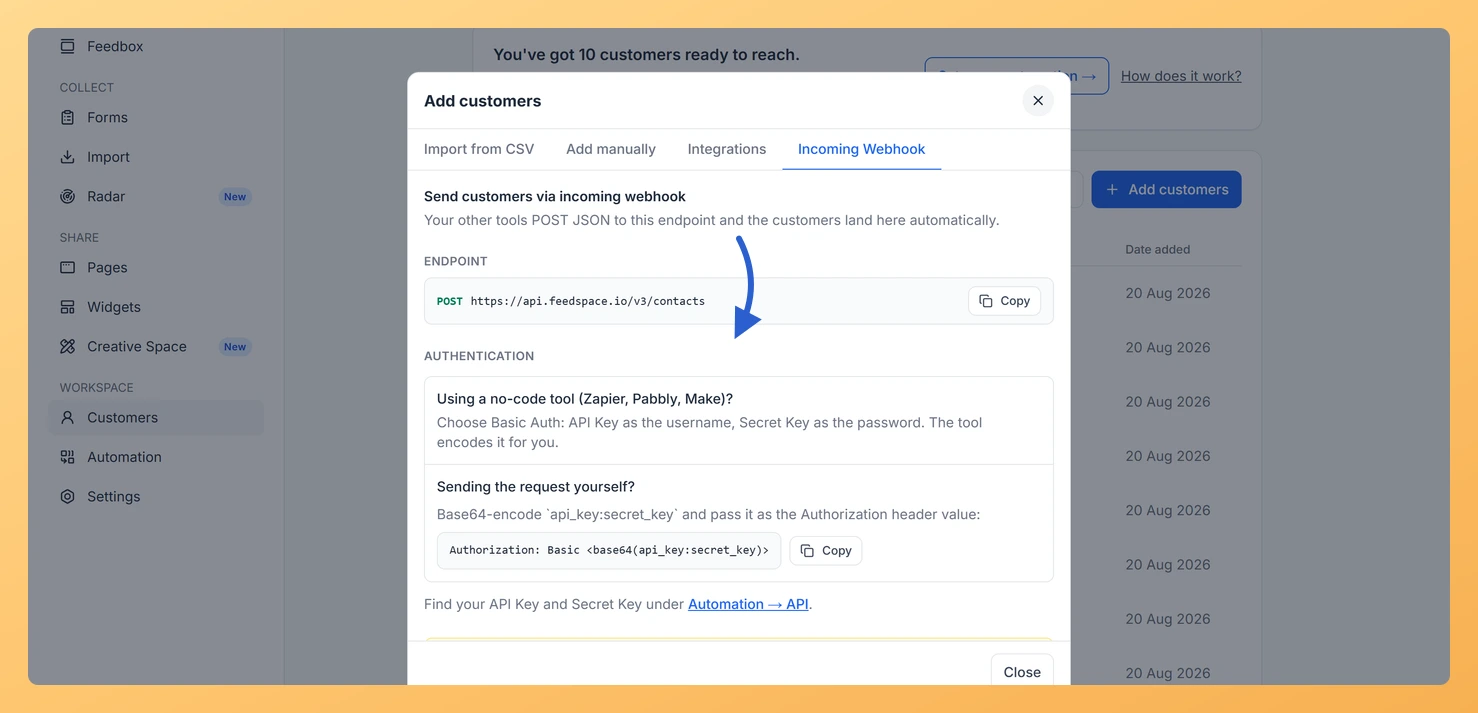
The Incoming Webhook option lets your own software or external systems send customer data directly to your Feedspace workspace. Every time a POST request is sent to the Feedspace contacts endpoint with your API credentials, Feedspace adds or updates that customer in your list automatically.
This is useful if you want customers to be added in real time, for example, after a purchase, a signup, or a support ticket is resolved.
Before You Start
You need developer access or a way to send HTTP POST requests from your system.
Your request must use Basic Auth (Base64-encoded credentials).
Steps
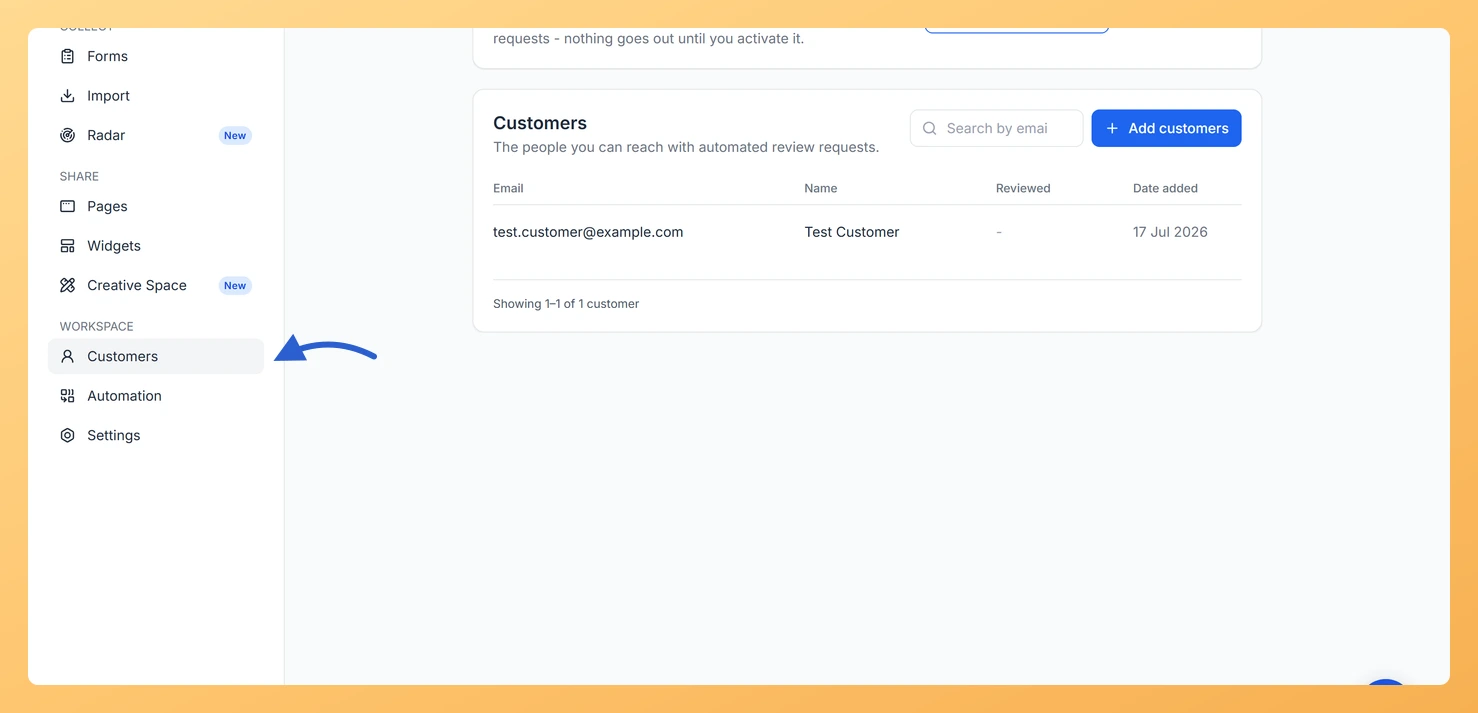
Step 1: Open the Customers page
In the left sidebar, click Customers under the Workspace section.
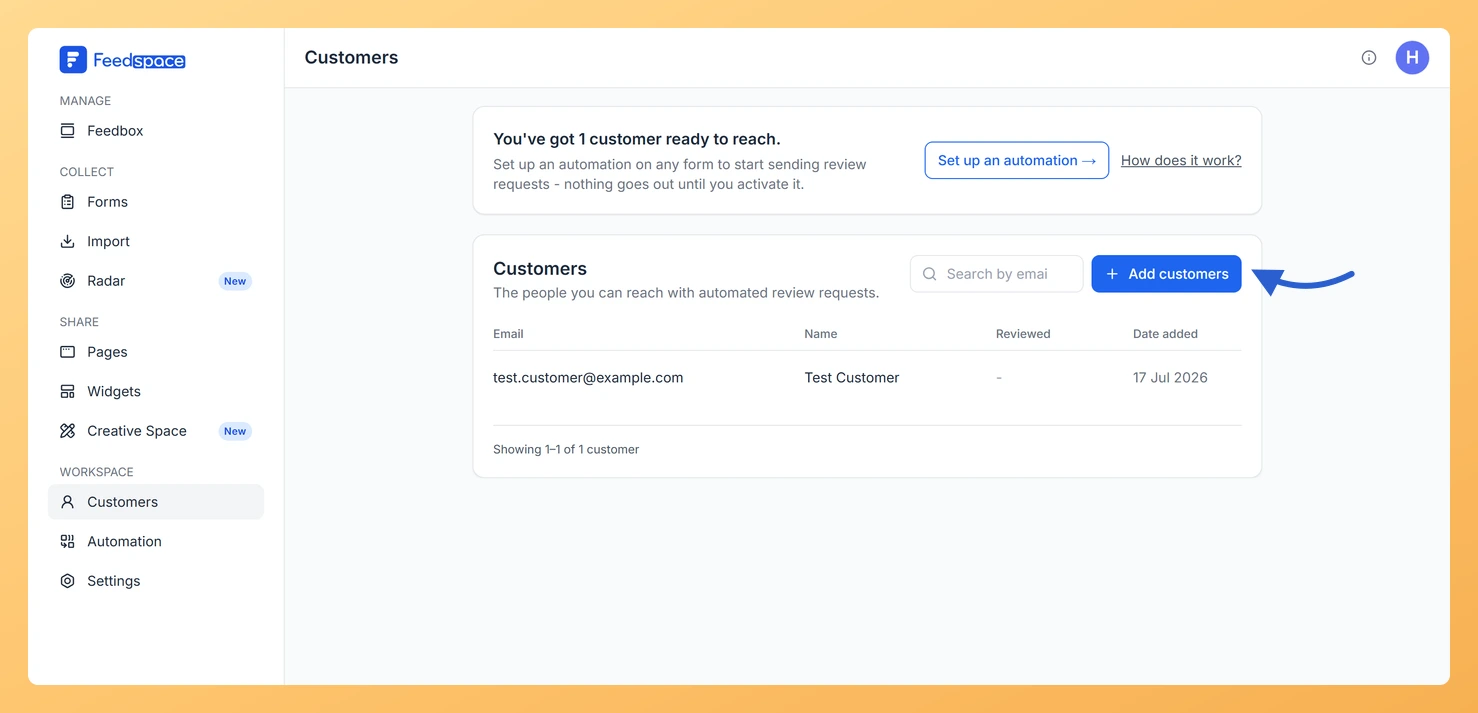
Step 2: Click Add customers
Click Add customers at the top right.
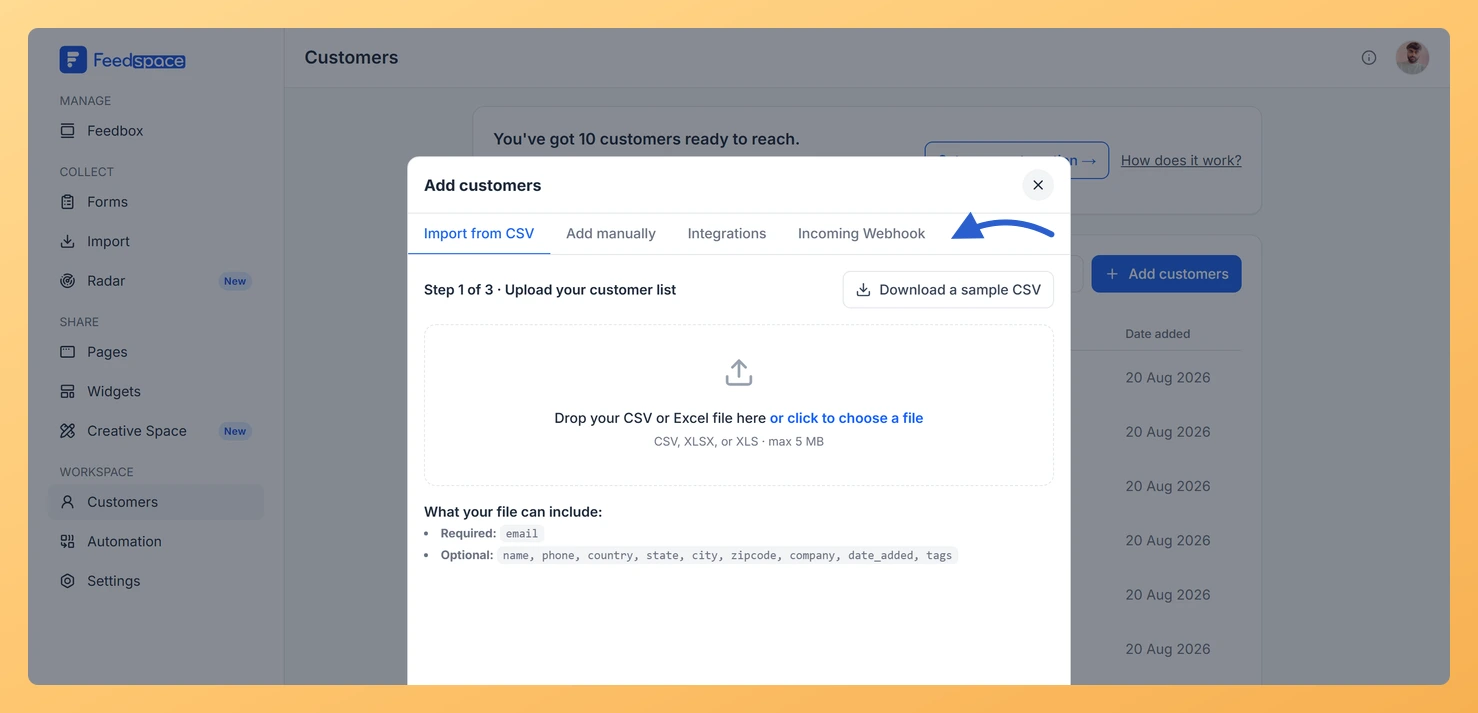
Step 3: Open the Incoming Webhook tab
In the modal, click the Incoming Webhook tab.
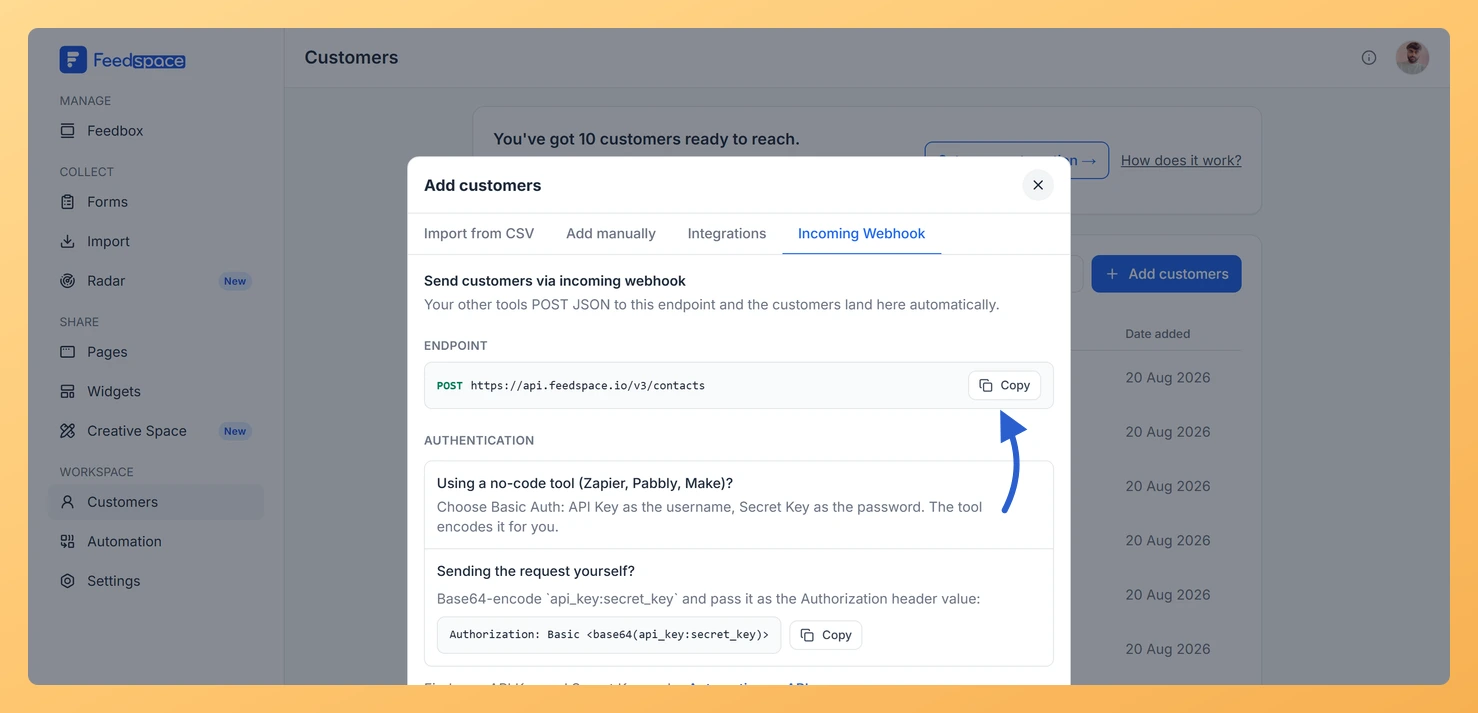
Step 4: Copy the endpoint
Click Copy next to the Endpoint to copy the URL. Every workspace posts to the same endpoint, so it is your API Key and Secret Key that identify yours.
Step 5: Encode your credentials
Follow the authentication instructions shown on the tab to encode your credentials using Base64. Your API Key and Secret Key are under Automation, then API.
Step 6: Send the POST request
Send a POST request from your system to the endpoint with a JSON body. The email field is required. All other fields are optional:
Is the incoming webhook the same as an outgoing webhook?
No. The incoming webhook on the Customers page receives data FROM your system to add customers. Outgoing webhooks, found in the Automation tab, send data FROM Feedspace to your system when events like new reviews occur.
What happens if I send the same email twice?
If a customer with that email already exists, Feedspace updates their record with the new values from the request instead of creating a duplicate.
Troubleshooting
My POST request is returning a 401 error
A 401 error means your authentication credentials are incorrect. Make sure you are using Basic Auth with your credentials correctly Base64-encoded as shown in the Incoming Webhook tab instructions.
Customers are not appearing after I send the request
Check that your JSON body includes the email field with a valid email address. Requests without a valid email are rejected and the customer will not be added.
What you can do next
Test your webhook by sending a single POST request and checking if the customer appears in the Customers list.
Set up a form automation to send review requests to customers as they are added via webhook.
Use the outgoing Webhook feature in the Automation tab to receive notifications when a review is submitted.
You might also find helpful
What Is the Customers Module in Feedspace?
Overview The Customers module in Feedspace is a workspace-wide contact list. It stores the people you want to reach with automated review request emails. You can add customers in four ways: manually, by uploading a CSV file, via an incoming webhook, or by connecting an integration such as Stripe. Once...
What is Webhook in Feedspace?
Overview Webhooks in Feedspace let your external applications receive instant notifications whenever an event occurs in your workspace. Instead of repeatedly polling the API for updates, Feedspace pushes event data to a URL you provide the moment something happens, making your integrations faster and more efficient. For example, a development...
How Do I Add a Customer Manually in Feedspace?
Overview The Add manually option lets you add one customer at a time to your Feedspace workspace contact list. Use this when you want to add a specific person without uploading a file or connecting an integration. Before You Start Sign in to the workspace you want to add the...