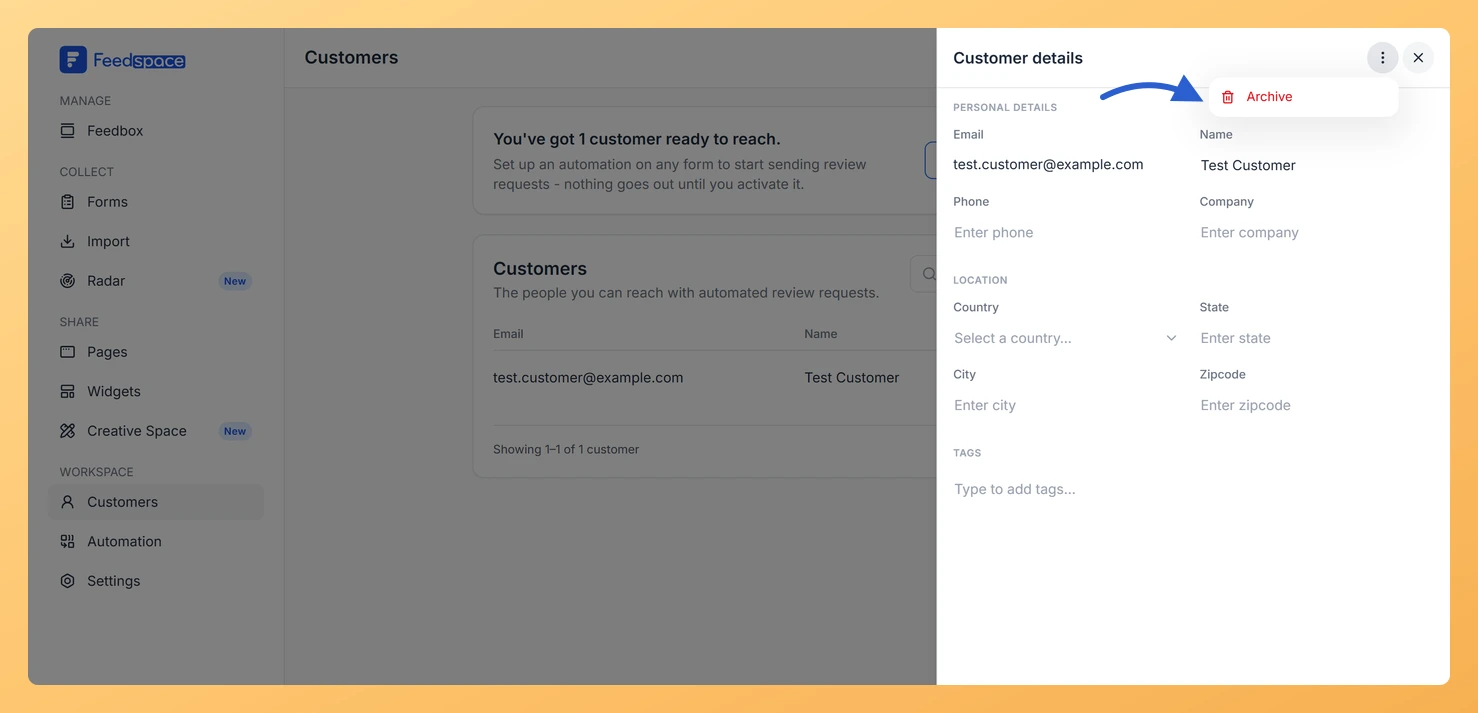
Archiving a customer in Feedspace permanently removes them from your customer list. The customer will no longer appear in your list or receive automated review request emails. This action cannot be undone.
Steps to archive a customer
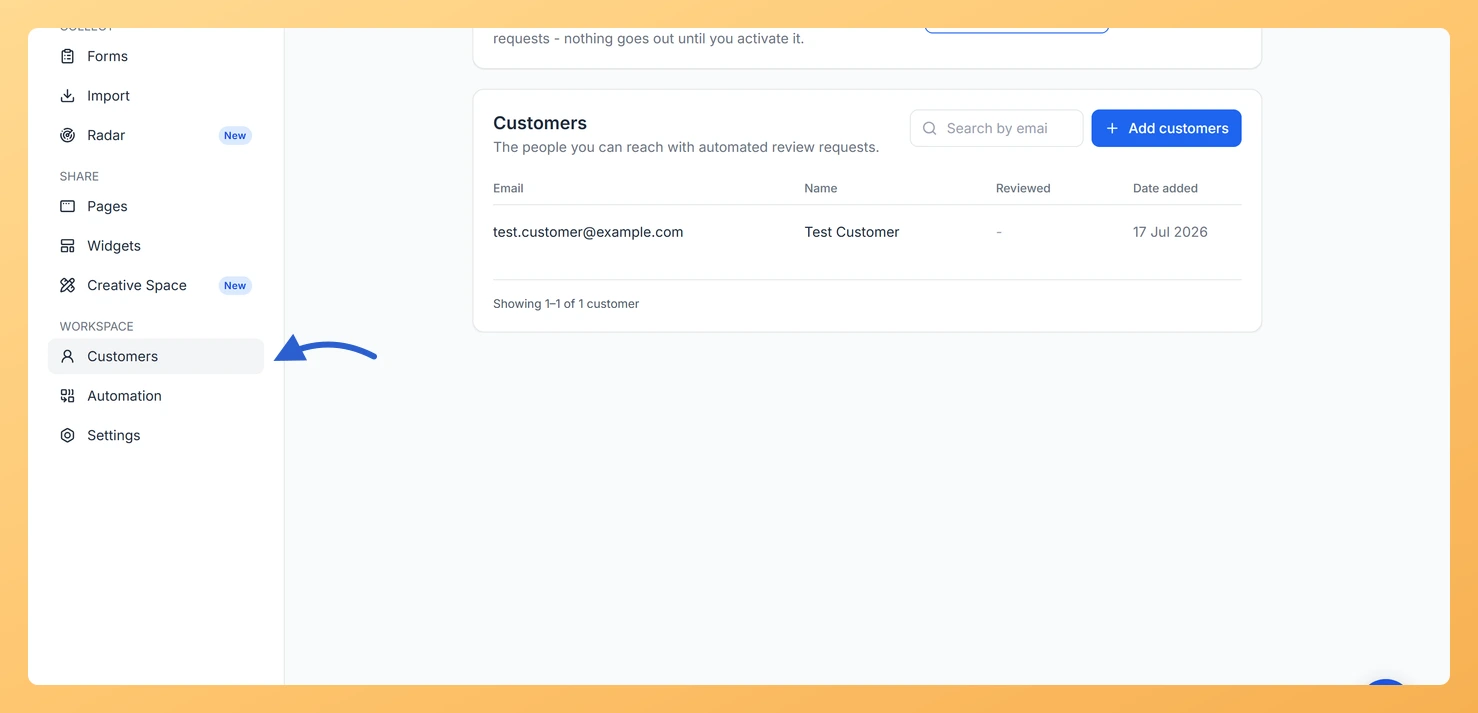
Step 1: Open the Customers page
In the left sidebar, click Customers under the Workspace section.
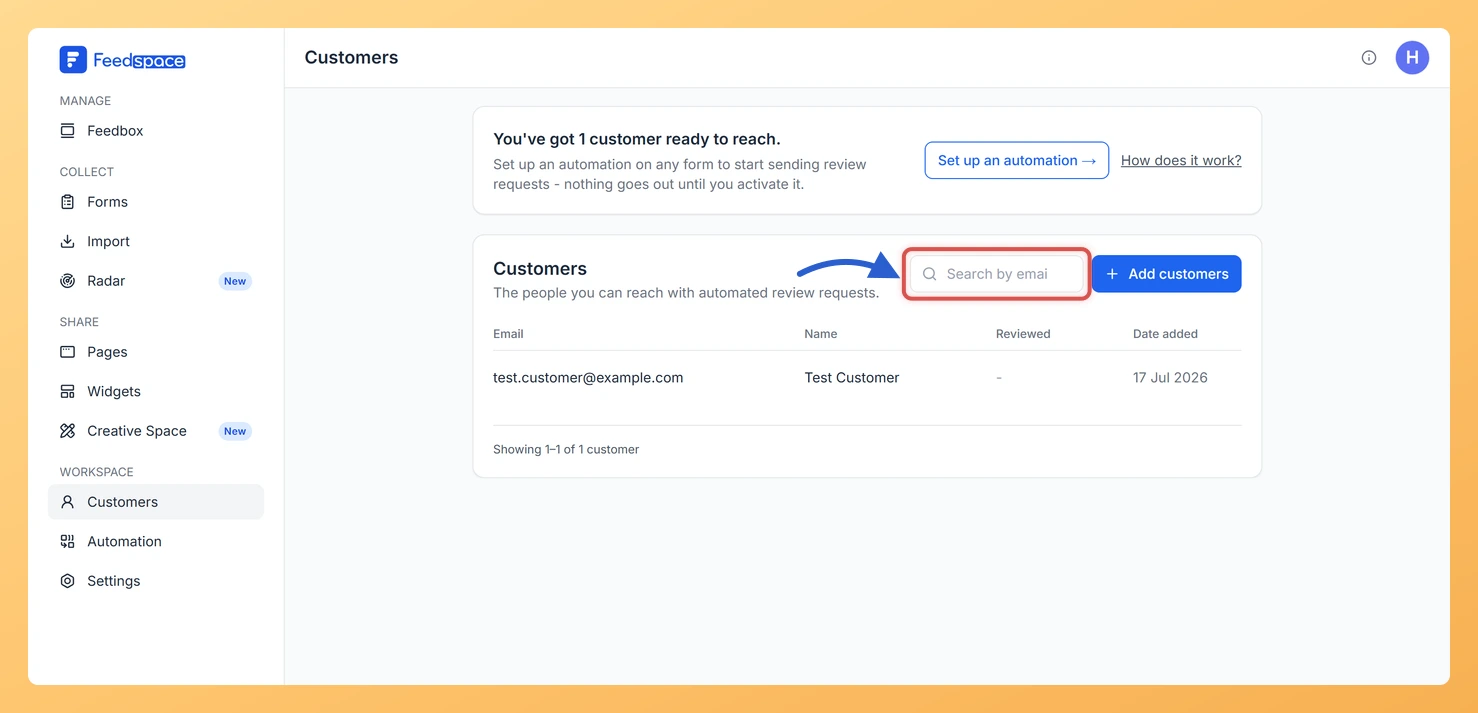
Step 2: Find the customer
Use the Search by email box to find the customer you want to archive.
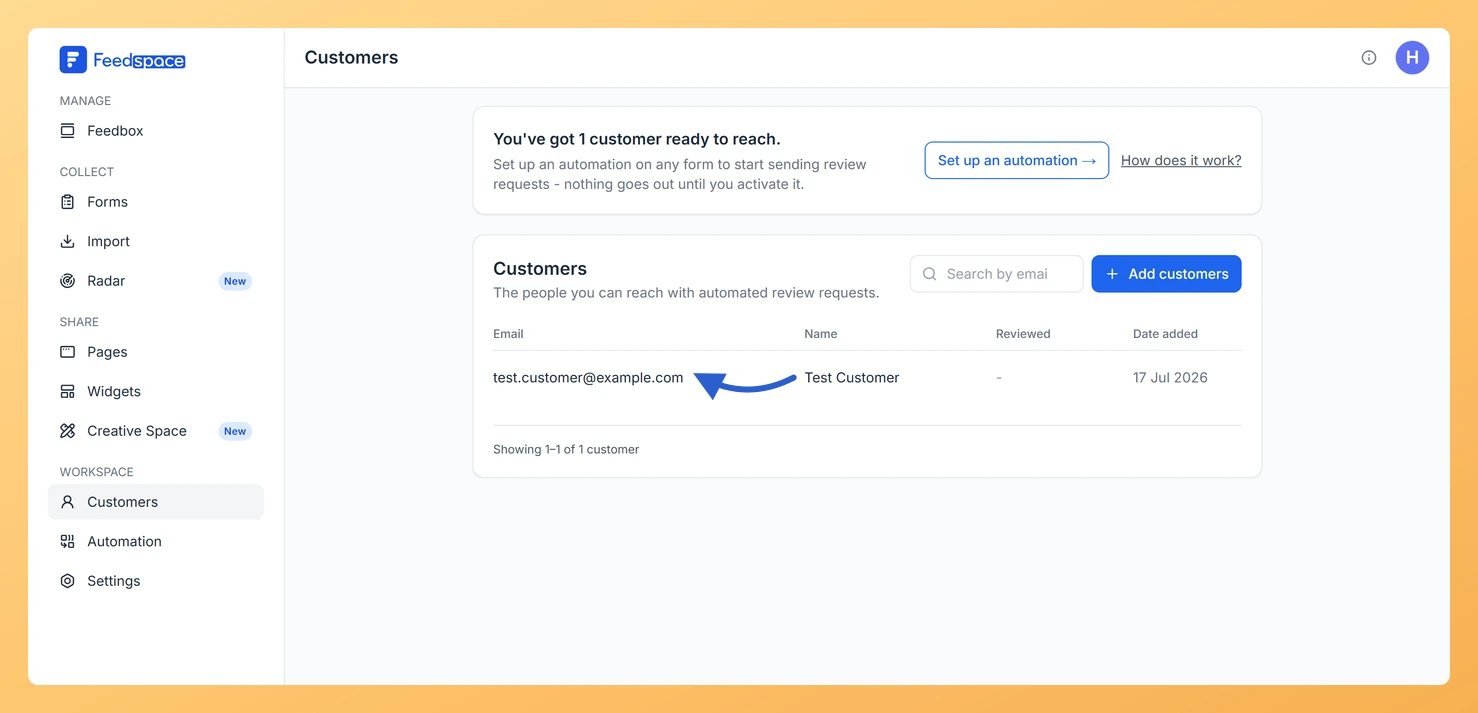
Step 3: Open the customer’s details
Click the customer’s row to open the Customer details panel on the right.
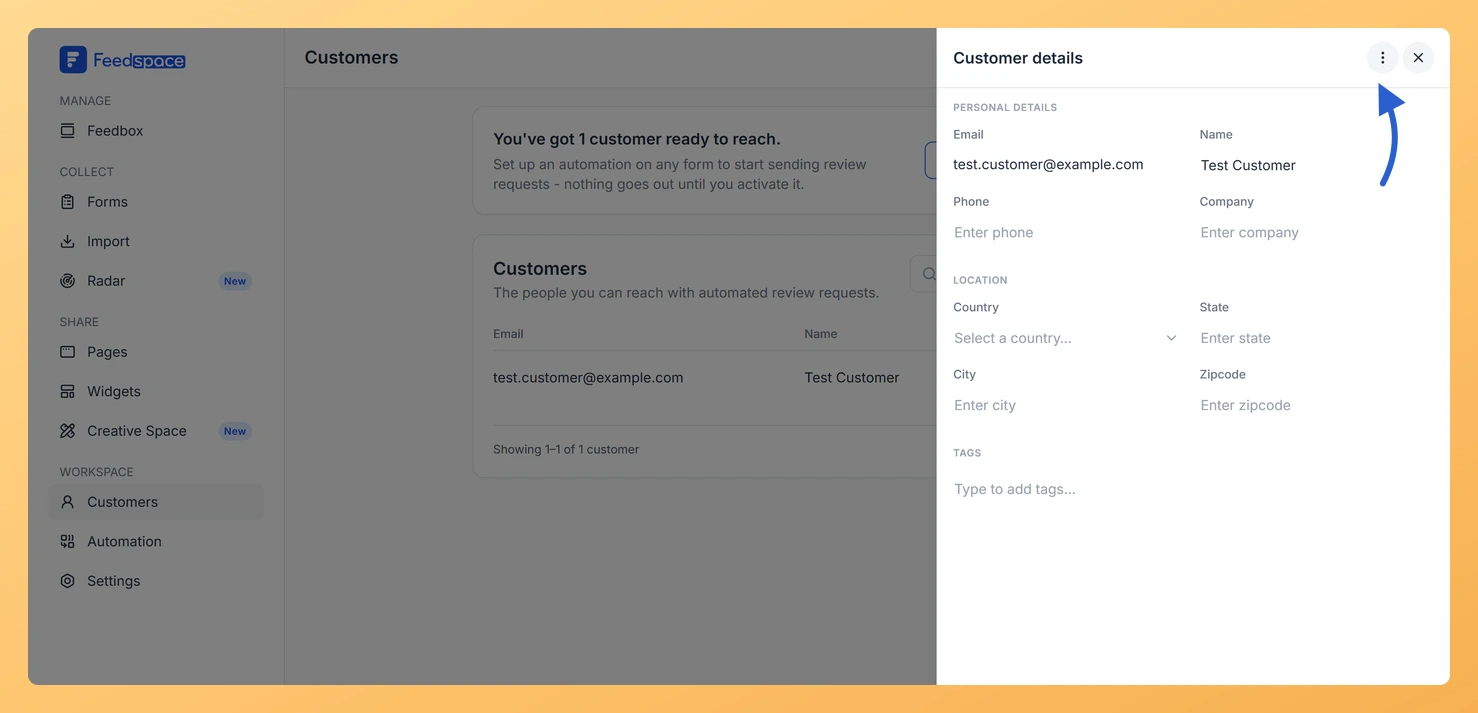
Step 4: Open More actions
Click the three-dot More actions button at the top right of the Customer details panel.
Step 5: Select Archive
Select Archive from the dropdown.
The customer is immediately removed from your list with no confirmation step.
What happens after archiving
The customer is permanently removed from your customer list.
They will no longer receive automated review request emails from any form in your workspace.
Any reviews or testimonials they previously submitted remain in your Feedbox and are not affected.
Common questions
Can I undo archiving a customer?
No. Archiving is permanent and cannot be undone. If you need the customer in your workspace again, use the + Add customers button to add them manually or re-import them from a CSV file.
Can I change a customer’s email and then re-add them?
Email is the unique identifier for each customer record and cannot be edited. If a customer’s email has changed, archive the old record and add the customer again with their new email address using the Manual tab in the + Add customers modal.
What you can do next
Open the Customer details panel to review a customer’s record before archiving.
If you need to re-add an archived customer, use the + Add customers button and enter their details on the Manual tab, or re-import from a CSV file.
You might also find helpful
How Do I View and Edit Customer Details in Feedspace?
Overview You can open any customer’s record in Feedspace to view their full details, make edits, manage their tags, or archive them. The customer details panel slides in from the right when you click on a customer row. How to open a customer record Step 1: Open the Customers page...
What Is the Customers Module in Feedspace?
Overview The Customers module in Feedspace is a workspace-wide contact list. It stores the people you want to reach with automated review request emails. You can add customers in four ways: manually, by uploading a CSV file, via an incoming webhook, or by connecting an integration such as Stripe. Once...
What Happens When I Archive a Customer in Feedspace?
What Archiving Does When you archive a customer in Feedspace, they are removed from all active automation sequences across your workspace. No review request emails or automated messages will be sent to them after archiving. What Stays the Same What Changes When Should I Archive a Customer? Is Archiving the...