You can cancel your Feedspace subscription at any time from the Subscription tab in your account. The cancellation happens inside Feedspace: you see what changes on your account, choose a reason, and confirm. Your plan stays active until the end of your current billing period, and your account is not deleted after cancellation.
Steps to cancel your subscription
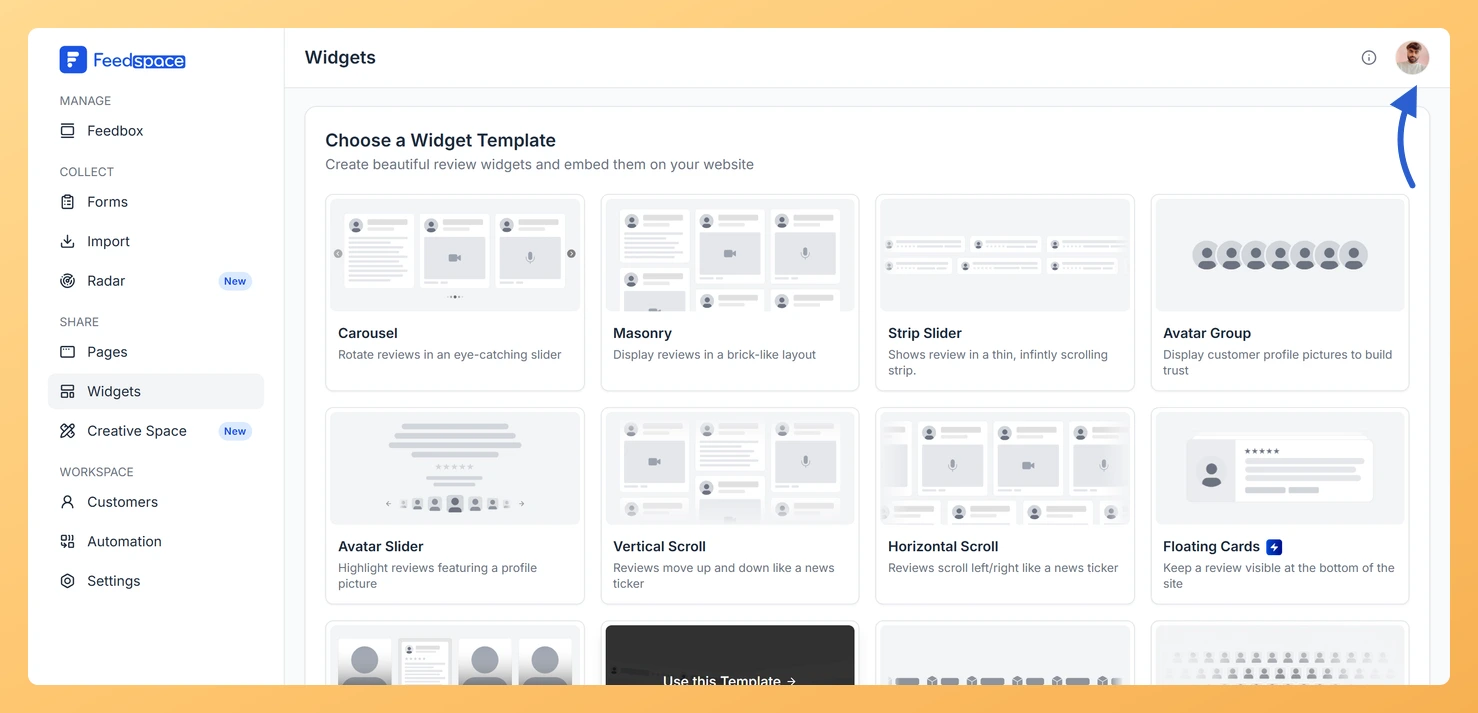
Step 1: Open the account dropdown
Click the avatar button at the top-right of the header.
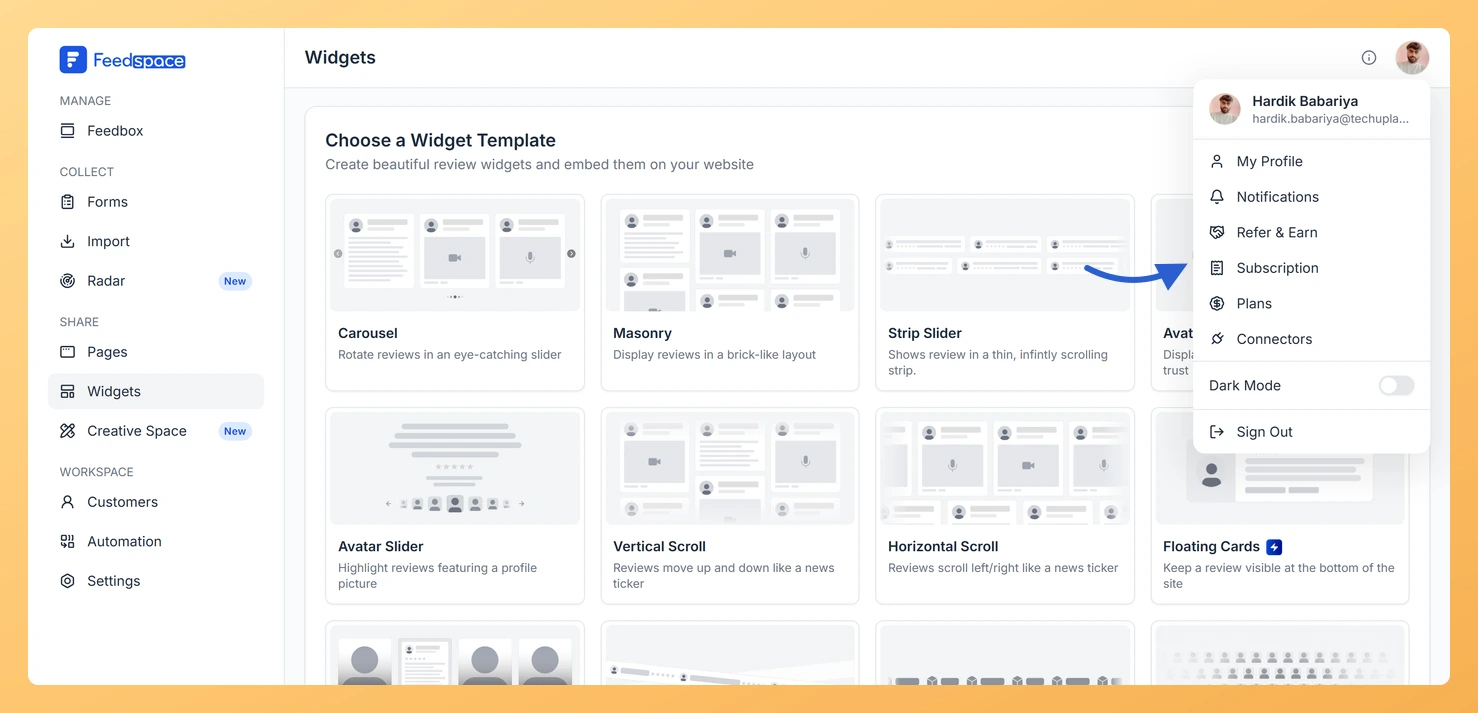
Step 2: Open the Subscription tab
Click Subscription. Your account opens on the Subscription tab.
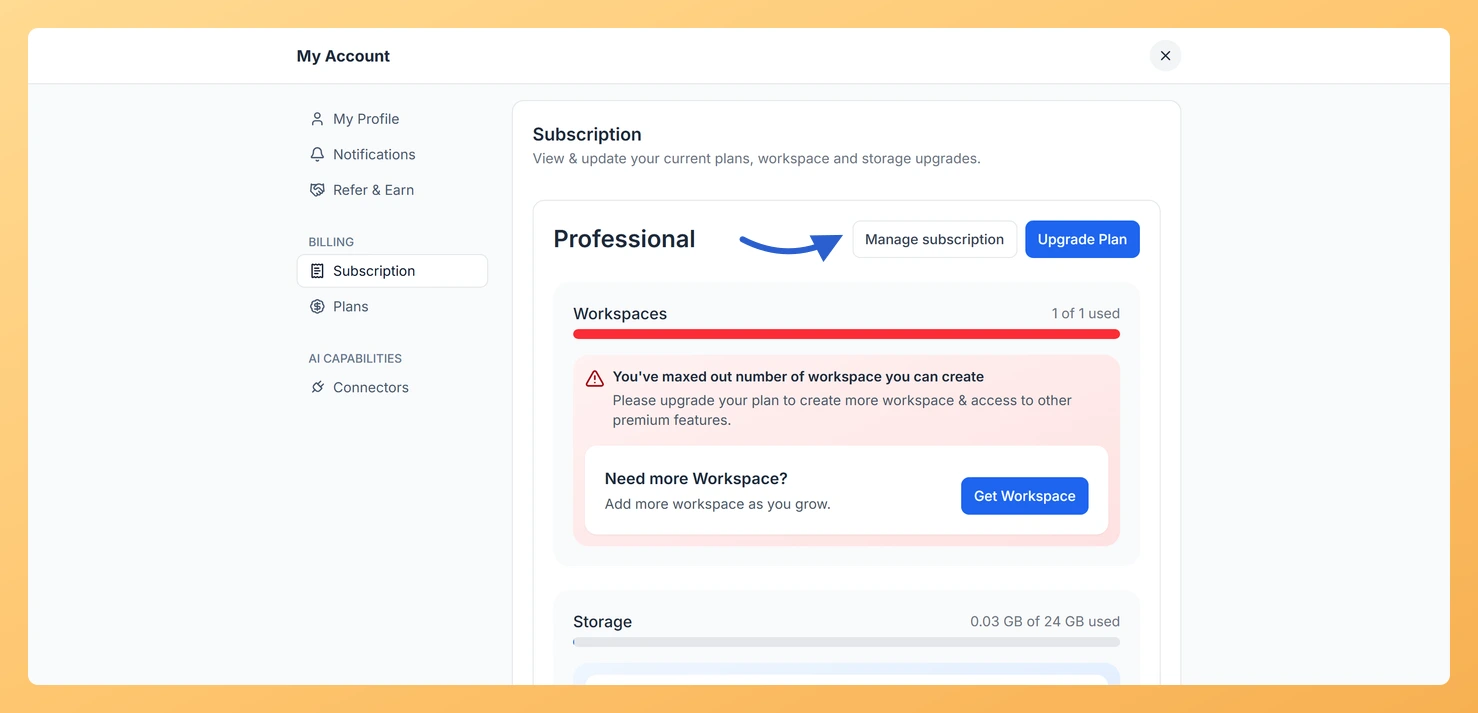
Step 3: Open Manage subscription
Click Manage subscription. This button appears for monthly and yearly paid plans.
Step 4: Start the cancellation
In the Manage subscription window, click Cancel subscription.
Step 5: Review what changes
On the Before you cancel screen, review what changes on your account. Tick I understand what changes when my plan ends, then click Continue.
Step 6: Give a reason
On the Why are you cancelling? screen, pick at least one reason or add a comment, then click Continue.
Step 7: Confirm
On the Confirm cancellation screen, check the date your plan stays active until, then click Cancel subscription.
Once confirmed, you see a Your cancellation is scheduled message with the date your plan ends. Your paid access continues until that date.
What happens after you cancel
Your account remains fully active until the end of the billing period you already paid for.
After that date, your account moves to the Free plan with reduced limits.
Your reviews, forms, and customer data are not deleted.
Features tied to your paid plan (API access, webhooks, custom domain, automation, extra workspaces) stop working when the Free plan takes effect.
You can resume the plan any time before the end date, and nothing changes on your account.
What’s next
Export your reviews as an Excel file before your plan downgrades, as a backup.
Changed your mind? Resume from the Subscription tab before your end date, or resubscribe later from the Plans tab.
Common questions
I do not see a Manage subscription button
The Manage subscription button is shown for monthly and yearly paid plans. It does not appear on the Free plan. If your plan was set up by the Feedspace team, or you are on an AppSumo lifetime plan, contact Feedspace support to make changes.
Can I undo a cancellation?
Yes. After you cancel, a Resume option appears on the Subscription tab until your end date. Click it any time before the plan ends and your subscription continues as normal.
Will I get a refund?
Feedspace subscriptions are not refunded after cancellation. Your paid access runs through to the end of your current billing period. For specific refund questions, contact the Feedspace support team.
You might also find helpful
What Happens When I Cancel My Feedspace Subscription?
Your Data Is Never Deleted Cancelling your Feedspace subscription does not delete your account or any of your data. All your reviews, forms, customer records, workspaces, and settings remain in your account. The only thing that changes is your access to paid features once your billing period ends. What Happens...
How Do I View My Subscription in Feedspace?
Overview The Subscription tab in your Feedspace account shows your current plan, billing amount, usage across your workspaces and storage, and your full invoice history. You can also manage your subscription or upgrade from this tab. How to open the Subscription tab Step 1: Open the account menu Click the...
How Do I Upgrade or Change My Plan in Feedspace?
Overview The Plans tab in Feedspace shows all available pricing tiers and lets you upgrade, downgrade, or switch your billing period. Your current plan is always highlighted so you can easily see what is included and what the next tier offers. How to open the Plans tab Step 1: Open...