Deleting a workspace permanently removes all review forms, wall of love pages, widgets, and reviews inside it. This action cannot be undone, so make sure you have backed up any data you need before proceeding.
Before you delete
Only workspace admins can delete a workspace.
Export any reviews or data you want to keep before deleting.
Inform team members who have access to this workspace, as they will lose access after deletion.
Steps
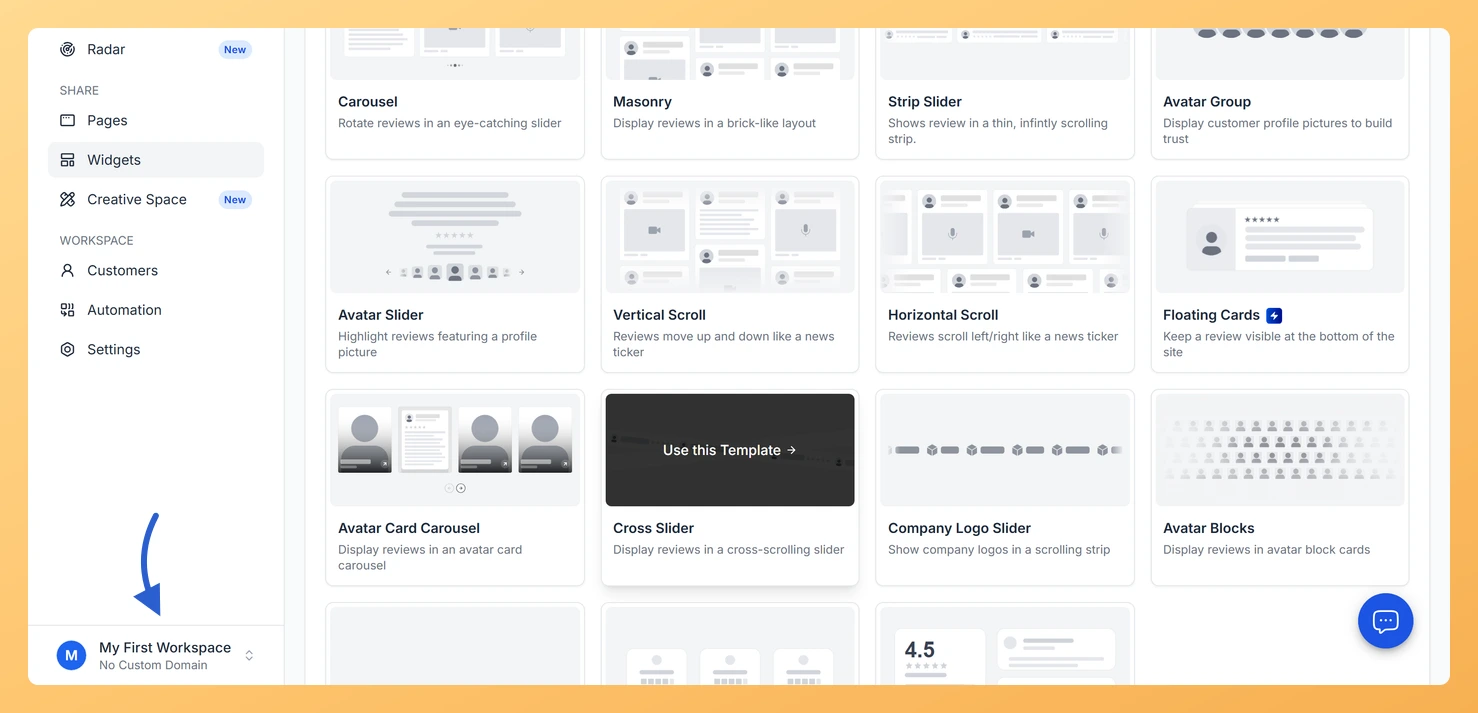
Step 1: Open the workspace switcher
Open the workspace switcher in the sidebar footer.
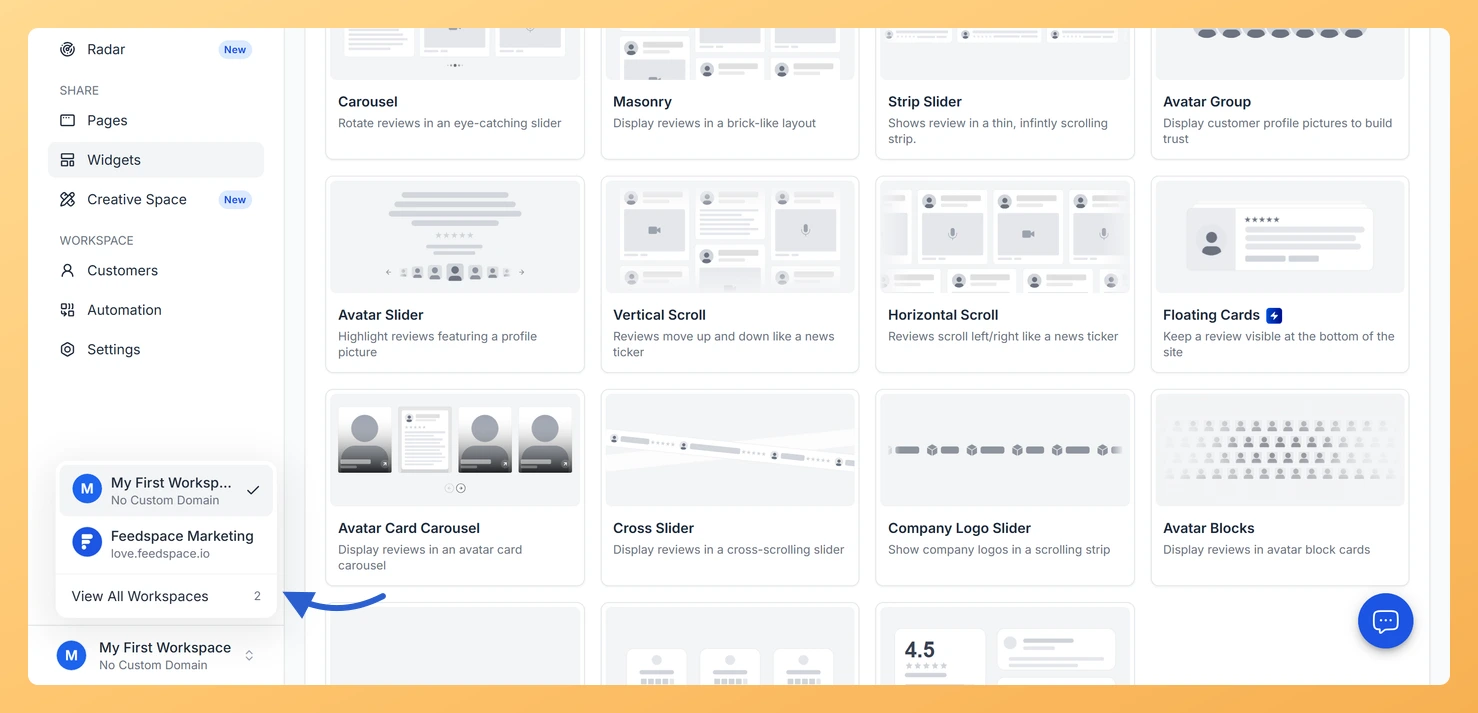
Step 2: Go to the workspaces page
Click View All Workspaces to go to the workspaces page.
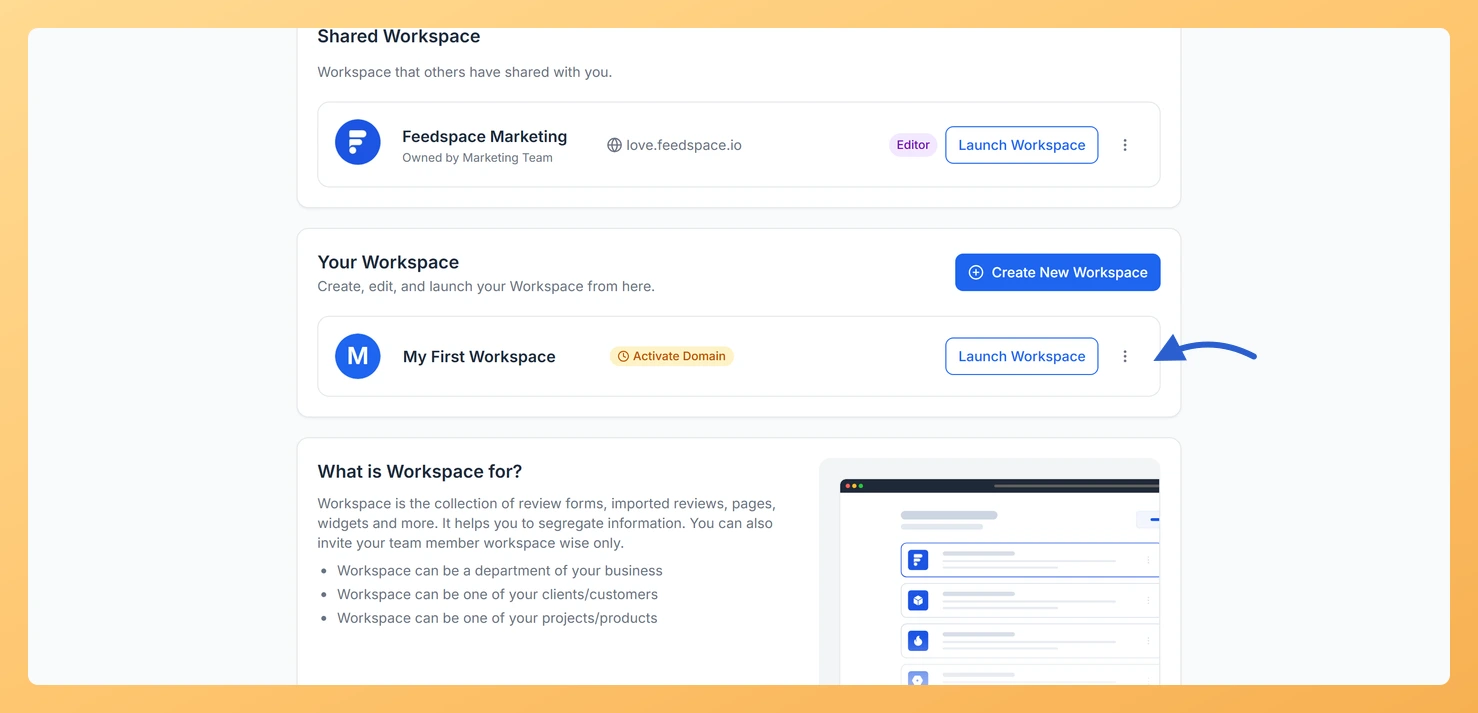
Step 3: Open the workspace options
Find the workspace you want to delete and click the more options icon on its row.
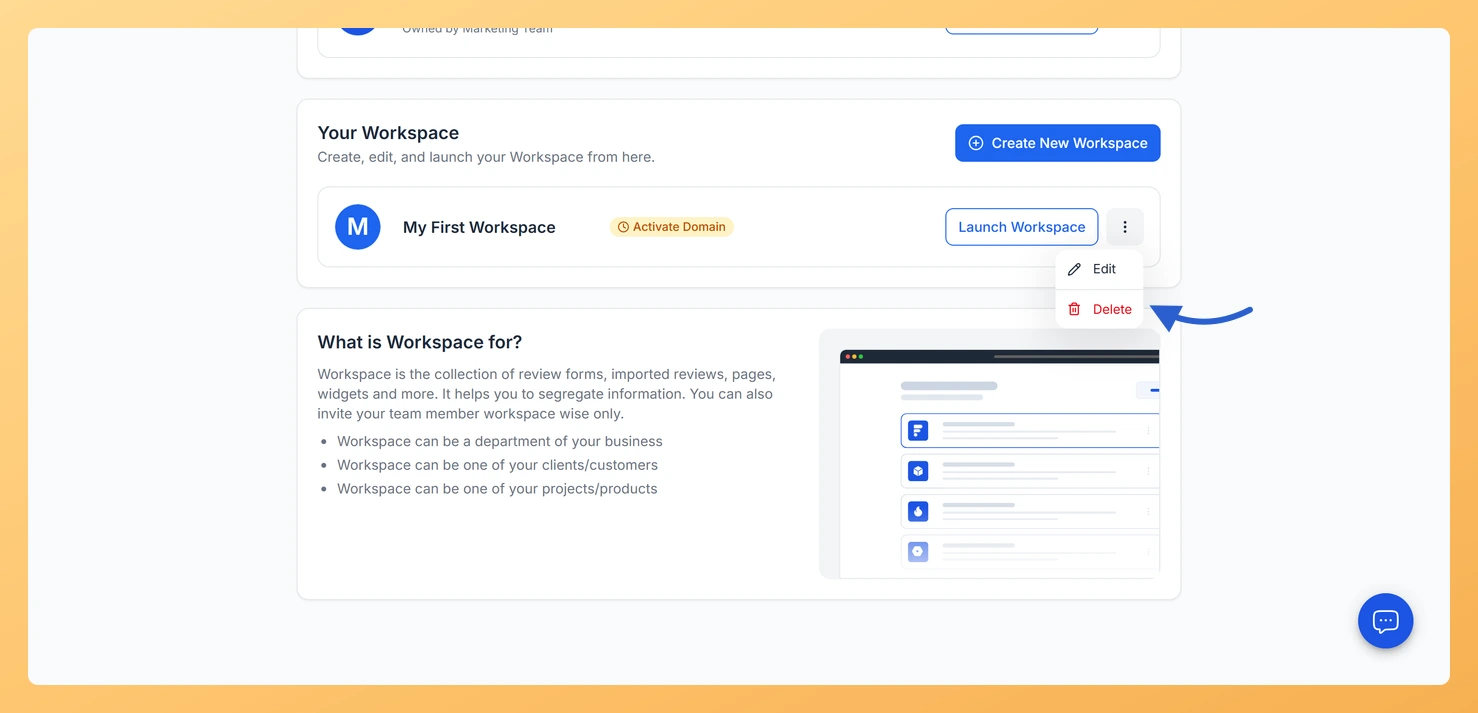
Step 4: Choose Delete
Click Delete in the dropdown. A confirmation modal opens.
Step 5: Confirm the deletion
Type delete (lowercase) in the confirmation field. The Delete Permanently button becomes active. Click Delete Permanently. The workspace is removed and you are redirected if that workspace was active.
What gets deleted
All review forms in this workspace
All collected reviews and testimonials
All wall of love pages and widgets
All customer records in this workspace
All team member access to this workspace
Common questions
Does deleting a workspace delete my Feedspace account?
No. Deleting a workspace only removes that workspace and its contents. Your Feedspace account and any other workspaces you own remain active.
Can I recover a deleted workspace?
No. Workspace deletion is permanent and cannot be reversed. If you are unsure, consider archiving your data or simply stopping use of the workspace rather than deleting it.
The Delete Workspace button is not available
Only workspace admins can delete a workspace. If you do not see the Delete Workspace option or it is disabled, contact the workspace admin to request deletion.
What you can do next
Create a new workspace if you need to start fresh with a clean setup.
Switch to another existing workspace from the workspace list.
You might also find helpful
What is Workspace in Feedspace?
Overview In Feedspace, a Workspace is a dedicated environment where all your review-related data and tools are organized. Think of it as a container that holds everything you need for managing testimonials and reviews in one place. A workspace typically includes: This structure helps you keep things organized and segregated,...
How Do I Create a New Workspace in Feedspace?
Overview Organize your content effectively by creating separate workspaces, whether by project, client, or campaign. Here’s how to set one up: Step 1: Log into Feedspace Visit Feedspace and sign in using your account credentials. Step 2: Open the workspace switcher In the sidebar footer, click the workspace switcher. It...
How to Invite a Team Member to Feedspace
Inviting team members to your Feedspace workspace lets you collaborate with others on collecting and managing reviews. Follow the steps below to add new teammates and set their access level. Steps to invite a team member Step 1: Log in to Feedspace Log in to your Feedspace account using your...