In Feedspace, a Workspace is a dedicated environment where all your review-related data and tools are organized. Think of it as a container that holds everything you need for managing testimonials and reviews in one place.
A workspace typically includes:
Review Forms: Collect customer feedback easily.
Imported Reviews: Centralize reviews from multiple platforms.
Pages: Create dedicated testimonial pages.
Widgets: Display reviews on your website.
This structure helps you keep things organized and segregated, making it easier to manage reviews at scale.
Why workspaces are useful
Segregation of information: Separate reviews by business unit, client, or project.
Team collaboration: Invite members to specific workspaces with role-based access.
Flexibility: Create multiple workspaces depending on your business needs.
Better management: Avoid mixing reviews from unrelated departments or clients.
Examples of workspace usage
By Department
Create a workspace for Sales, another for Customer Support, and another for Product.
By Client
If you’re an agency, you can create one workspace per client account, keeping their data separate.
By Project or Product
If you manage multiple products, each product can have its own workspace with reviews, forms, and widgets.
Team collaboration in workspaces
You can invite your team members on a workspace level instead of giving them access to everything. This allows you to:
Assign different roles (Admin, Editor, Viewer).
Control who can view, edit, or manage reviews.
Workspace scope
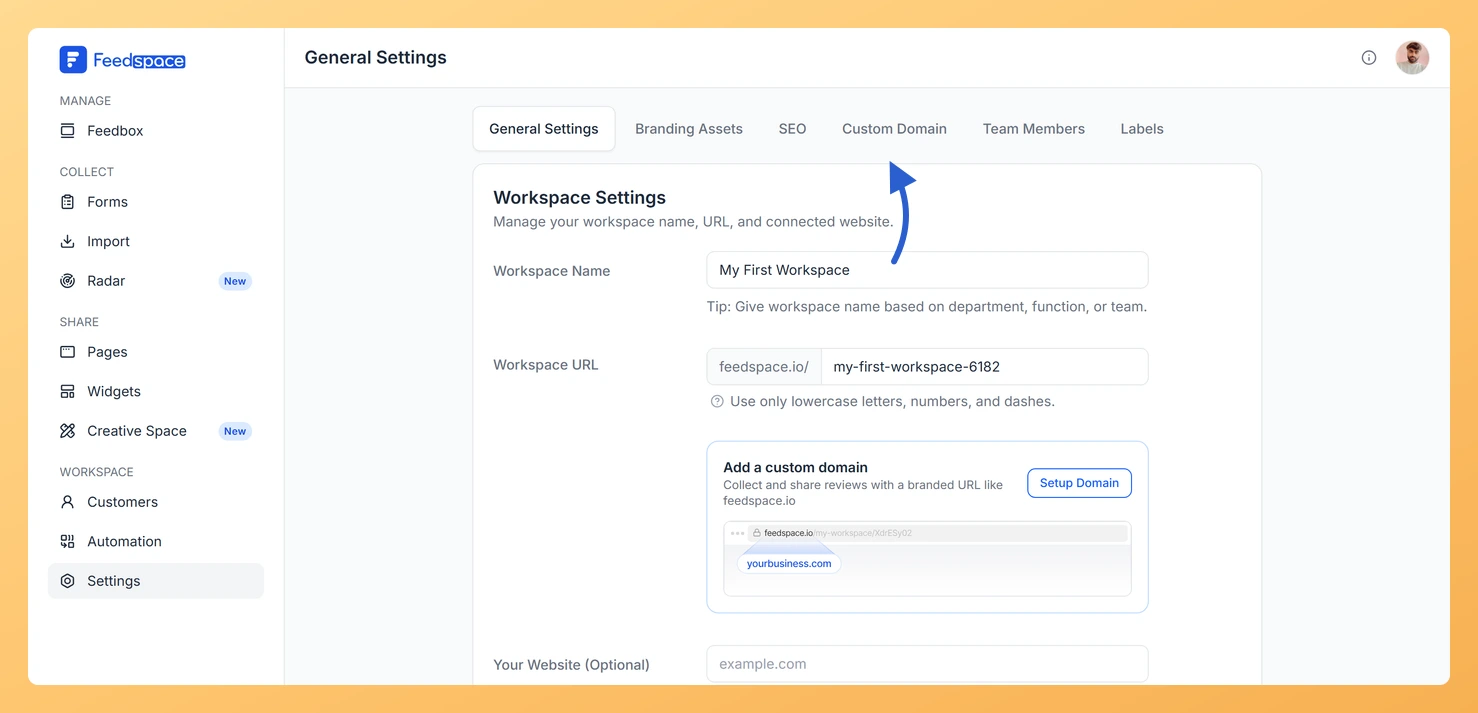
Each workspace is a separate space for its own reviews, forms, Wall of Love, and branding. Settings you change in one workspace stay in that workspace and do not carry over to another. A custom domain is also set per workspace, so on plans that include a custom domain you point a domain at one workspace from its Settings page, on the Custom Domain tab.
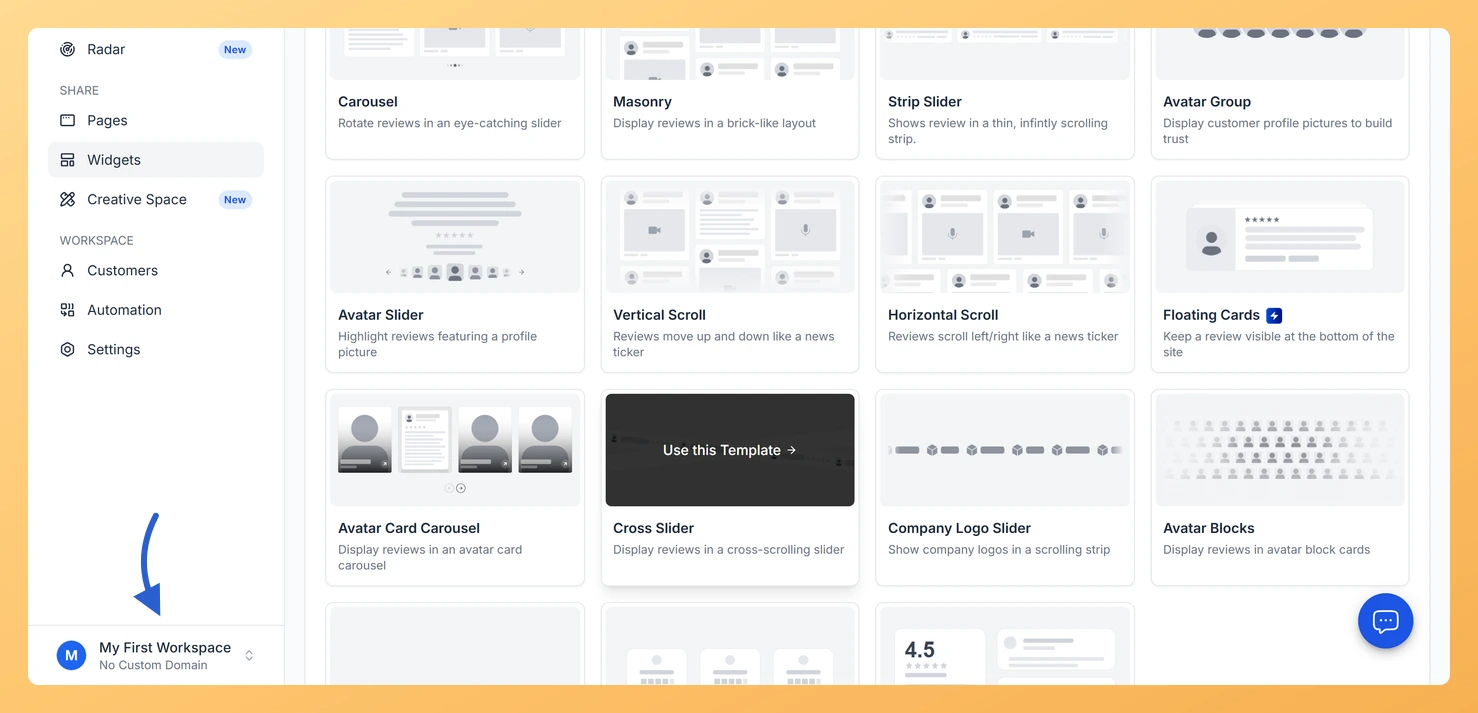
The workspace you are working in is shown in the switcher at the bottom of the left sidebar. Click it to move between your workspaces.
Common questions
Does each workspace have its own custom domain?
Yes. A custom domain is configured per workspace, not for your whole account. To set one up, switch to the workspace you want, click Settings in the left sidebar, then click the Custom Domain tab and follow the steps to add and verify your domain. If you run several workspaces, each one can point to its own domain on plans that include this feature.
You might also find helpful
How Do I Create a New Workspace in Feedspace?
Overview Organize your content effectively by creating separate workspaces, whether by project, client, or campaign. Here’s how to set one up: Step 1: Log into Feedspace Visit Feedspace and sign in using your account credentials. Step 2: Open the workspace switcher In the sidebar footer, click the workspace switcher. It...
How to Manage Branding Assets in Feedspace
Overview Feedspace lets you customise the look of your Wall of Love and widgets through Branding Assets in your workspace settings. You can upload your logo, set brand colours, and choose a font so every testimonial display matches your company’s visual identity. Steps to manage branding assets Step 1: Open...
Learn More About Notification Settings in Feedspace
Accessing notification settings Log into Feedspace Sign in with your account credentials. Open the profile avatar menu Click your profile avatar at the top-right of the header to open the menu, then click Notifications. This opens the My Account modal on the Notifications tab. Notification preferences All notifications are sent...