If your Feedspace subscription has been cancelled or has expired, you can reactivate it through the Stripe billing portal or by subscribing to a new plan. Your reviews, widgets, and workspace data stay in your account when a subscription lapses.
A common use case: a team pauses their subscription during a quiet period and reactivates when they’re ready to collect and share reviews again. The entire process takes under a minute.
Steps to reactivate your subscription
Step 1: Open the Subscription tab
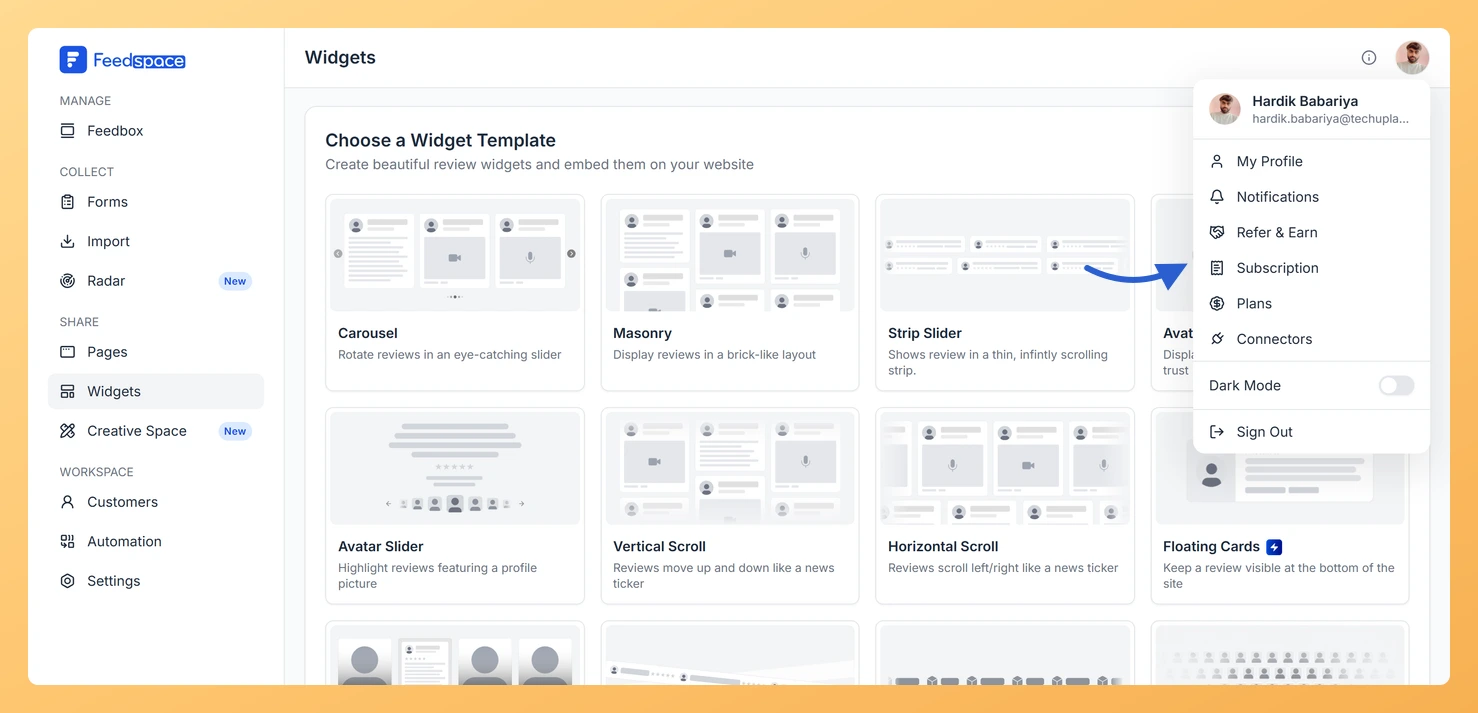
Click the circular avatar button at the top-right of the header. A profile dropdown opens. Click Subscription. The My Account modal opens directly on the Subscription tab.
Step 2: Open the Stripe billing portal
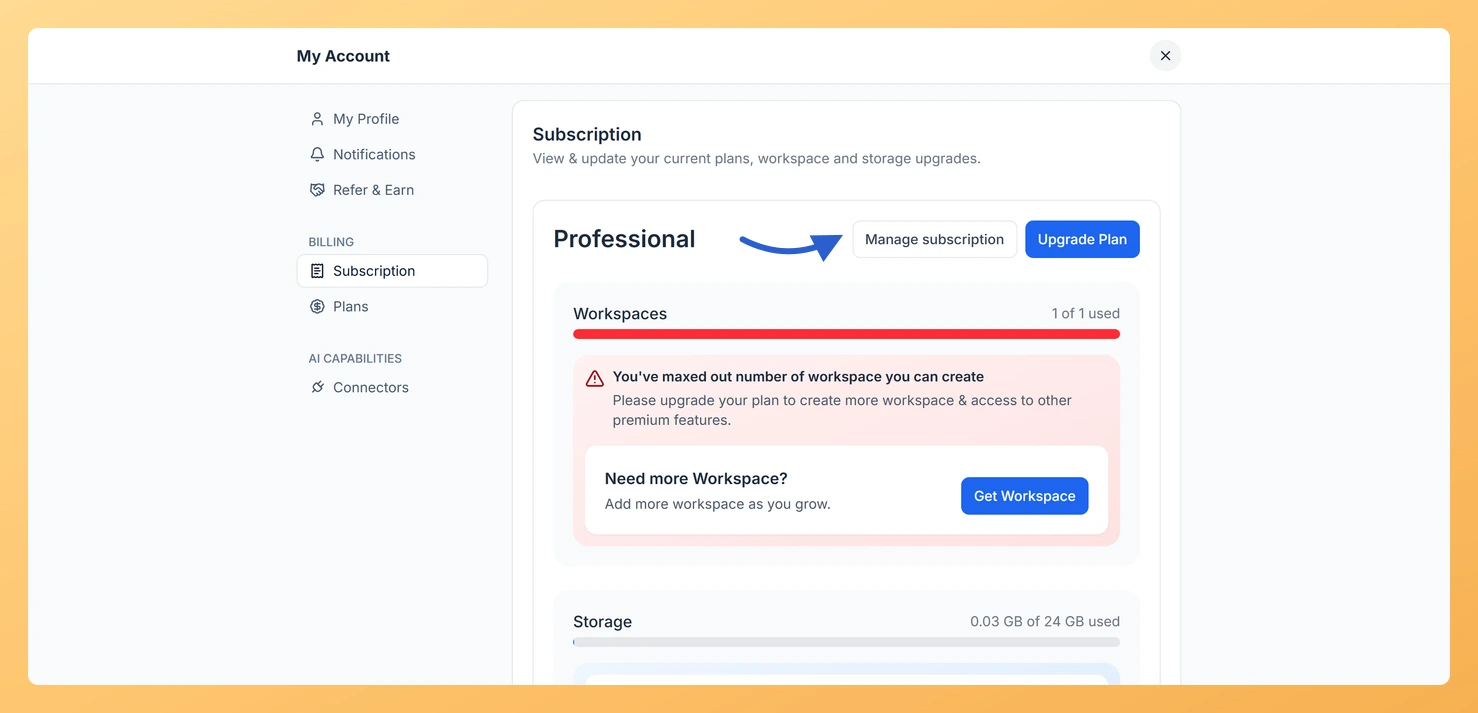
Click Manage subscription. The Stripe billing portal opens in a new tab. If your subscription was cancelled but the billing period has not yet ended, the Stripe portal shows a resume or renew option. Use that to reactivate without starting a new billing cycle.
Step 3: Subscribe to a new plan (if fully expired)
If the subscription has fully expired, click the avatar button in the header, then click Plans in the dropdown. Use the monthly/yearly toggle to choose your billing preference, then click Upgrade on the plan you want. Enter your card details in the payment modal and click Subscribe.
What’s next
After reactivating, check the Subscription tab to confirm the plan name and billing period are correct. If your custom domain was set up before the lapse, verify it’s still showing Live in Settings. If anything looks off, contact support@feedspace.io.
Common questions
I cancelled by accident and want the same plan back
Contact support@feedspace.io and explain the situation. The team can often restore the cancelled subscription or apply a correction to avoid a double charge, especially if the cancellation was recent.
I’m on an AppSumo lifetime deal and need to reactivate a feature
AppSumo lifetime deals don’t expire, so there’s nothing to reactivate in the usual sense. If a feature such as an API or webhook appears missing after an account change, contact support@feedspace.io and they can restore it.
You might also find helpful
How Do I Cancel My Feedspace Subscription?
Overview You can cancel your Feedspace subscription at any time from the Subscription tab in your account. The cancellation happens inside Feedspace: you see what changes on your account, choose a reason, and confirm. Your plan stays active until the end of your current billing period, and your account is...
How Do I Upgrade or Change My Plan in Feedspace?
Overview The Plans tab in Feedspace shows all available pricing tiers and lets you upgrade, downgrade, or switch your billing period. Your current plan is always highlighted so you can easily see what is included and what the next tier offers. How to open the Plans tab Step 1: Open...
How Do I View My Subscription in Feedspace?
Overview The Subscription tab in your Feedspace account shows your current plan, billing amount, usage across your workspaces and storage, and your full invoice history. You can also manage your subscription or upgrade from this tab. How to open the Subscription tab Step 1: Open the account menu Click the...