Feedspace has an affiliate program that lets you earn rewards by referring others to the platform. The Refer & Earn tab in your account menu is the starting point to join the program and get your unique referral link.
How to access Refer and Earn
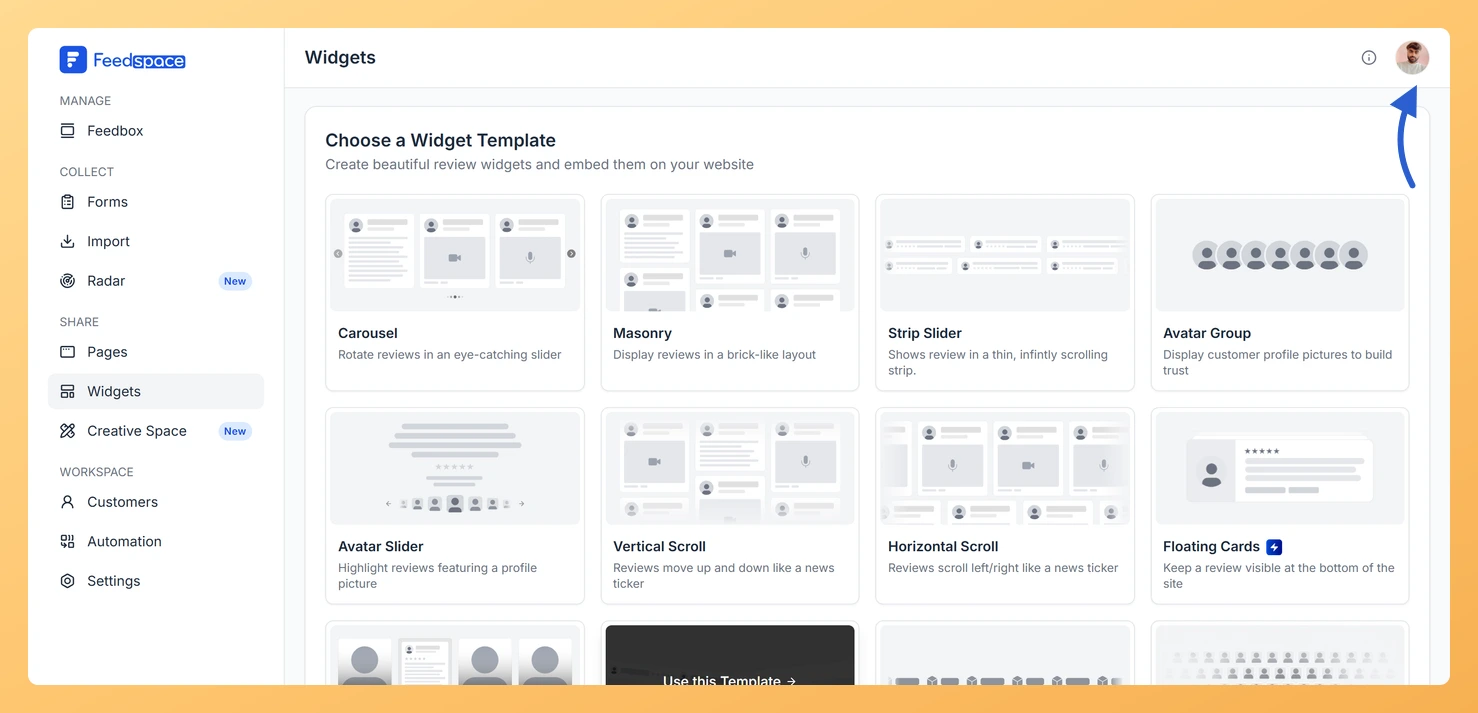
Step 1: Open the account menu
Click the avatar button at the top-right of the header to open the account dropdown.
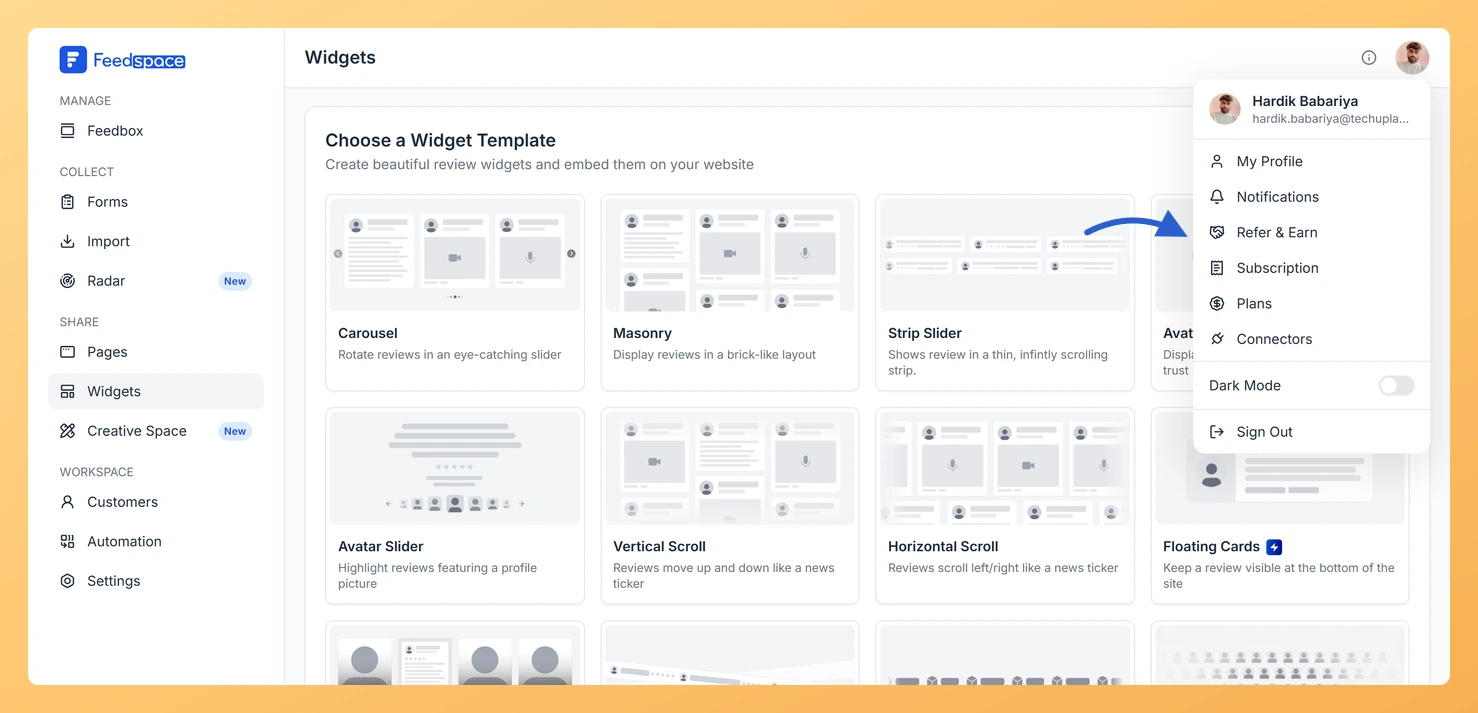
Step 2: Choose Refer and Earn
Click Refer & Earn from the menu.
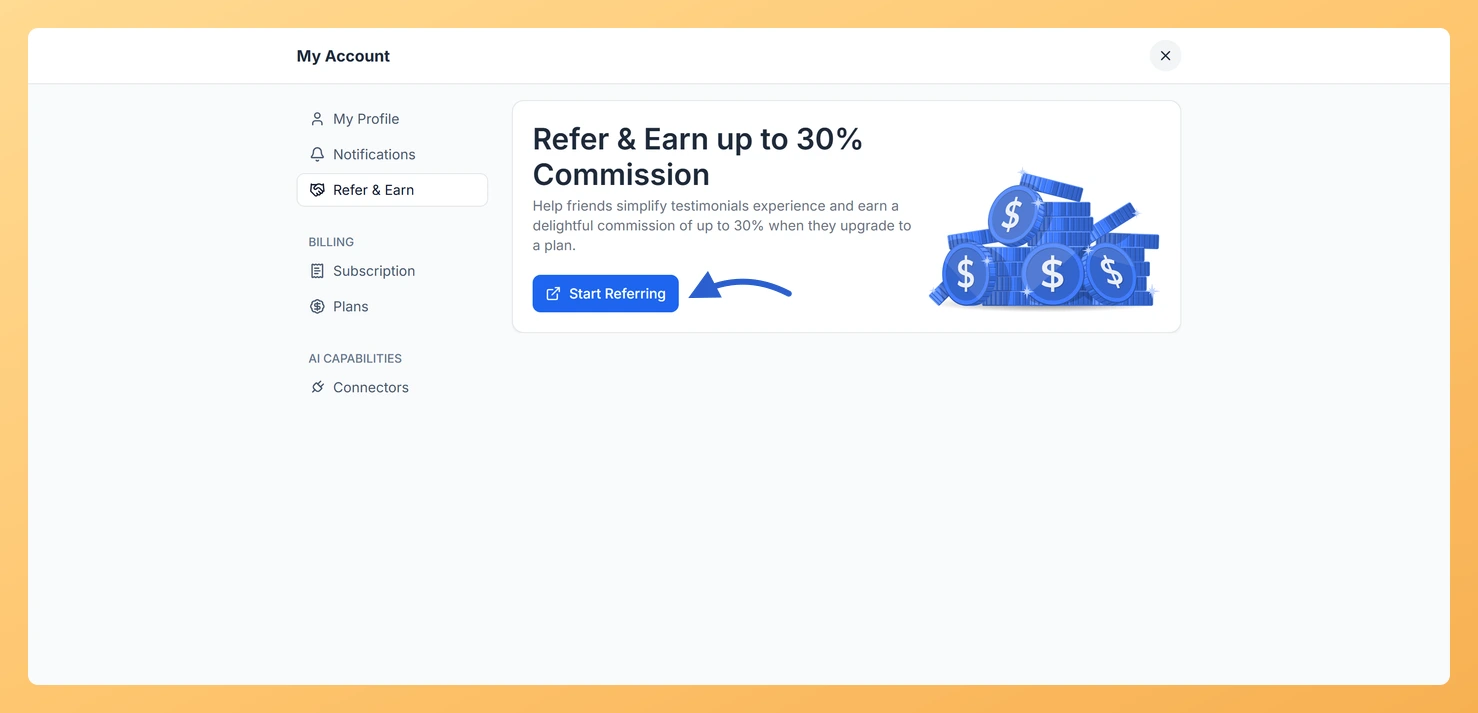
Step 3: Click Start Referring
Click the Start Referring button. This opens the Feedspace partnerships and affiliates page in a new tab.
What happens next
The Feedspace affiliates page walks you through how to sign up for the program, get your unique referral link, and share it with your audience. Tracking of referrals, clicks, and earnings is managed through the affiliate platform linked from that page.
Common questions
Is there a referral code inside Feedspace?
No. Feedspace does not display a referral code or tracking dashboard inside the app. All affiliate program details, your referral link, and earnings tracking are managed through the external Feedspace partnerships page.
Who can join the affiliate program?
Any Feedspace user can click Start Referring to visit the affiliates page. Eligibility and reward terms are described on that page.
What you can do next
Open the affiliates page from Start Referring and follow the signup steps there to get your referral link.
Share that link with people who collect reviews, since the program and its reward terms are handled entirely on the affiliates page.
You might also find helpful
How Do I Upgrade or Change My Plan in Feedspace?
Overview The Plans tab in Feedspace shows all available pricing tiers and lets you upgrade, downgrade, or switch your billing period. Your current plan is always highlighted so you can easily see what is included and what the next tier offers. How to open the Plans tab Step 1: Open...
How Do I View My Subscription in Feedspace?
Overview The Subscription tab in your Feedspace account shows your current plan, billing amount, usage across your workspaces and storage, and your full invoice history. You can also manage your subscription or upgrade from this tab. How to open the Subscription tab Step 1: Open the account menu Click the...
How to Update Your Profile in Feedspace
Overview Updating your profile on Feedspace ensures your information is accurate and personalized. Follow the steps below to manage your profile. Step 1: Go to My Account Once logged into your dashboard, click on your profile icon (top right corner) and select My Account from the menu. Step 2: Open...