Tags in Feedspace let you group customers into categories so you can filter and target them more precisely in your form automation. For example, you could tag customers as “enterprise”, “trial”, or “vip” and then set up an automation that only emails customers with a specific tag.
You can assign tags when adding a new customer manually or when editing an existing customer record.
How to add tags when creating a customer
Step 1: Open the Customers page
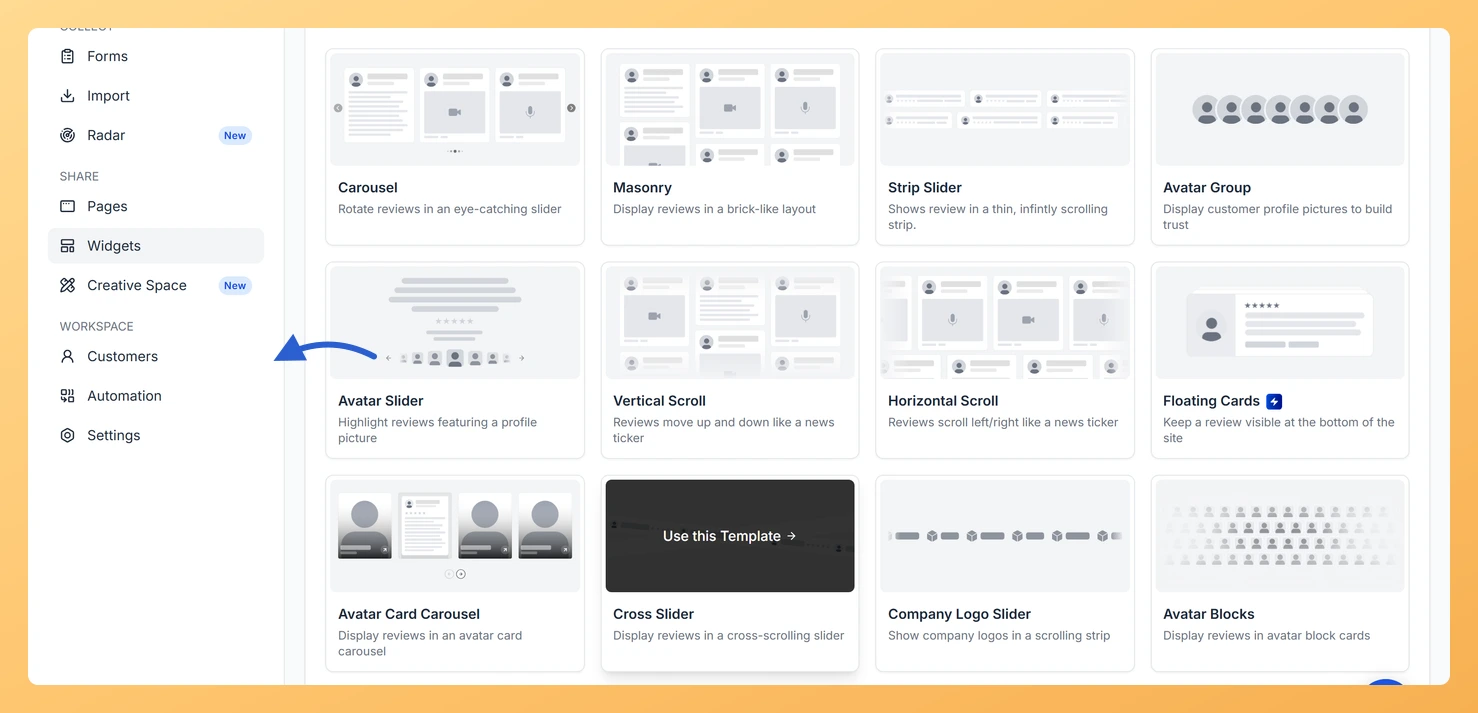
In the left sidebar, click Customers under the Workspace section.
Step 2: Click Add customers
Click Add customers at the top right of the customer list.
Step 3: Open the Add manually tab
In the Add customers window that opens, select the Add manually tab.
Step 4: Fill in the customer details
Fill in the customer’s email address and any other details.
Step 5: Add a tag
In the Tags section, click the tag input area and type a tag name. Click the suggestion that appears or press Enter to create a new tag and assign it.
Step 6: Add or remove more tags
Repeat step 5 to add more tags. To remove a tag, click the X on the tag chip.
Step 7: Save the customer
Click Add customer to save.
How to add tags to an existing customer
Step 1: Open the Customers page
In the left sidebar, click Customers under the Workspace section.
Step 2: Open the customer
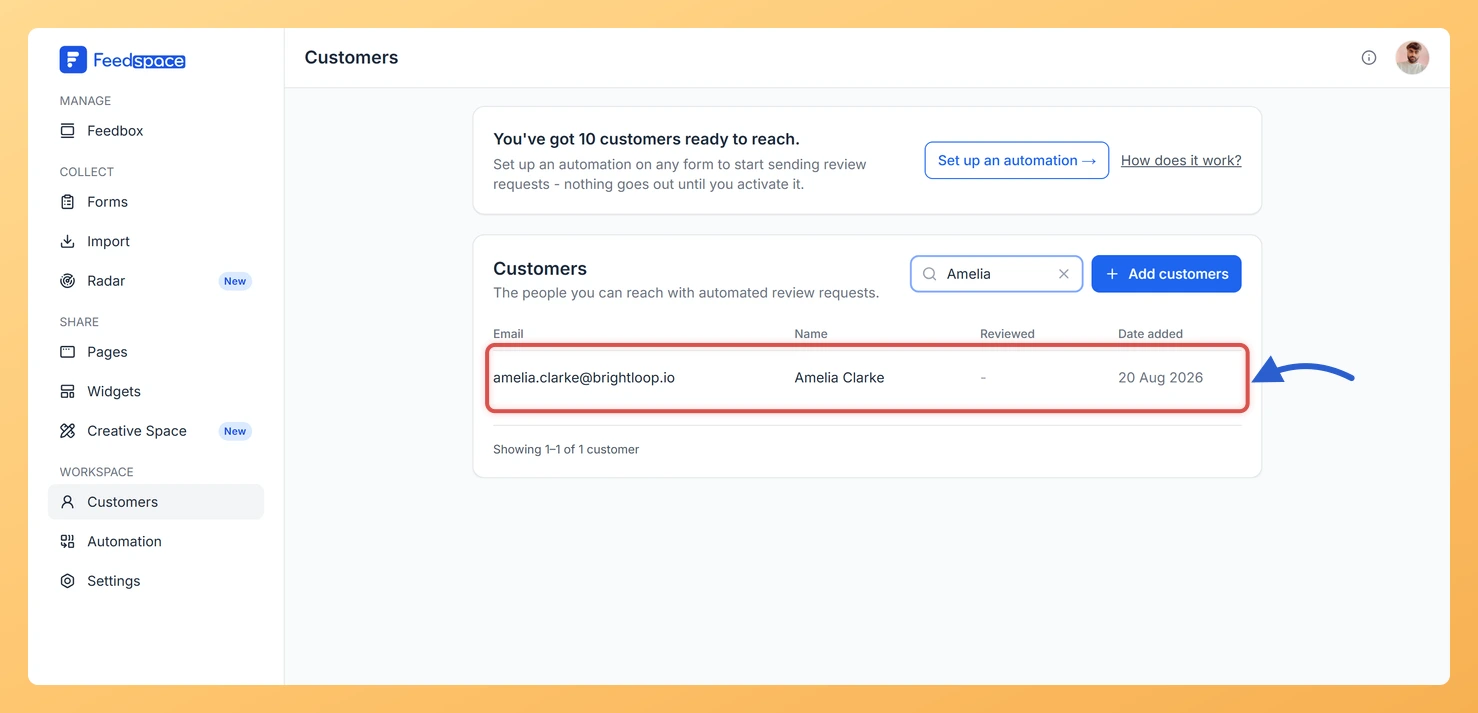
Use the search box to find the customer by name, email, or company, then click their row to open the Customer details panel on the right.
Step 3: Add a tag
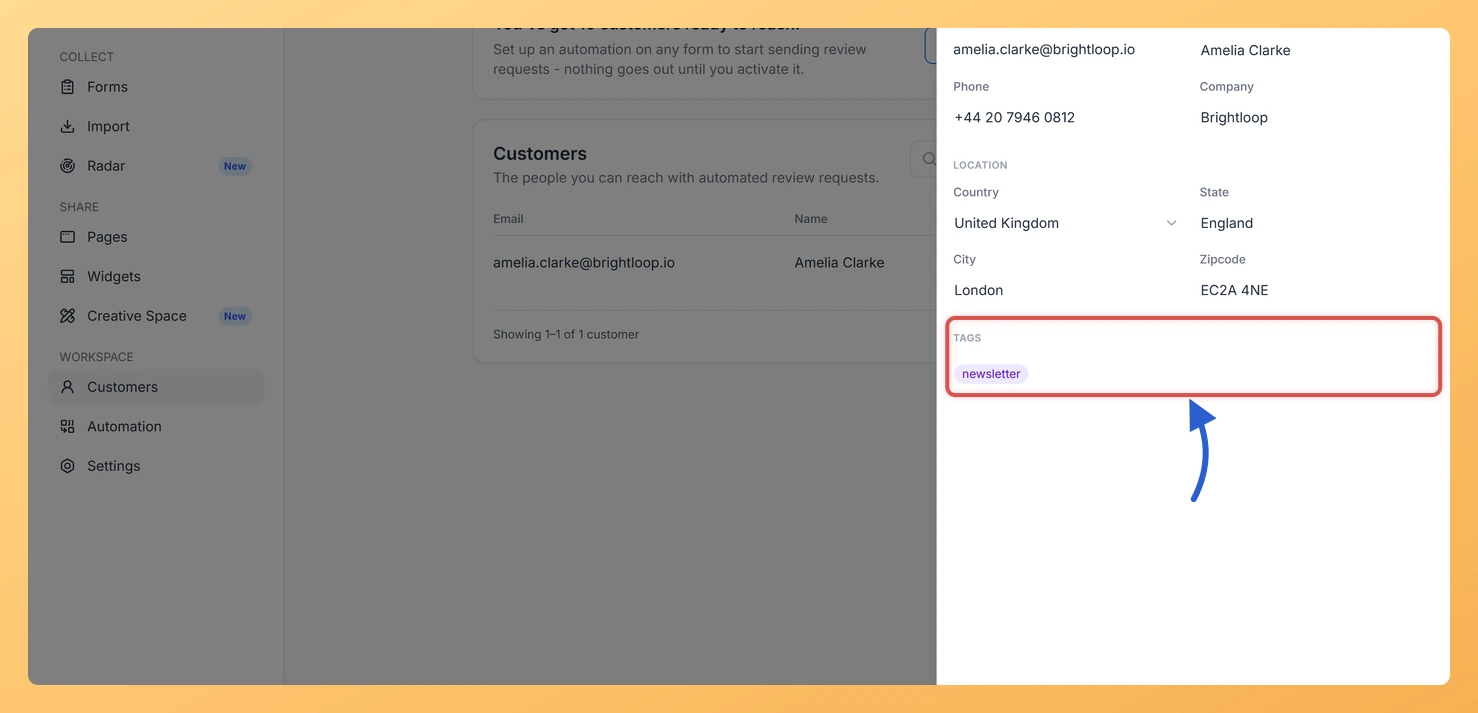
In the Tags section, click the tag input area and type a tag name. Click the suggestion that appears or press Enter to add it.
Step 4: Remove a tag you no longer need
To remove a tag, click the X on the tag chip.
Step 5: Save the changes
Click Save to apply the changes.
How tags work in form automation
When setting up a form automation, you can filter which customers receive emails by tag. Only customers who have the selected tag will be included in that automation’s email sequence.
Common questions
Do tags appear in review request emails?
No. Tags are internal labels for your own organization. Customers do not see the tags assigned to them.
Can one customer have multiple tags?
Yes. You can assign as many tags as you like to a single customer record.
Can I import tags from a CSV file?
Yes. Add a tags column to your file, which is one of the optional columns listed on the Import from CSV tab. A single tag goes in on its own. For several tags, wrap the whole cell in double quotes and separate the names with commas, so the cell reads “VIP, beta-tester”. The quotes matter, because without them the comma splits the cell into separate columns. Feedspace creates any tag that does not exist yet and assigns them all as the customers are imported.
What you can do next
Go to a review form and open the Automation tab to filter your email sequence by tag.
Bulk-assign tags by including a tags column in a CSV import.
You might also find helpful
What Is the Customers Module in Feedspace?
Overview The Customers module in Feedspace is a workspace-wide contact list. It stores the people you want to reach with automated review request emails. You can add customers in four ways: manually, by uploading a CSV file, via an incoming webhook, or by connecting an integration such as Stripe. Once...
How Do I View and Edit Customer Details in Feedspace?
Overview You can open any customer’s record in Feedspace to view their full details, make edits, manage their tags, or archive them. The customer details panel slides in from the right when you click on a customer row. How to open a customer record Step 1: Open the Customers page...
How Do I Add a Customer Manually in Feedspace?
Overview The Add manually option lets you add one customer at a time to your Feedspace workspace contact list. Use this when you want to add a specific person without uploading a file or connecting an integration. Before You Start Sign in to the workspace you want to add the...