Feedspace uses storage to hold video and audio testimonials that reviewers upload through your review forms. Each plan includes a set storage allowance, and that allowance is shared across all workspaces in your account. You can check how much of your storage you have used at any time from the Subscription page.
How much storage is included
Storage allowances vary by plan. The Professional plan includes 24 GB of storage. If you are on a different plan, refer to the Subscription tab in your account to see the exact allowance for your plan.
Storage is shared across all workspaces in your account, not allocated per workspace. This means that video and audio files uploaded in any of your workspaces all draw from the same pool.
How to check your storage usage
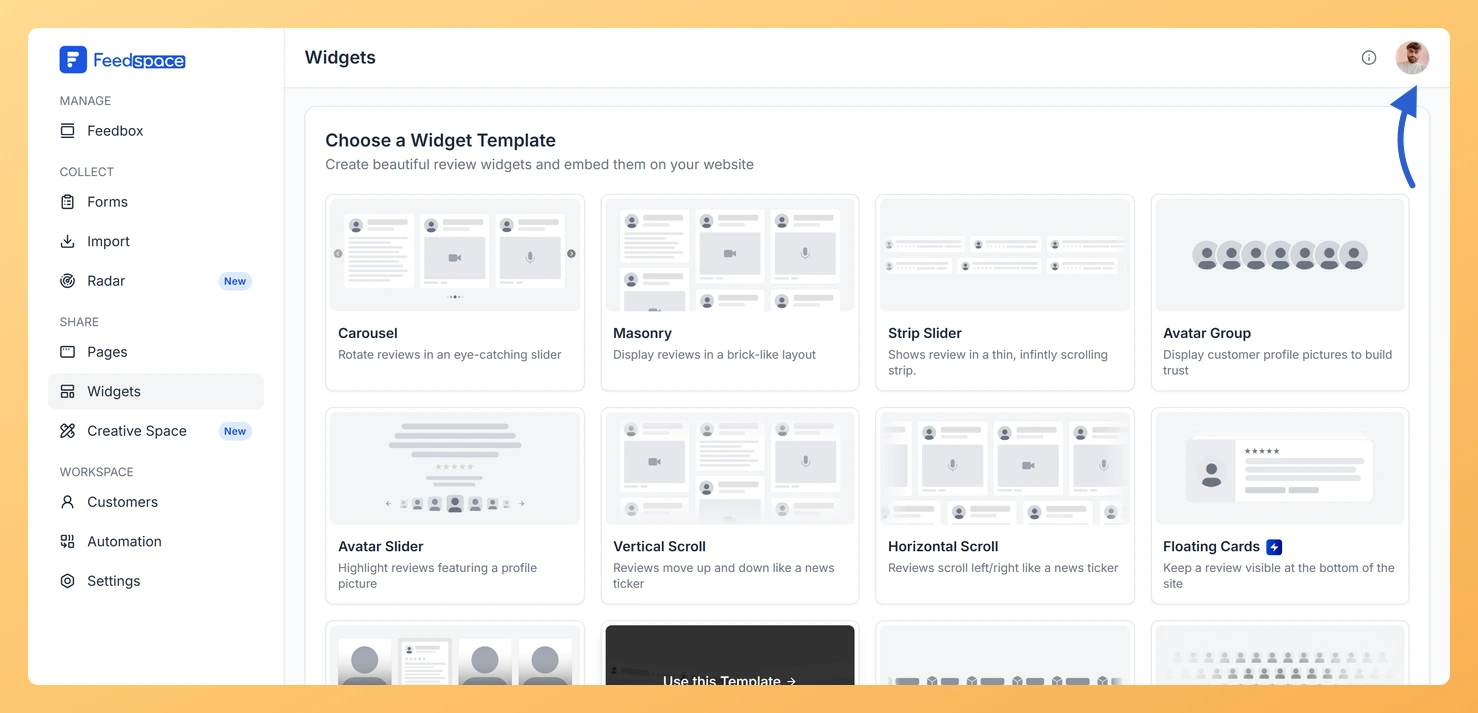
Step 1: Open the account menu
Click the circular avatar button at the top-right of the header.
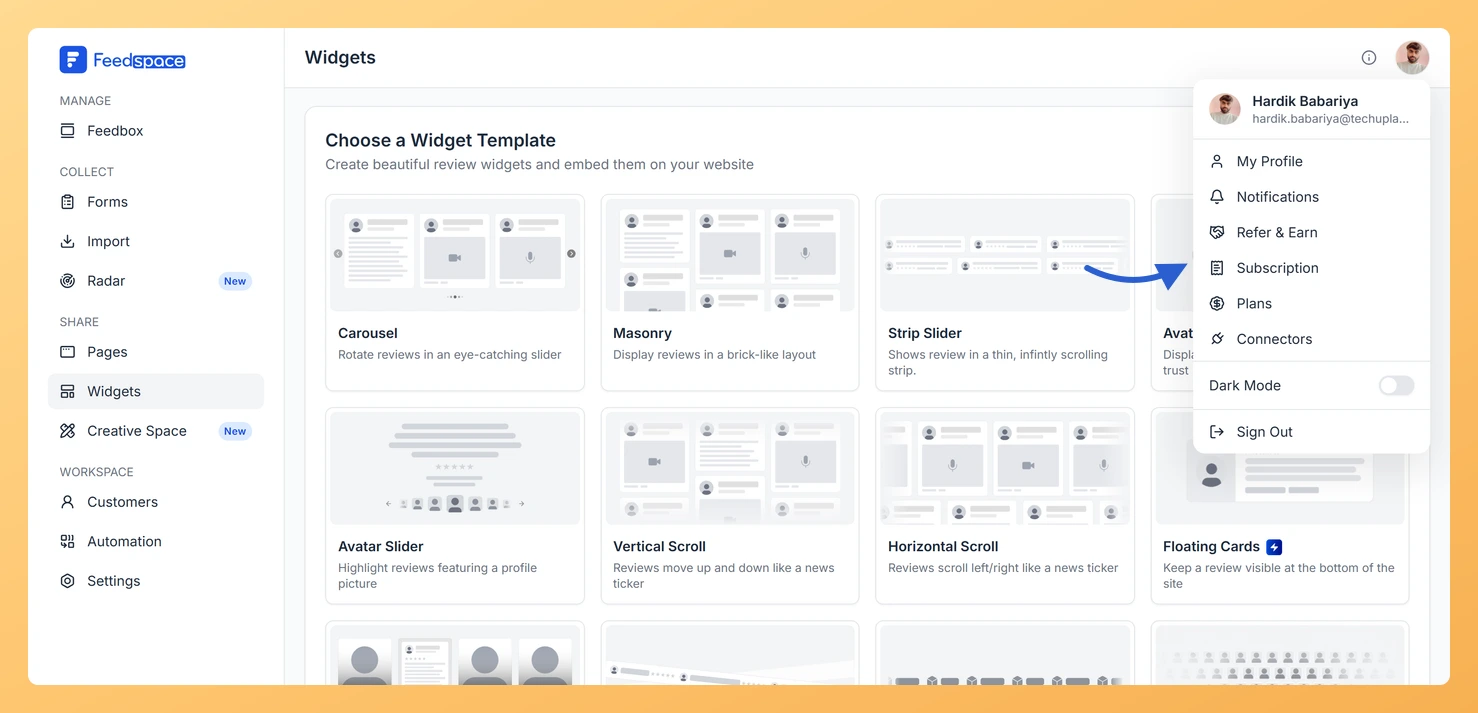
Step 2: Choose Subscription
Click Subscription in the profile dropdown.
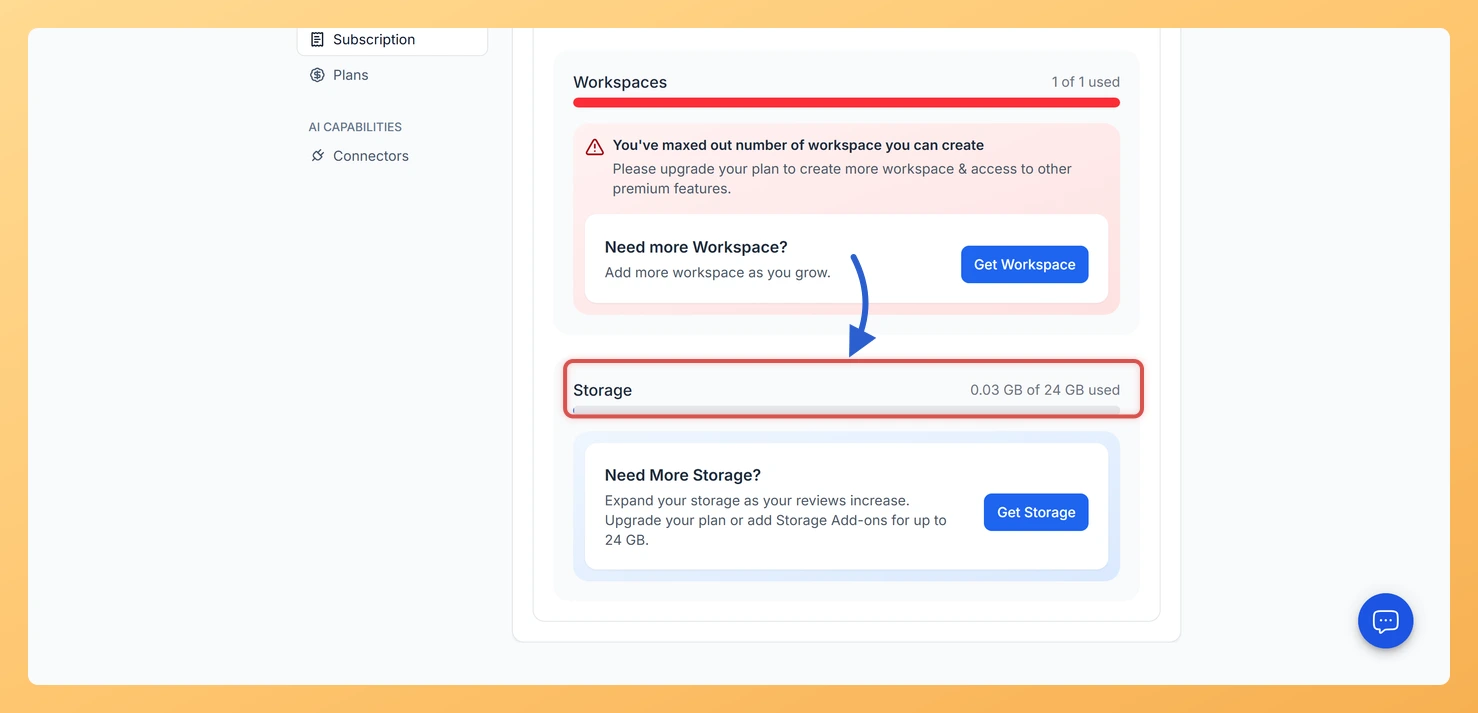
Step 3: Find your storage usage
Find the storage usage section. Its progress bar shows how much of your allowance is used out of the total your plan includes.
What counts toward storage
Only files hosted by Feedspace use storage. The following content counts toward your allowance:
Video testimonials: Video files uploaded by reviewers through your Feedspace review forms.
Audio testimonials: Audio files uploaded by reviewers through your Feedspace review forms.
What does not count toward storage
The following content does not use your storage allowance:
Text reviews: Text-only testimonials do not store any files.
Imported social reviews: Reviews imported from platforms such as Google, Facebook, or Trustpilot are stored as external links, not hosted files, so they do not consume your storage.
Creative Space images: Images generated in Creative Space are not counted toward your storage allowance.
What to do if you are running low on storage
If you are approaching your storage limit, you have two options:
Upgrade your plan: A higher plan tier includes a larger storage allowance. Click the avatar button at the top-right of the header, click Subscription, then click Upgrade Plan to compare available plans.
Delete old video or audio files: Remove video or audio testimonials you no longer need from your Feedbox to free up space within your current allowance.
If the storage shown on your Subscription page does not match what your plan or AppSumo tier should include, email support@feedspace.io and the team will check it and correct it for you.
Common questions
My storage looks wrong for my plan. What do I do?
If the storage allowance shown on your Subscription page is lower or higher than what your plan or AppSumo tier should include, email support@feedspace.io. Include the plan or tier you are on so the team can review your account and correct the allowance.
You might also find helpful
How Do I View My Subscription in Feedspace?
Overview The Subscription tab in your Feedspace account shows your current plan, billing amount, usage across your workspaces and storage, and your full invoice history. You can also manage your subscription or upgrade from this tab. How to open the Subscription tab Step 1: Open the account menu Click the...
How Do I Upgrade or Change My Plan in Feedspace?
Overview The Plans tab in Feedspace shows all available pricing tiers and lets you upgrade, downgrade, or switch your billing period. Your current plan is always highlighted so you can easily see what is included and what the next tier offers. How to open the Plans tab Step 1: Open...
How Do I Add More Workspaces in Feedspace?
Overview Every Feedspace plan comes with a set number of workspaces, so how many you can create depends on the plan you are on. When you reach that limit, an upgrade prompt appears instead of the create form. To get more workspace slots, upgrade to a plan that includes a...