The Integrations tab in the Add Customers modal lets you connect Feedspace to the tools you already use, so customers sync automatically without manual imports or CSV files. When a platform is connected, new customers from that platform appear in your Feedspace Customers list where you can tag them, send them into form automation sequences, and collect reviews.
How to open the Integrations tab
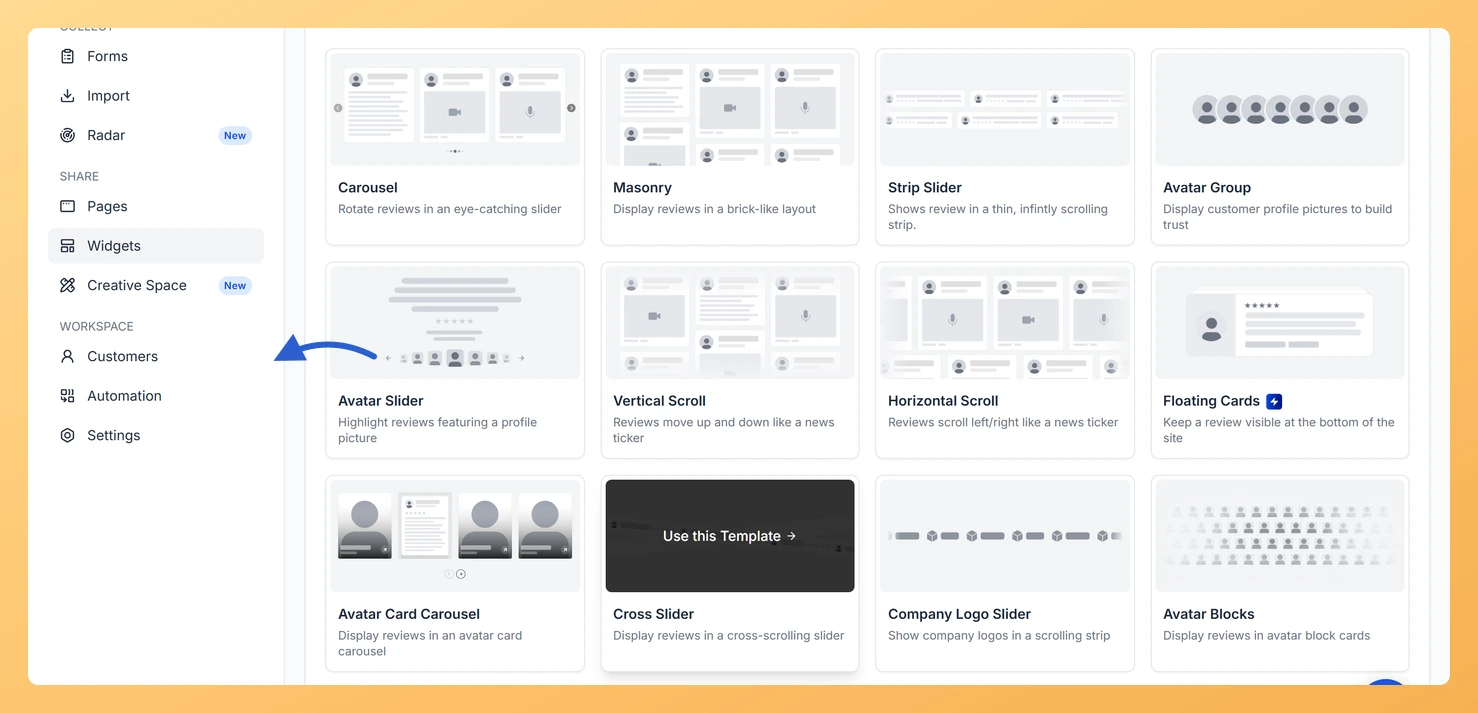
Step 1: Open the Customers page
In the left sidebar, click Customers under Workspace.
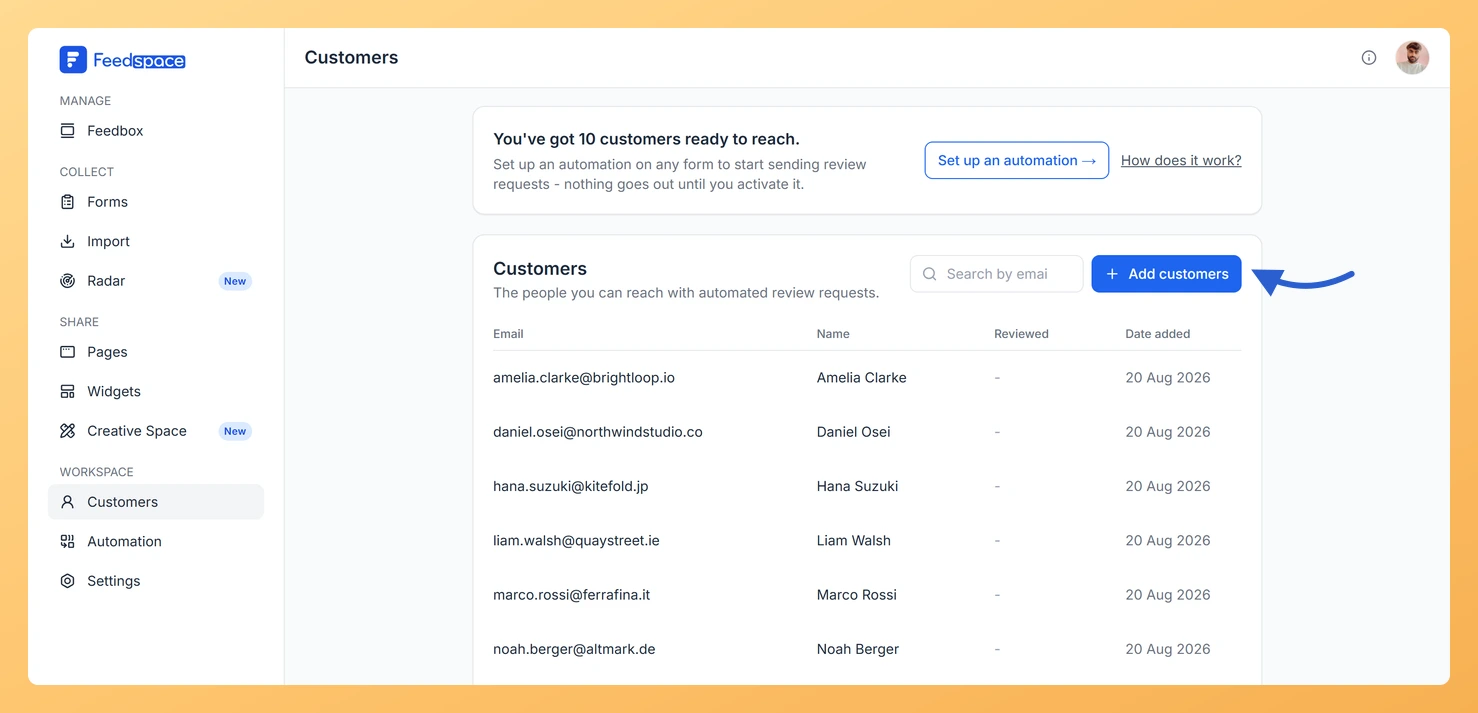
Step 2: Click Add customers
Click Add customers.
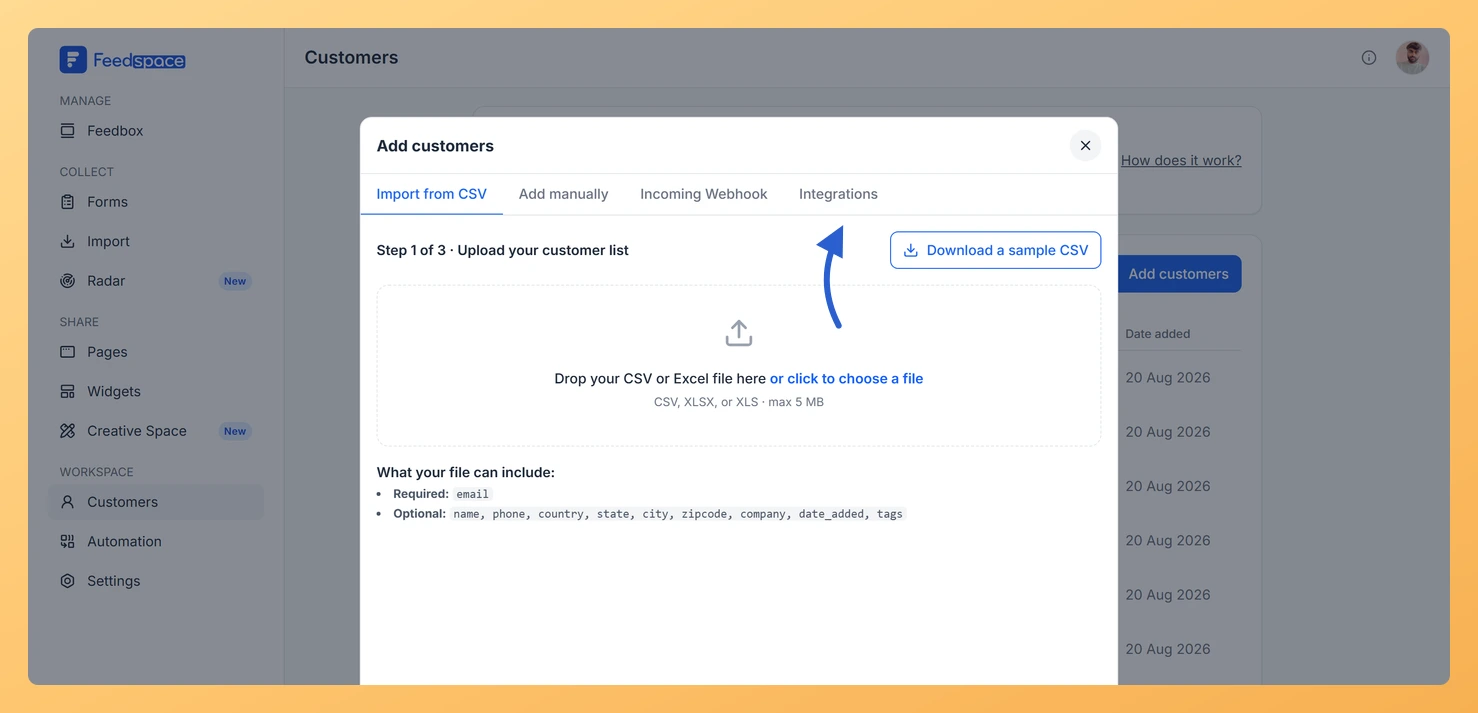
Step 3: Open the Integrations tab
Click the Integrations tab.
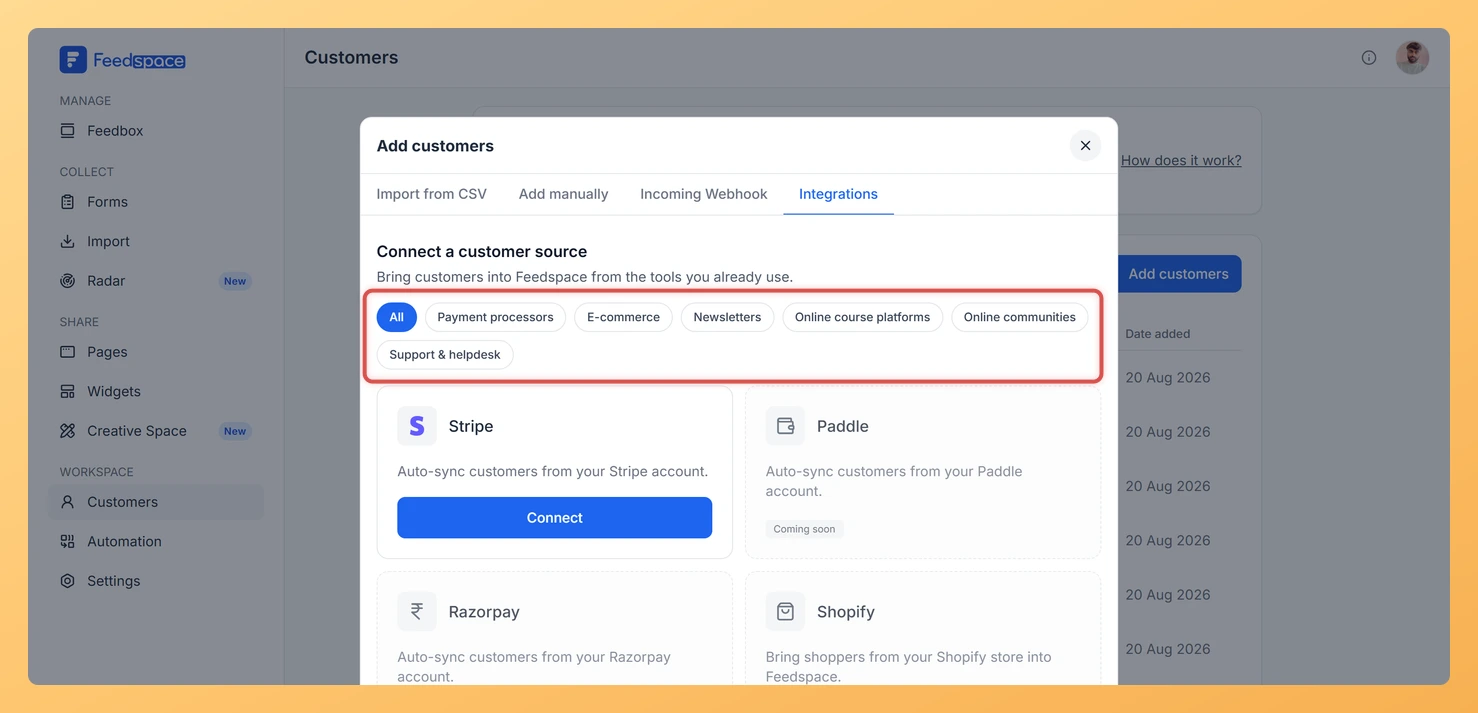
The tab shows a searchable grid of available platforms. Use the category filter pills at the top to narrow by type.
Available platforms by category
Payment processors
Automatically sync customers who make a payment through your payment processor. Available integrations: Stripe, Paddle, Razorpay.
E-commerce
Sync shoppers and buyers from your online store. Available integrations: Shopify, WooCommerce, Gumroad, Lemon Squeezy, ThriveCart.
Newsletters
Bring your newsletter subscribers into Feedspace as customers. Available integrations: Mailchimp, Kit, Brevo, ActiveCampaign, Beehiiv, Keap, MailerLite, Flodesk.
Online course platforms
Sync students enrolled in your courses. Available integrations: Teachable, Thinkific, Podia, Kajabi, LearnDash.
Online communities
Add your community members as customers. Available integrations: Circle, Discord, Skool, Mighty Networks, Heartbeat.
Support & helpdesk
Sync contacts from your support tools. Available integrations: HelpScout, Intercom.
Integration status
Each platform card shows its current status. Cards with a Coming soon badge are planned integrations that are not yet available for connection. When an integration launches, the Coming soon badge is replaced by a Connect button.
What to do while integrations are coming soon
While a specific integration is not yet available, you can still add customers using the other three methods in the Add Customers modal:
You can import customers from a CSV file by clicking Upload a CSV file on the Customers page.
You can add customers one at a time by clicking Add manually on the Customers page.
You can push new customers to Feedspace automatically using the Incoming Webhook URL if your platform supports webhooks.
Common questions
Which of these can I actually connect today?
Stripe is the one you can connect right now, and its card carries a Connect button. Every other provider on the grid shows a Coming soon badge instead. The list is served from Feedspace rather than built into the page, so new providers can appear on this tab without you updating anything.
If I disconnect Stripe, do I lose the customers it brought in?
No. Disconnecting stops new customers syncing from that Stripe account, and the contacts already imported stay in your Customers list. Feedspace spells this out in the confirmation before you disconnect.
You might also find helpful
What Is the Customers Module in Feedspace?
Overview The Customers module in Feedspace is a workspace-wide contact list. It stores the people you want to reach with automated review request emails. You can add customers in four ways: manually, by uploading a CSV file, via an incoming webhook, or by connecting an integration such as Stripe. Once...
How Do I Connect Stripe to Sync Customers in Feedspace?
Overview The Stripe integration in Feedspace automatically imports customers from your Stripe account. When a payment is processed in Stripe, the customer is added to your Feedspace workspace so you can send them a review request email through your form automation. Before you start Steps to connect Stripe Step 1:...
How Do I Import Customers from a CSV File in Feedspace?
Overview The CSV tab in Add Customers lets you add many customers to your Feedspace workspace at once by uploading a spreadsheet file. This is the fastest way to populate your customer list when you already have contact data in a file. This page imports customer contacts, the people you...