The Audio Review notification is the Audio Review toggle in Feedspace, on the Notification Preferences panel of your My Account settings. When it is switched on, Feedspace sends you an email every time someone submits an audio testimonial through any of your review forms, across all workspaces you have access to.
Audio testimonials carry the authentic tone and emotion of a real voice. Getting an immediate notification lets you listen to the recording quickly and decide whether to feature it in a widget or share it with your audience.
When to keep it on
Keep the Audio Review Notification enabled if you actively collect audio testimonials and want to review each submission promptly. Immediate alerts mean you can act on strong recordings right away, whether that is approving them for display or sharing them on social media.
When to turn it off
Turn the notification off if you prefer to batch-review new submissions in Feedbox rather than receive an individual email for each audio testimonial. This keeps your inbox quieter while still letting you view all incoming reviews at your own pace.
How to enable or disable the Audio Review Notification
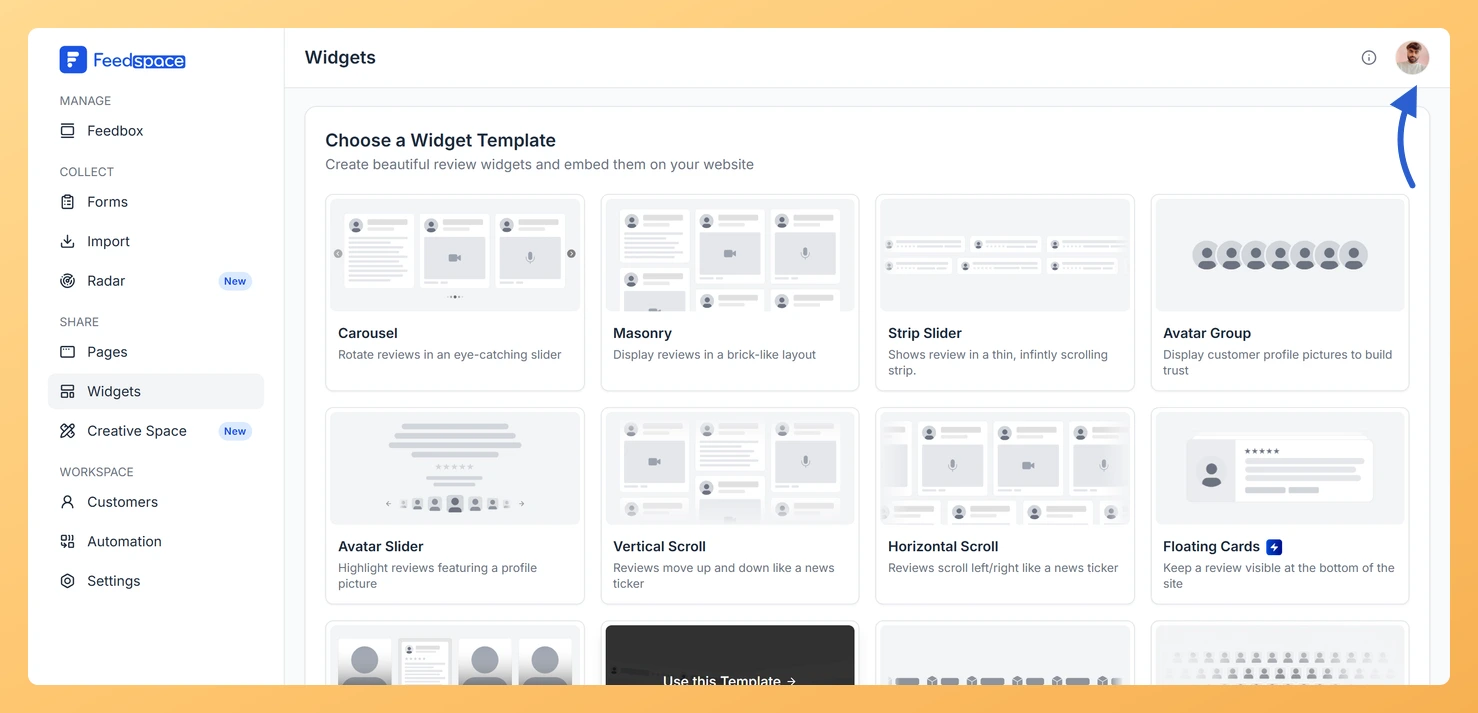
Click your profile avatar in the top right corner of the dashboard to open the account menu.
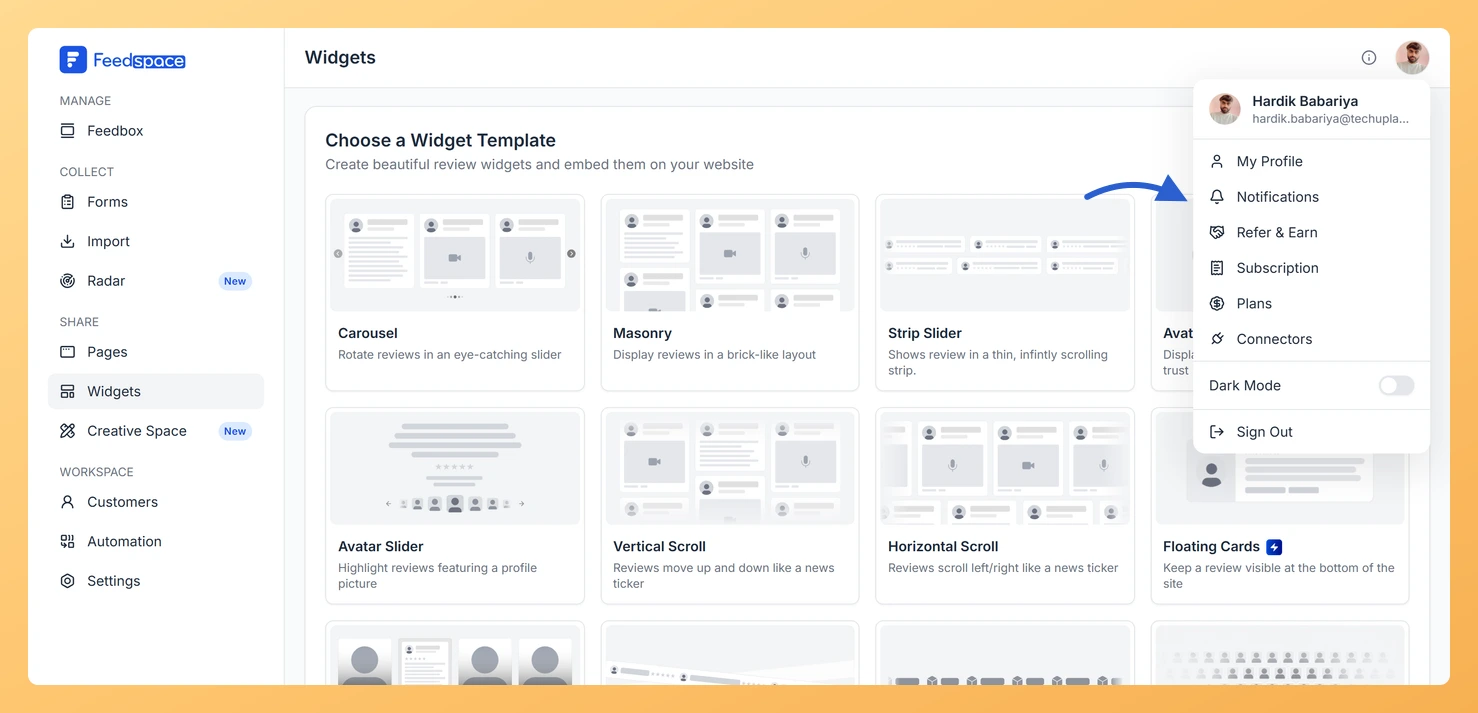
Step 3: Open the Notifications panel
Choose Notifications from the menu. The My Account window opens with the Notification Preferences panel showing.
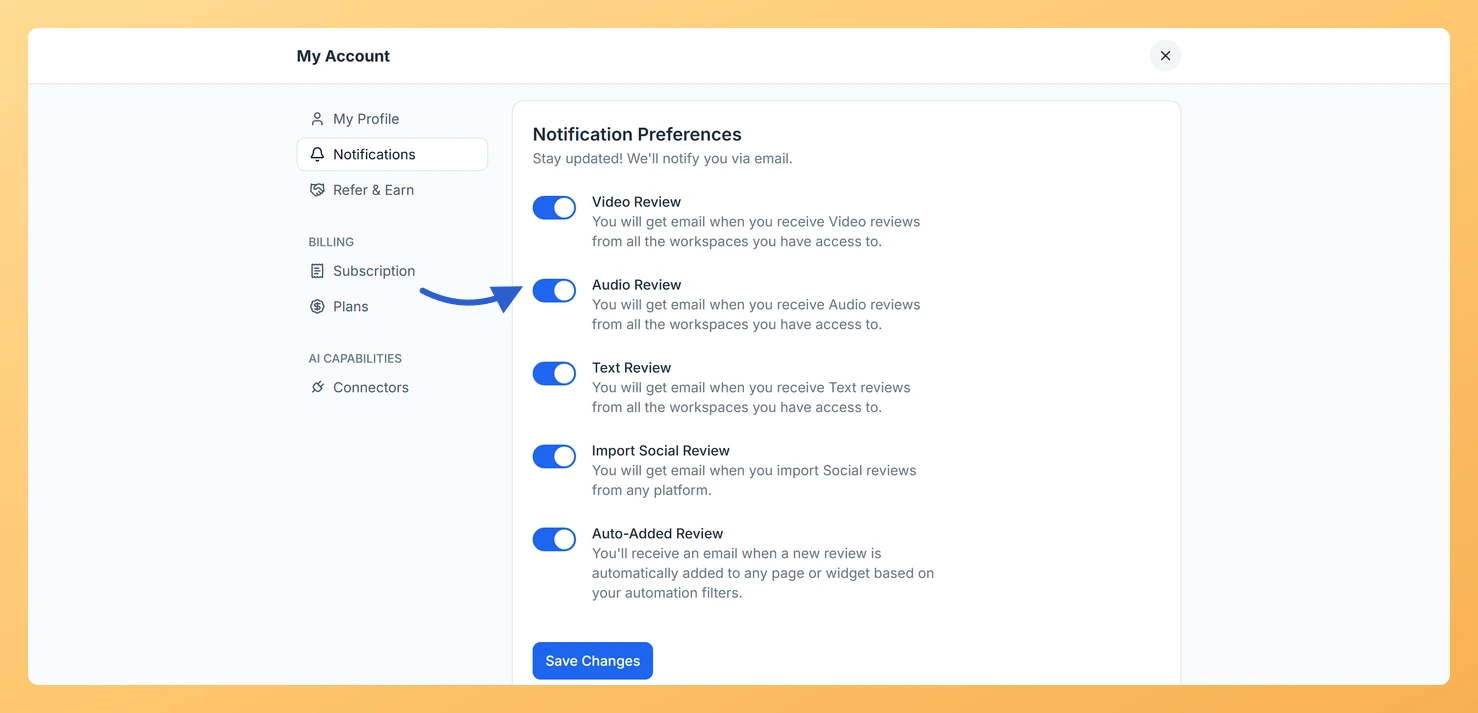
Step 4: Find the Audio Review toggle
Find Audio Review in the list of toggles and switch it on or off.
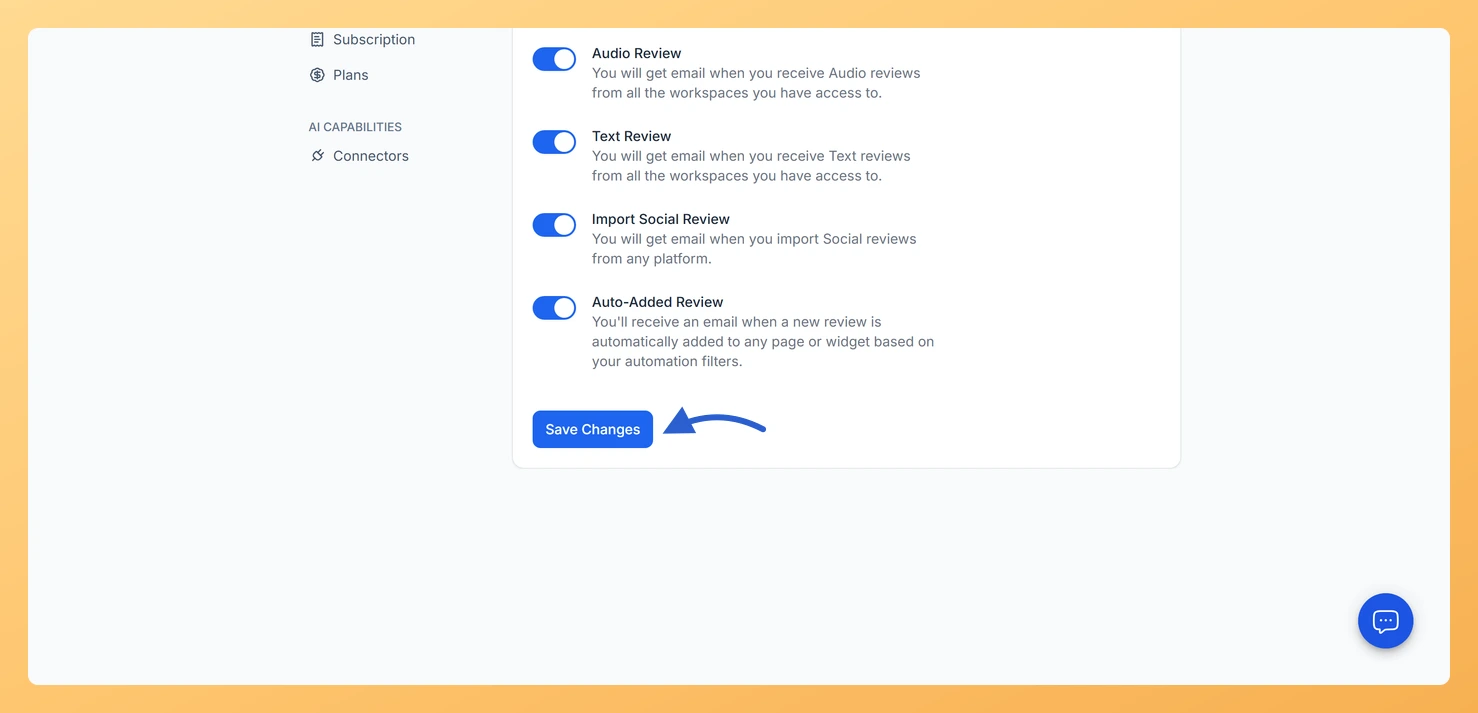
Step 5: Save your preference
Click Save Changes to apply your preference.
Important notes
The toggle is set at the account level, so it applies to all workspaces you have access to, not just a single workspace.
All notifications are delivered by email to the address linked to your Feedspace account.
If you are not receiving notification emails, check that the toggle is on and that you clicked Save Changes. Also check your spam or junk folder, as notification emails may be filtered there.
You might also find helpful
Learn More About Notification Settings in Feedspace
Accessing notification settings Log into Feedspace Sign in with your account credentials. Open the profile avatar menu Click your profile avatar at the top-right of the header to open the menu, then click Notifications. This opens the My Account modal on the Notifications tab. Notification preferences All notifications are sent...
What Is the Video Review Notification in Feedspace?
Overview The Video Review Notification is a toggle in Feedspace under My Account, on the Notifications tab. When it is turned on, Feedspace sends you an email each time someone submits a video testimonial through any of your review forms. The notification covers all workspaces your account has access to,...
What Is the Text Review Notification in Feedspace?
Overview The Text Review Notification is a toggle in Feedspace that controls whether you receive an email each time someone submits a written text testimonial through any of your review forms. It is found in My Account, under the Notifications tab, and applies at the account level across all workspaces...