The Text Review Notification is a toggle in Feedspace that controls whether you receive an email each time someone submits a written text testimonial through any of your review forms. It is found in My Account, under the Notifications tab, and applies at the account level across all workspaces you have access to.
Text reviews are the most common type of submission in Feedspace. Because of this, the Text Review Notification can generate a high volume of emails if your forms receive many responses each day. Understanding when to keep it on or turn it off helps you stay informed without cluttering your inbox.
When to keep the notification on
If you receive a smaller number of text submissions and want to act on each one quickly, keeping this notification enabled is the right choice. Common reasons to leave it on include:
You want to send a personal thank-you message to each reviewer shortly after they submit.
You review each submission before approving it for display in a widget or wall of love.
You share standout testimonials on social media and want to catch them while they are fresh.
You are monitoring a new form or campaign and need real-time awareness of incoming responses.
When to turn the notification off
If your forms collect many text submissions each day, receiving an email for every one can make it harder to manage your inbox. In that case, turning this notification off and checking your Feedbox on a set schedule lets you review submissions in batches without the constant interruptions.
How to enable or disable the Text Review Notification
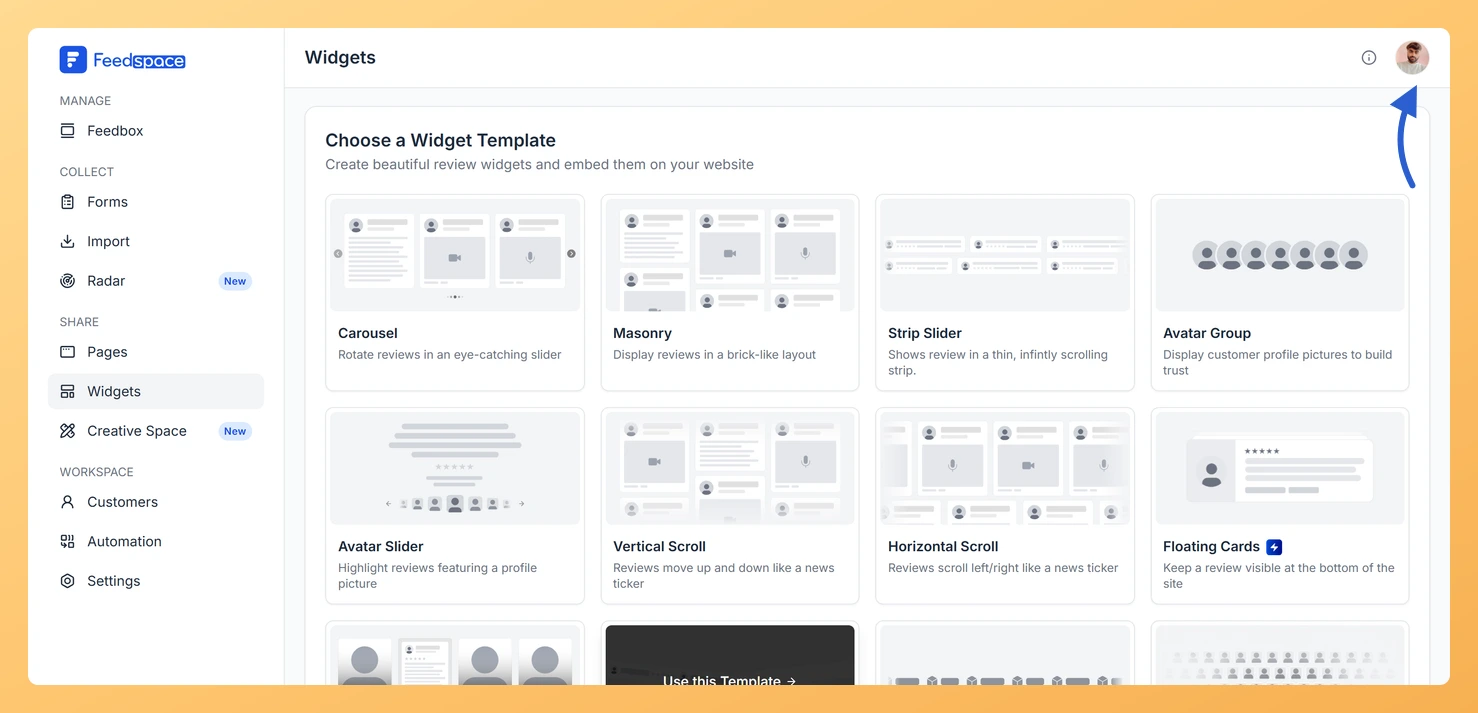
Open the account menu by clicking your profile avatar in the top right corner.
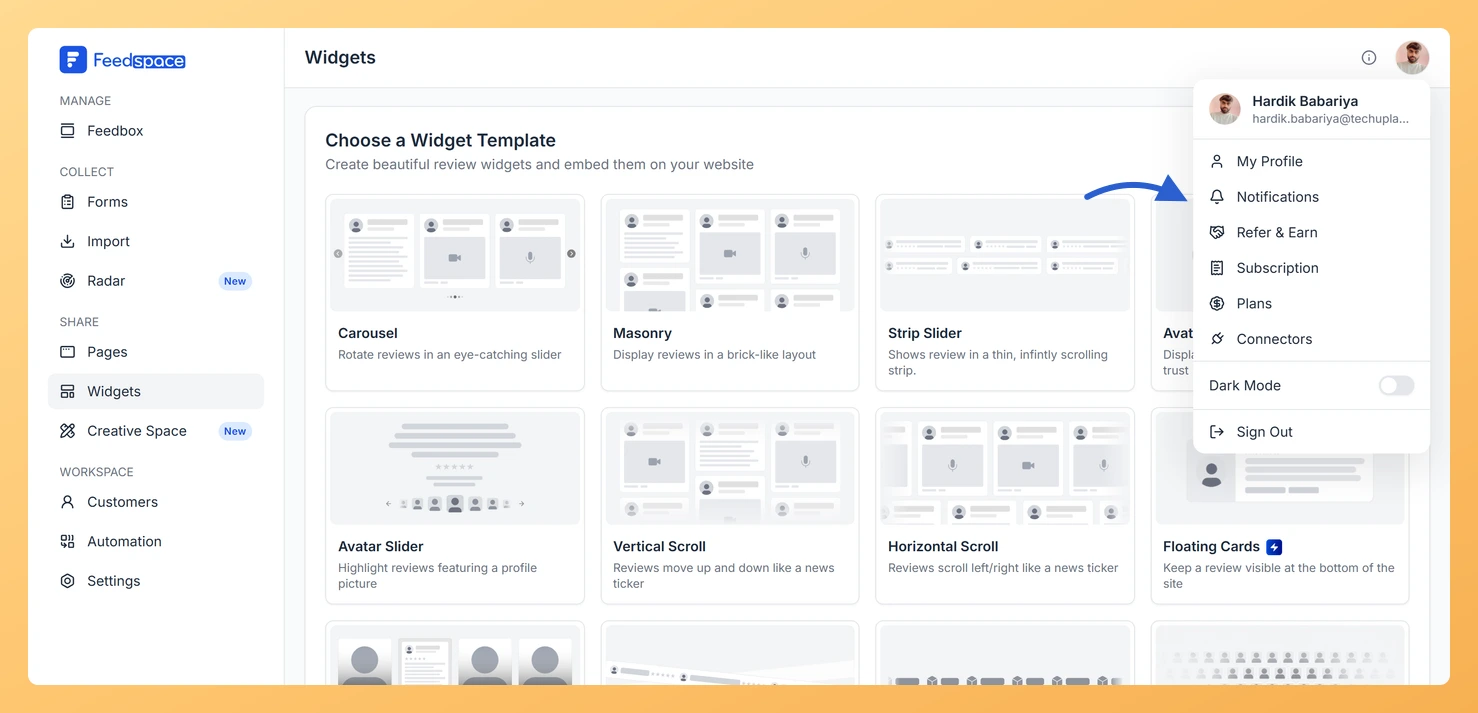
Step 3: Open the Notifications panel
Pick Notifications from the list that drops down. The My Account window opens showing Notification Preferences.
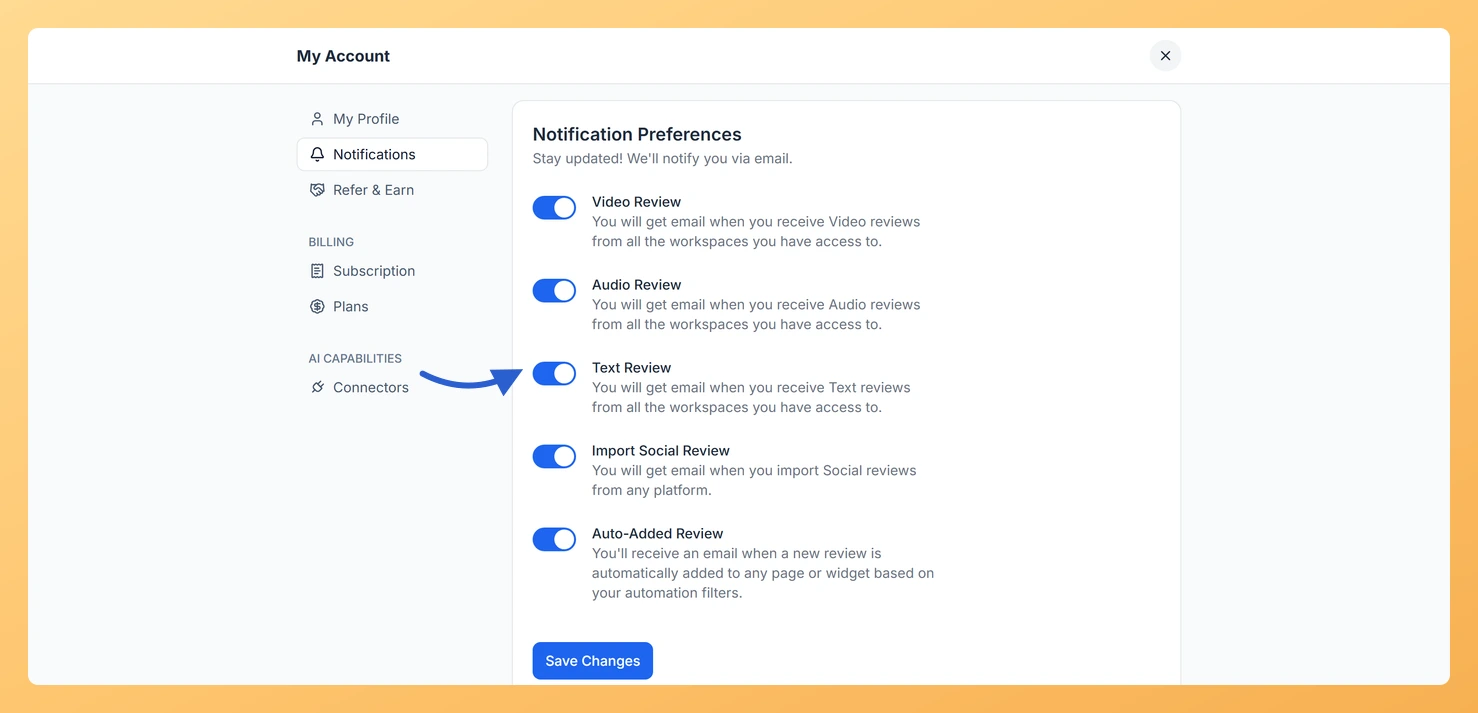
Step 4: Find the Text Review toggle
Find the Text Review toggle and switch it on or off according to your preference.
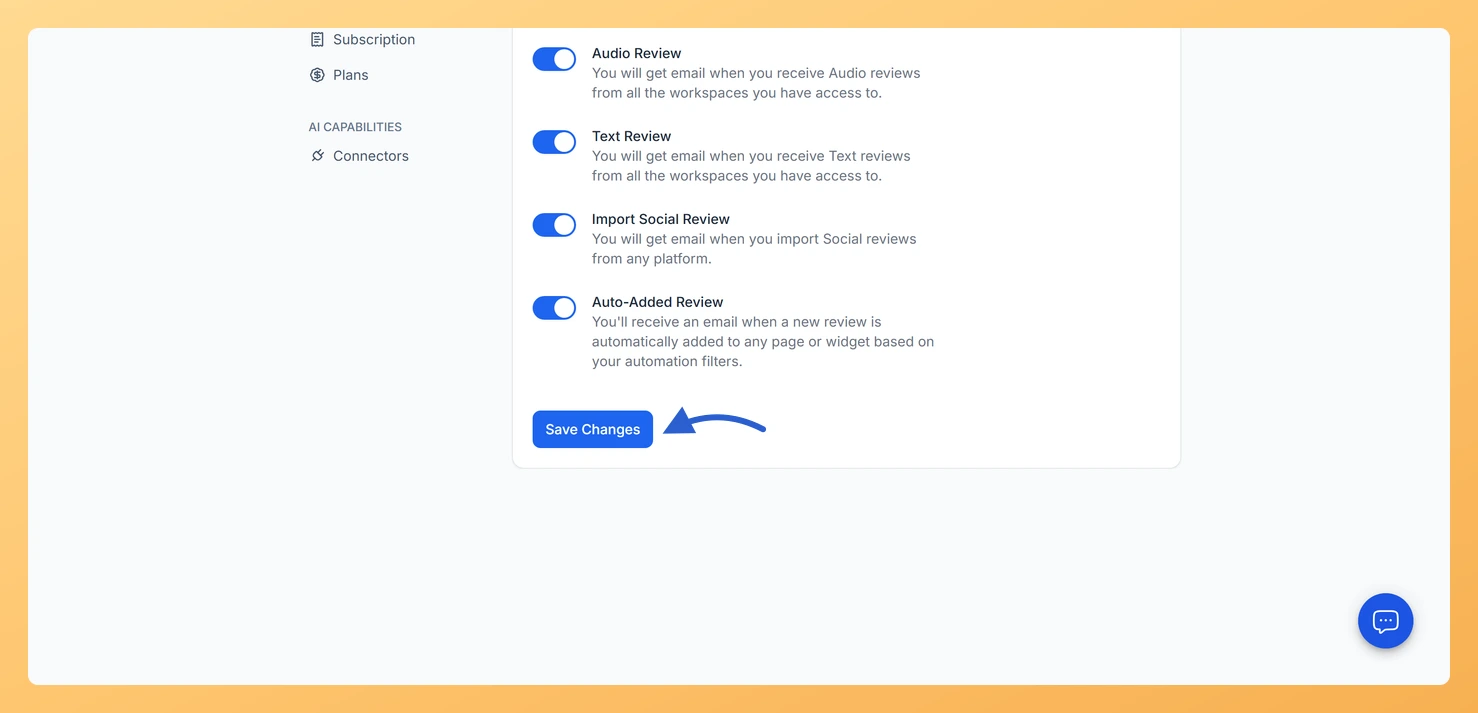
Step 5: Save your preference
Click Save Changes to apply your setting.
Your preference is saved to your account and takes effect immediately across all workspaces you are a member of.
Common questions
Does this notification cover all my workspaces?
Yes. The Text Review Notification is an account-level setting. Enabling it means you will receive an email for every text testimonial submitted through any form, across all workspaces you have access to.
I toggled the setting but am still receiving emails
Make sure you clicked Save Changes after updating the toggle. Without saving, the change is not applied. If the issue continues, check your spam folder to confirm the emails are not being filtered there.
Can I get notifications for video or audio reviews separately?
Yes. Feedspace has separate notification toggles for video and audio reviews. Each one can be turned on or off independently, so you can choose which submission types trigger an email alert.
You might also find helpful
Learn More About Notification Settings in Feedspace
Accessing notification settings Log into Feedspace Sign in with your account credentials. Open the profile avatar menu Click your profile avatar at the top-right of the header to open the menu, then click Notifications. This opens the My Account modal on the Notifications tab. Notification preferences All notifications are sent...
What Is the Video Review Notification in Feedspace?
Overview The Video Review Notification is a toggle in Feedspace under My Account, on the Notifications tab. When it is turned on, Feedspace sends you an email each time someone submits a video testimonial through any of your review forms. The notification covers all workspaces your account has access to,...
What Is the Audio Review Notification in Feedspace?
Overview The Audio Review notification is the Audio Review toggle in Feedspace, on the Notification Preferences panel of your My Account settings. When it is switched on, Feedspace sends you an email every time someone submits an audio testimonial through any of your review forms, across all workspaces you have...