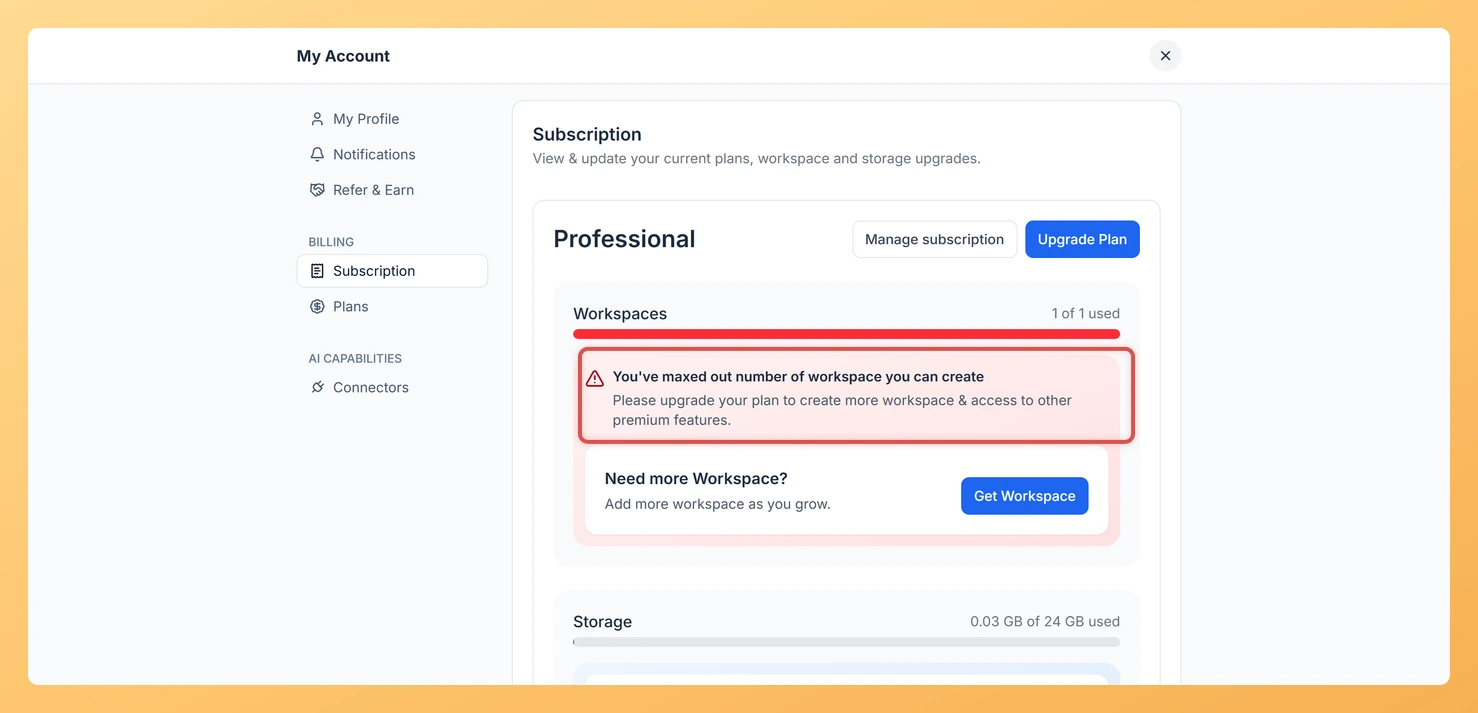
An upgrade prompt can appear while you are creating a form or workspace, or using a specific feature, even though you are already on a paid plan. This is almost always a sign that the action you just tried goes beyond what your current tier includes, not a sign that something is broken.
Each Feedspace plan comes with its own limits, such as how many forms or workspaces you can have, how much storage and review allowance you get, and which features are part of that tier. When an action would cross one of those limits, Feedspace shows an upgrade prompt so you know that doing more requires a higher plan. For example, you might already have the maximum number of forms your plan allows, or you might be trying to use a feature that belongs to a different tier.
What to check first
Step 1: Note what triggered the prompt
Note the exact action that triggered the prompt, for example adding another form, creating another workspace, or turning on a particular feature.
Step 2: Open the account menu
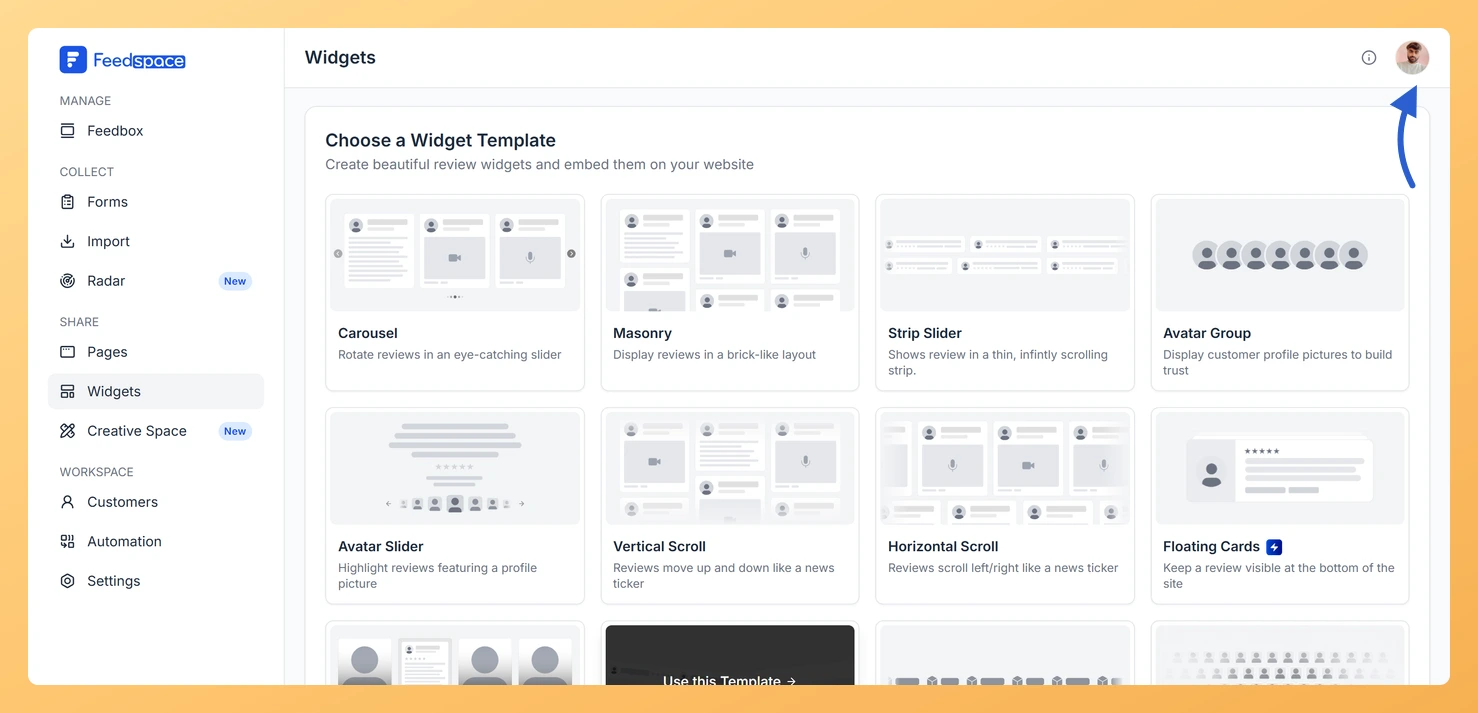
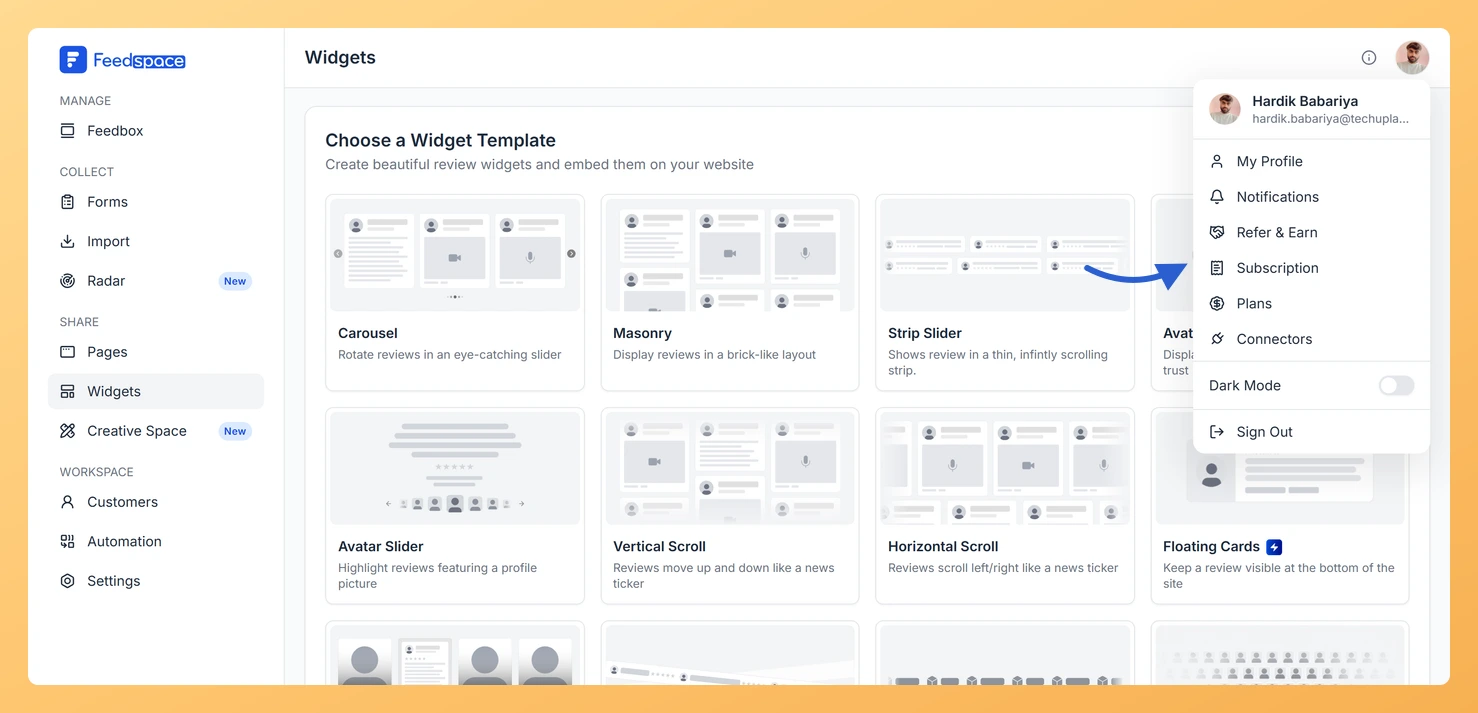
Log in to your Feedspace dashboard, then click the avatar button at the top-right of the header.
Step 3: Check your plan on the Subscription tab
Click Subscription to confirm which plan you are on, then click Plans to compare what each tier includes.
Step 4: Match the action against your plan’s limits
Match the action you tried against your plan’s limits. If the action exceeds your current tier, the upgrade prompt is expected.
If the prompt is because you have reached a per-workspace limit, such as the number of forms in one workspace, you can either upgrade to a tier with a higher allowance or use another workspace to continue. To raise your limits across the board, follow how to upgrade or change your plan in Feedspace.
If you believe your plan already includes it
If you are confident the action should be covered by your plan, for example an AppSumo tier that should already include the feature or limit you are hitting, reach out to the team at support@feedspace.io. Include your account email and a short description of the action that showed the prompt, and the team will check your entitlement and sort it out. If you are on an AppSumo plan, you can also review how to redeem and manage your Feedspace AppSumo plan to confirm your tier is applied.
What’s next
Once you know which limit you reached, decide whether to upgrade for a higher allowance or spread your work across another workspace. To see exactly what your current plan covers and how the tiers compare, open how to view your subscription in Feedspace.
Common questions
Does an upgrade prompt mean my plan expired?
Not usually. The prompt typically means the specific action exceeds a limit on your current tier, not that your paid plan has lapsed. Open the Subscription tab to confirm your plan is active.
Why do I see the prompt in one workspace but not another?
Some limits, such as the number of forms, apply per workspace. If one workspace has reached its limit, you can keep working in another workspace, or upgrade to a tier with a higher allowance.
I redeemed an AppSumo plan but still see an upgrade prompt. What should I do?
Confirm the action you tried is part of your AppSumo tier on the Plans tab. If it should be covered and you still see the prompt, email support@feedspace.io with your account email and the team will check your entitlement.
You might also find helpful
How Do I Upgrade or Change My Plan in Feedspace?
Overview The Plans tab in Feedspace shows all available pricing tiers and lets you upgrade, downgrade, or switch your billing period. Your current plan is always highlighted so you can easily see what is included and what the next tier offers. How to open the Plans tab Step 1: Open...
How Do I Redeem and Manage My Feedspace AppSumo Plan?
Overview Feedspace sells lifetime access plans through AppSumo. These plans are a one-time payment and never renew. Once you redeem your AppSumo deal, your account shows your tier name in the Subscription tab, and you keep access to your tier’s features indefinitely. A common use case: a freelancer purchases a...
How Do I View My Subscription in Feedspace?
Overview The Subscription tab in your Feedspace account shows your current plan, billing amount, usage across your workspaces and storage, and your full invoice history. You can also manage your subscription or upgrade from this tab. How to open the Subscription tab Step 1: Open the account menu Click the...