A podcast’s channel page on Castbox shows what listeners have written about the show. Give Feedspace the channel link and it gathers those listener reviews for you to sort through and import.
Podcasters add them to their show’s website or a sponsorship page, so new listeners and advertisers see what the audience thinks of the show.
Steps to import reviews from Castbox
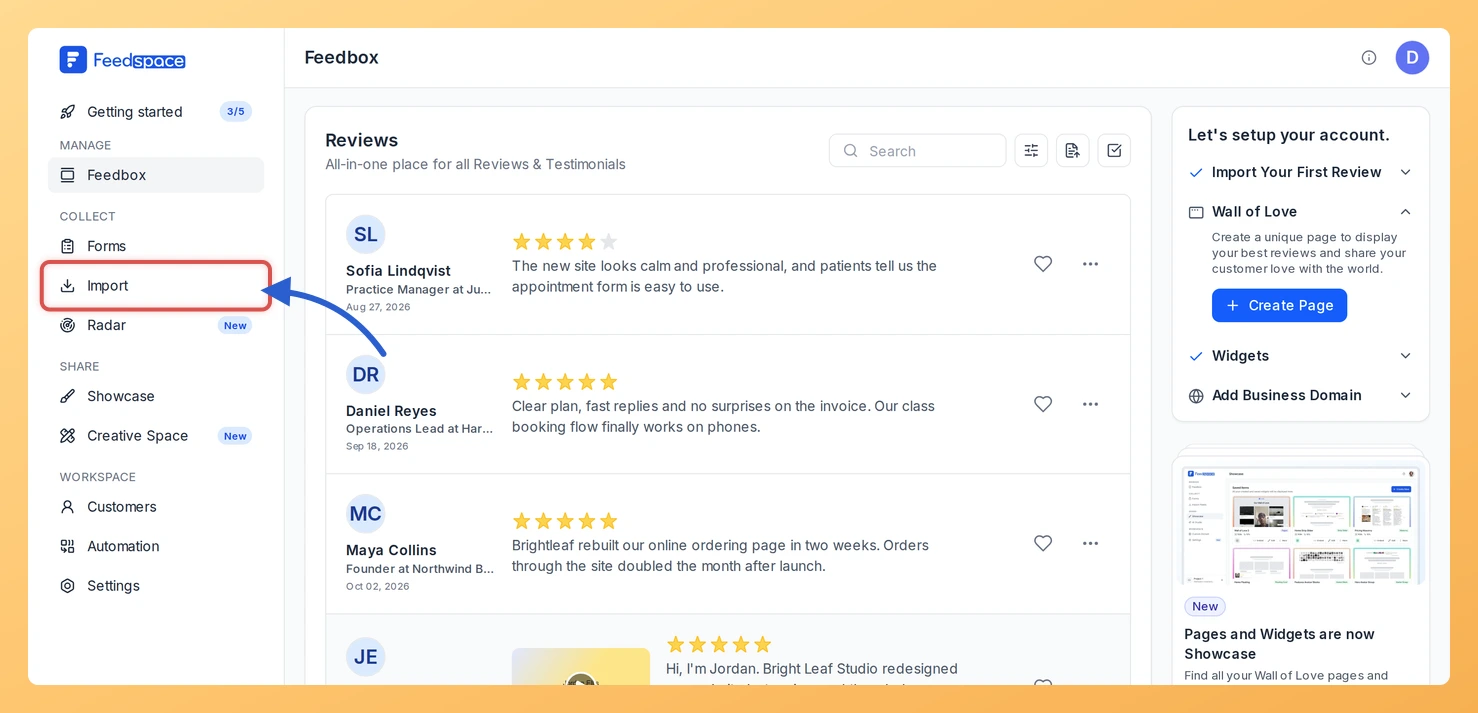
Step 1: Click Import in the sidebar
Once you are signed in to Feedspace, open Import from the sidebar on the left. You’ll use the Import from Web card, the first thing on the Automated Import tab.
Step 2: Copy your channel link
Open your podcast on Castbox and copy the channel page address. It looks like https://castbox.fm/channel/id12345678.
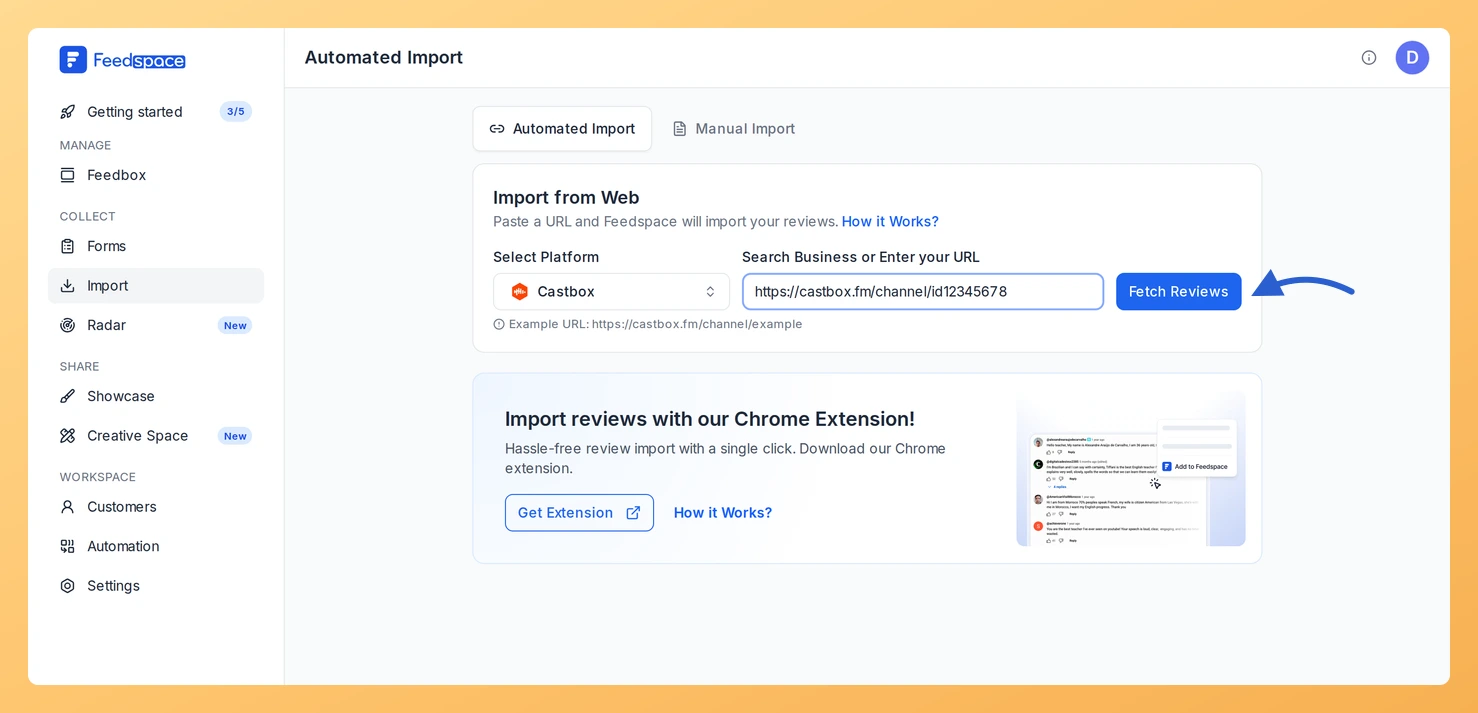
Step 3: Paste the link and click Fetch Reviews
Paste the link into Search Business or Enter your URL. Select Platform switches to Castbox. Click Fetch Reviews.
Step 4: Choose the reviews and import them
Listener reviews load as Fetched Reviews from Castbox. Tick the ones worth sharing, or choose Select All, and press Import Review. Labels are optional in the Import Reviews with Customization dialog; press Import Reviews there to complete the import.
What’s next
Put listener reviews on your podcast’s website with a widget, or include a Wall of Love page in your sponsor pitch.
Yes. When the link has no active auto import, a Setup Auto Import banner sits above the fetched reviews. Click it, pick any options in the dialog that opens and confirm with Setup Auto-Sync. Feedspace will then import new Castbox reviews every day. If auto import is not in your plan, or your plan’s auto imports are all in use, Feedspace shows the upgrade options instead.
You might also find helpful
How to Import Reviews from Podcast Addict into Feedspace
Overview Feedspace enables businesses to showcase customer feedback by importing reviews from Podcast Addict. Podcast Addict is one of the most popular podcast apps for Android where listeners discover and review their favorite shows. By integrating Podcast Addict reviews into your Feedspace dashboard, you can display authentic customer experiences on...
How to Import Reviews from Podchaser into Feedspace
Overview Feedspace allows podcasters and media creators to import their listener reviews directly from Podchaser: a popular platform for podcast ratings and discussions. This feature helps you showcase authentic listener feedback on your website or Wall of Love to boost credibility and engagement. Step 1: Open import reviews in Feedspace...
How to Import Reviews from Apple Podcasts into Feedspace
Overview Your show’s page on Apple Podcasts collects ratings and written reviews. Feedspace fetches those reviews from your podcast’s link so you can choose which to import. Podcasters add them to their show’s website or a sponsorship pitch, where a new listener or an advertiser sees what the audience thinks...