Feedspace fetches reviews from your Etsy listings, the marketplace for handmade, vintage and creative goods. Paste a listing link and choose which buyer reviews to import.
Makers who also sell from their own website often want their Etsy reviews there too. Importing them puts that buyer feedback next to your products wherever you sell.
Steps to import reviews from Etsy
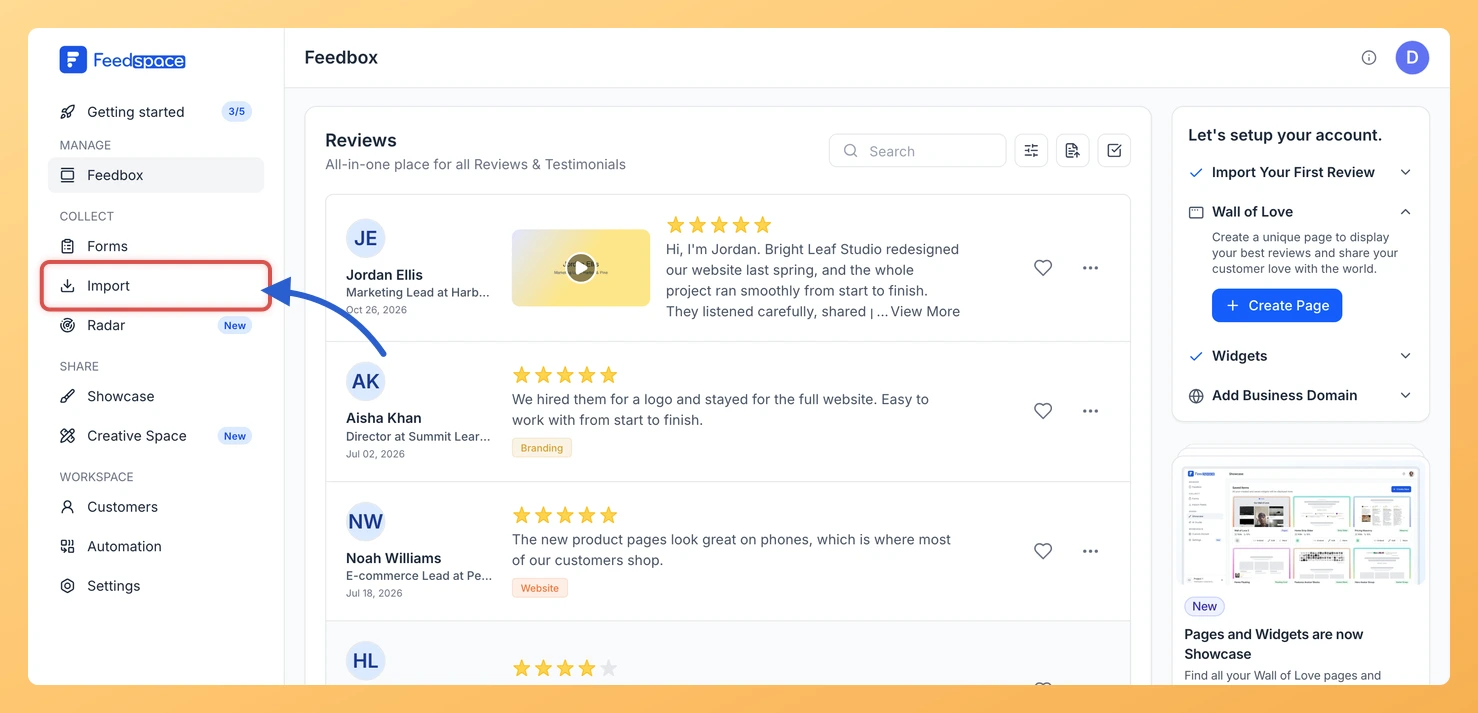
Step 1: Head to Import
Sign in to Feedspace and pick Import from the sidebar. The Import from Web card at the top of the Automated Import tab is where your link goes.
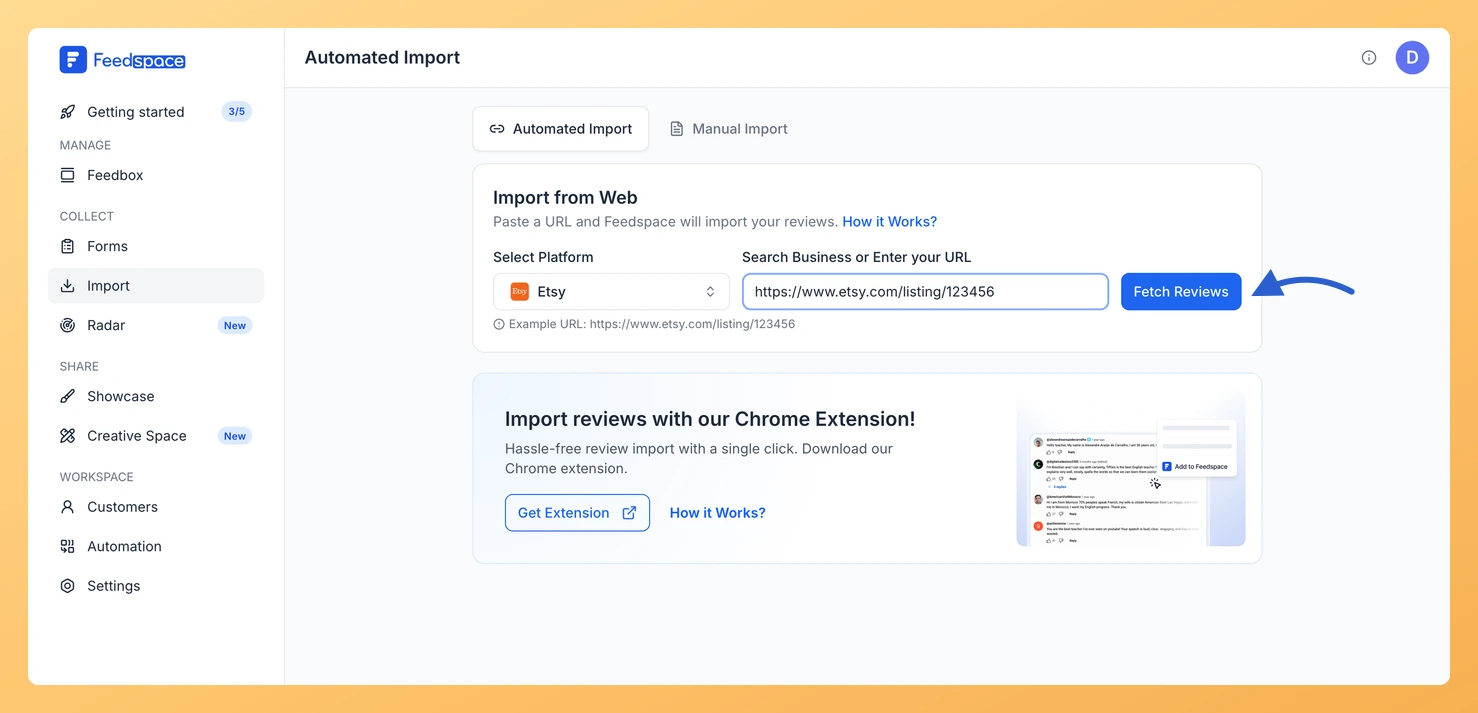
Step 2: Copy your Etsy listing link
Open the listing on Etsy and copy its address, which looks like https://www.etsy.com/listing/123456.
Step 3: Paste the link and click Fetch Reviews
Paste the listing link into Search Business or Enter your URL. Feedspace knows it is Etsy and shows Etsy under Select Platform. Click Fetch Reviews.
Step 4: Choose the reviews and import them
When the reviews load under Fetched Reviews from Etsy, tick the ones you want or use Select All. Click Import Review and then Import Reviews in the customization dialog, with labels if you want them.
Do I import reviews for each Etsy listing separately?
Yes. Each fetch uses one listing link, so repeat the steps for every listing whose reviews you want.
Can Etsy reviews keep coming in automatically?
Yes. Look for the Setup Auto Import banner above the fetched reviews; it appears when this link has no active auto import. Click it, set your options in the Setup Auto-Sync dialog, then click Setup Auto-Sync to save. From then on Feedspace brings in new Etsy reviews daily. On a plan without auto import, or once you reach the number of auto imports your plan allows, you see the upgrade options instead.
You might also find helpful
How to Import Reviews from Shopee into Feedspace
Overview Feedspace enables businesses to showcase customer feedback by importing reviews from Shopee. Shopee is Southeast Asia and Taiwan’s leading e-commerce platform where sellers receive verified purchase reviews from buyers. By integrating Shopee reviews into your Feedspace dashboard, you can display authentic customer experiences on your website, build credibility, and...
How to Import Reviews from Creative Market into Feedspace
Overview Fonts, templates and graphics sold on Creative Market carry reviews on their product pages. Feedspace pulls those reviews in from your product page, and you select the ones to import. Designers use these reviews on their own shop or portfolio, where a buyer about to pay for a font...
How to Import Reviews from Lazada into Feedspace
Overview Feedspace enables businesses to showcase customer feedback by importing reviews from Lazada. Lazada is Southeast Asia’s leading e-commerce platform owned by Alibaba, where sellers receive verified purchase reviews. By bringing Lazada reviews into your Feedspace dashboard, you can display authentic customer experiences on your website and build credibility. Step...