Attraction pages in the Trip.com travel guide show reviews of the place. Feedspace reads the reviews on your attraction’s page, and you pick the ones worth importing.
Museums, parks and tour operators show these reviews on their ticket page, where a traveller planning a day out reads them before booking.
Steps to import reviews from Trip.com Attraction
Step 1: Go to the Import page
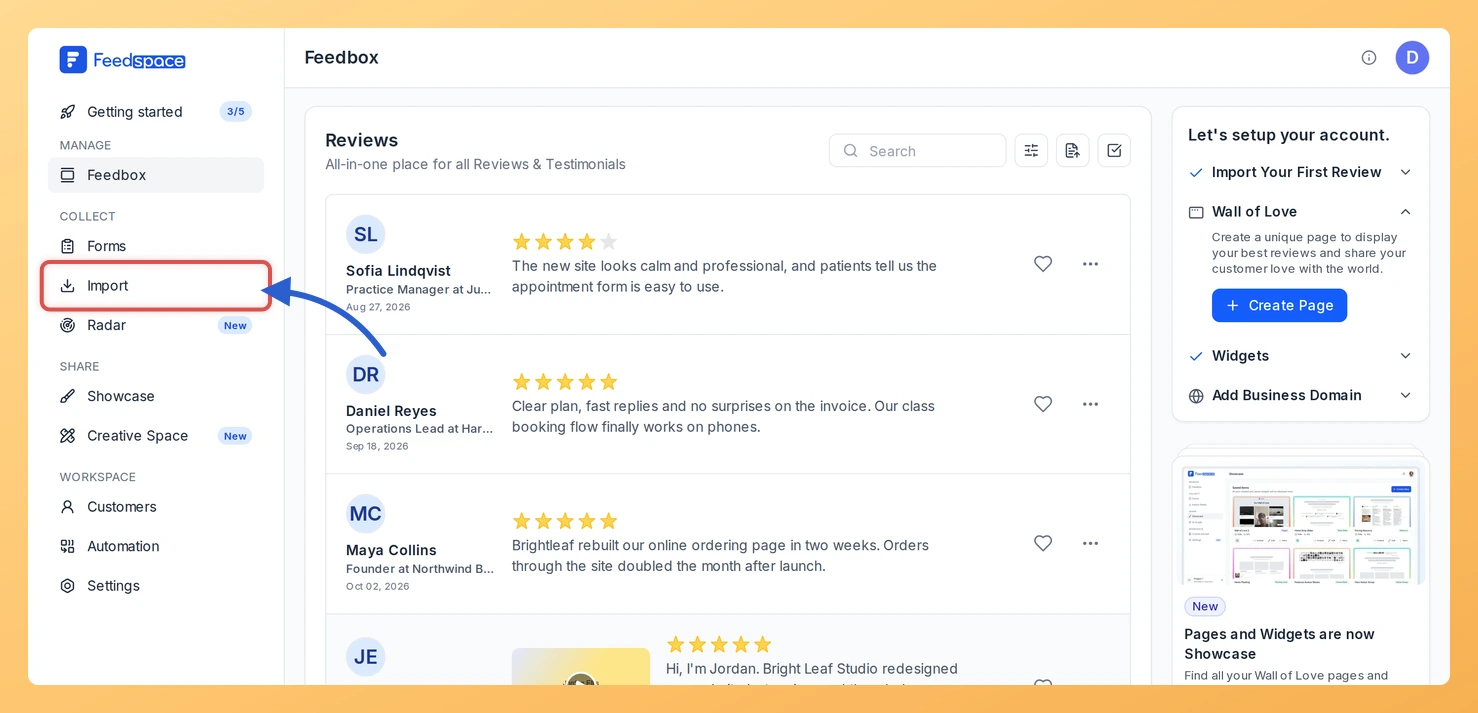
Log in to Feedspace, then choose Import from the menu down the left side. The page opens on Automated Import, with Import from Web as the first card.
Step 2: Copy your attraction page link
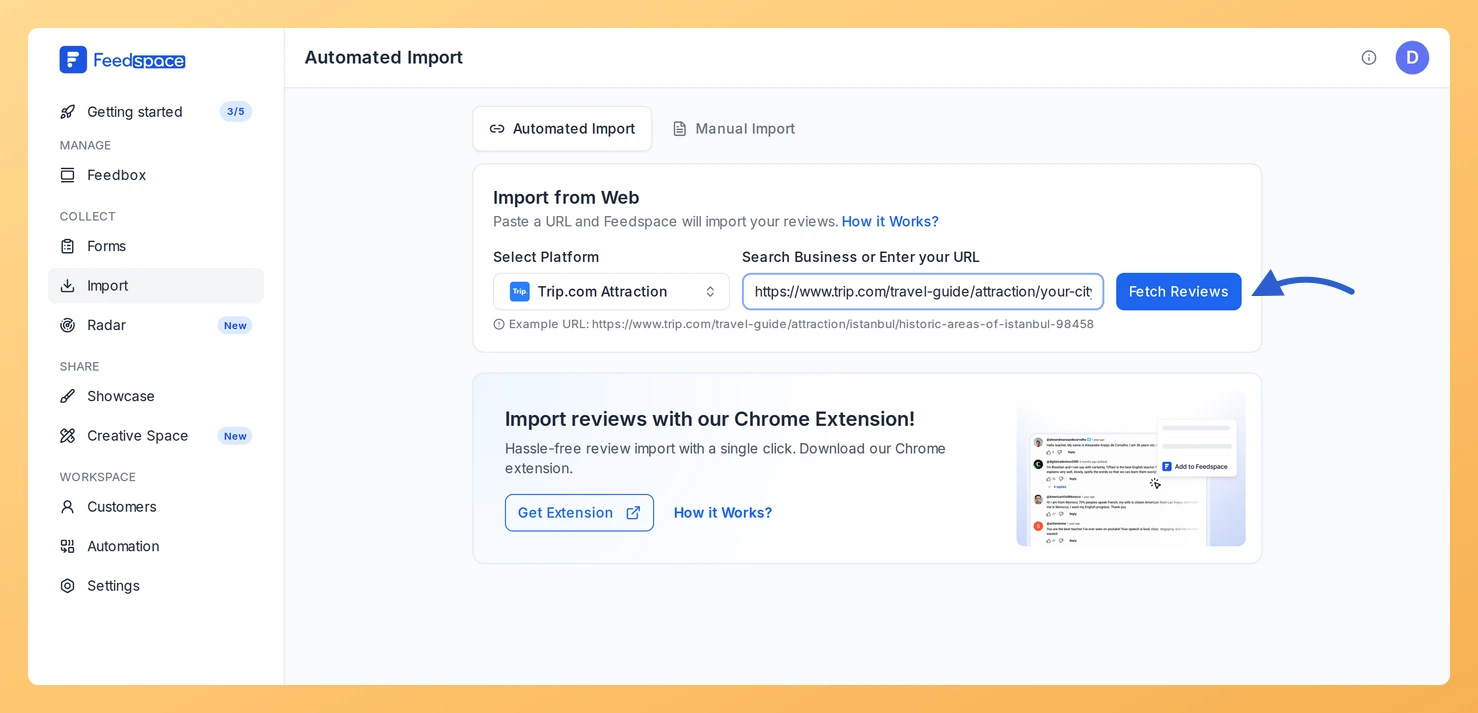
Find your attraction in the Trip.com travel guide and copy the page address. It contains /attraction/, as in https://www.trip.com/travel-guide/attraction/your-city/your-attraction-12345678.
Step 3: Paste the link and click Fetch Reviews
Paste it into Search Business or Enter your URL. Feedspace recognises the page and sets Select Platform to Trip.com Attraction. Click Fetch Reviews.
Step 4: Choose the reviews and import them
Scroll through Fetched Reviews from Trip.com Attraction and tick the reviews you want, or click Select All. Click Import Review, add labels in Import Reviews with Customization if you need them, and click Import Reviews.
What’s next
Add visitor reviews to your ticket or opening hours page with a widget, or share them on a Wall of Love page.
Yes. Attraction links from Trip.com’s local sites, such as in.trip.com, are recognised too, as long as the address has /attraction/ in it.
What about reviews of my hotel on Trip.com?
A hotel page link is matched to Trip.com Hotel rather than Trip.com Attraction, and it has its own guide: see how to import reviews from Trip.com.
Will new attraction reviews import automatically?
They can. When the link has no active auto import, a Setup Auto Import banner sits above the fetched reviews. Click it, pick any options in the dialog that opens and confirm with Setup Auto-Sync. Feedspace will then import new Trip.com Attraction reviews every day. If auto import is not in your plan, or your plan’s auto imports are all in use, Feedspace shows the upgrade options instead.
You might also find helpful
How to Import Reviews from Trip.com into Feedspace
Overview Feedspace makes it simple to bring in your customer reviews from Trip.com so you can showcase them on your website, review widgets, or Wall of Love. Follow these steps to import reviews. Steps to import reviews from Trip.com Step 1: Log into Feedspace Begin by logging into your Feedspace...
How to Import Reviews from GetYourGuide into Feedspace
Overview Feedspace enables businesses to showcase customer feedback by importing reviews from GetYourGuide. GetYourGuide is a leading travel experience booking platform offering tours, activities, and attractions worldwide with verified reviews. By integrating GetYourGuide reviews into your Feedspace dashboard, you can display authentic customer experiences on your website, build credibility, and...
How to Import Reviews from Booking.com Attractions into Feedspace
Overview Booking.com is widely used by travelers to share reviews of hotels, attractions, and destinations. Importing reviews from Booking.com attractions into Feedspace allows you to present authentic user feedback directly on your website. By adding these reviews, you can highlight popular attractions, travel experiences, or local recommendations for your audience....