Each extension listed on Zoho Marketplace has a page of ratings and reviews. Paste an extension’s link into Feedspace and it collects those reviews, ready for you to pick the ones worth importing.
Developers who build for Zoho put these reviews on their product site and pricing page, so a Zoho customer comparing extensions can read them before installing one.
Steps to import reviews from Zoho Marketplace
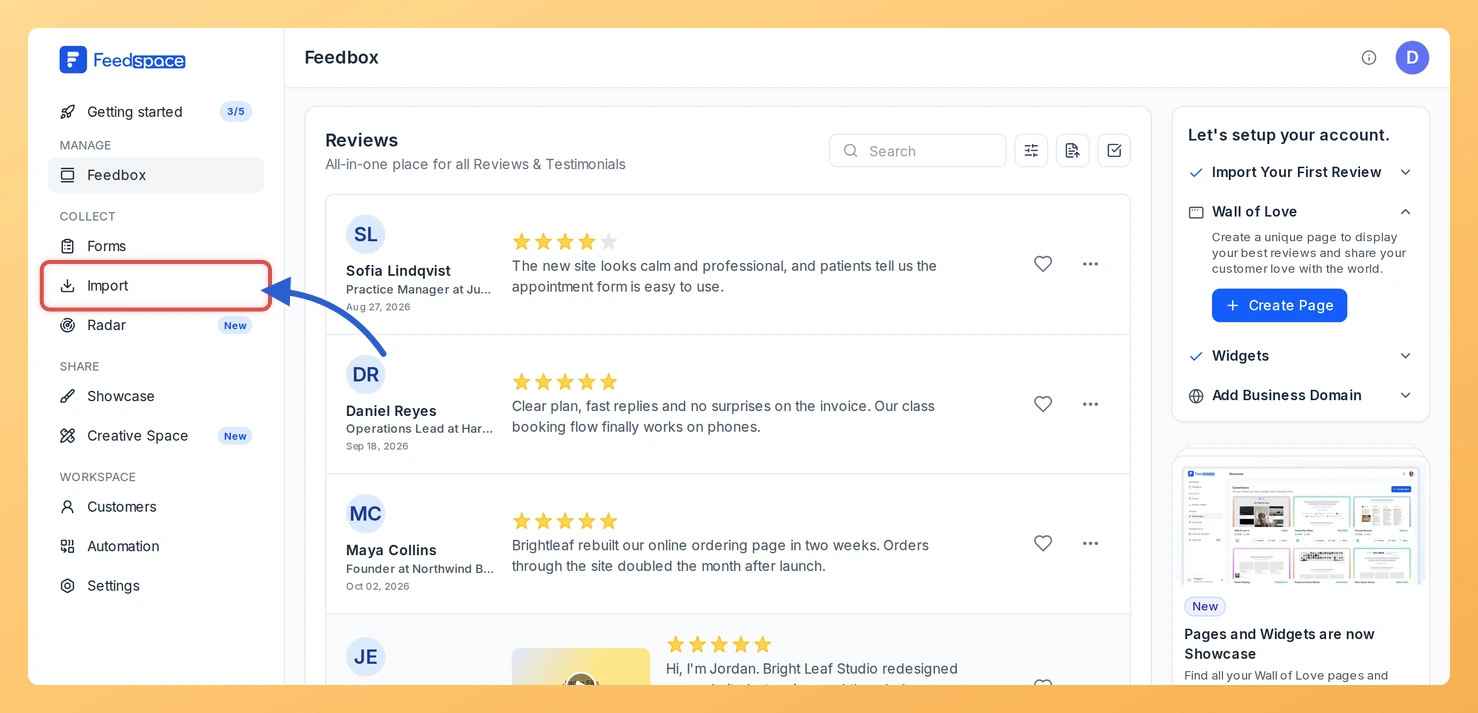
Step 1: Open Import
Log in to Feedspace and click Import in the left sidebar. You arrive on the Automated Import tab, and Import from Web is the card your link goes into.
Step 2: Copy your extension’s link
Open your extension’s page on Zoho Marketplace and copy the address from your browser. It looks like https://marketplace.zoho.com/app/crm/your-extension-name.
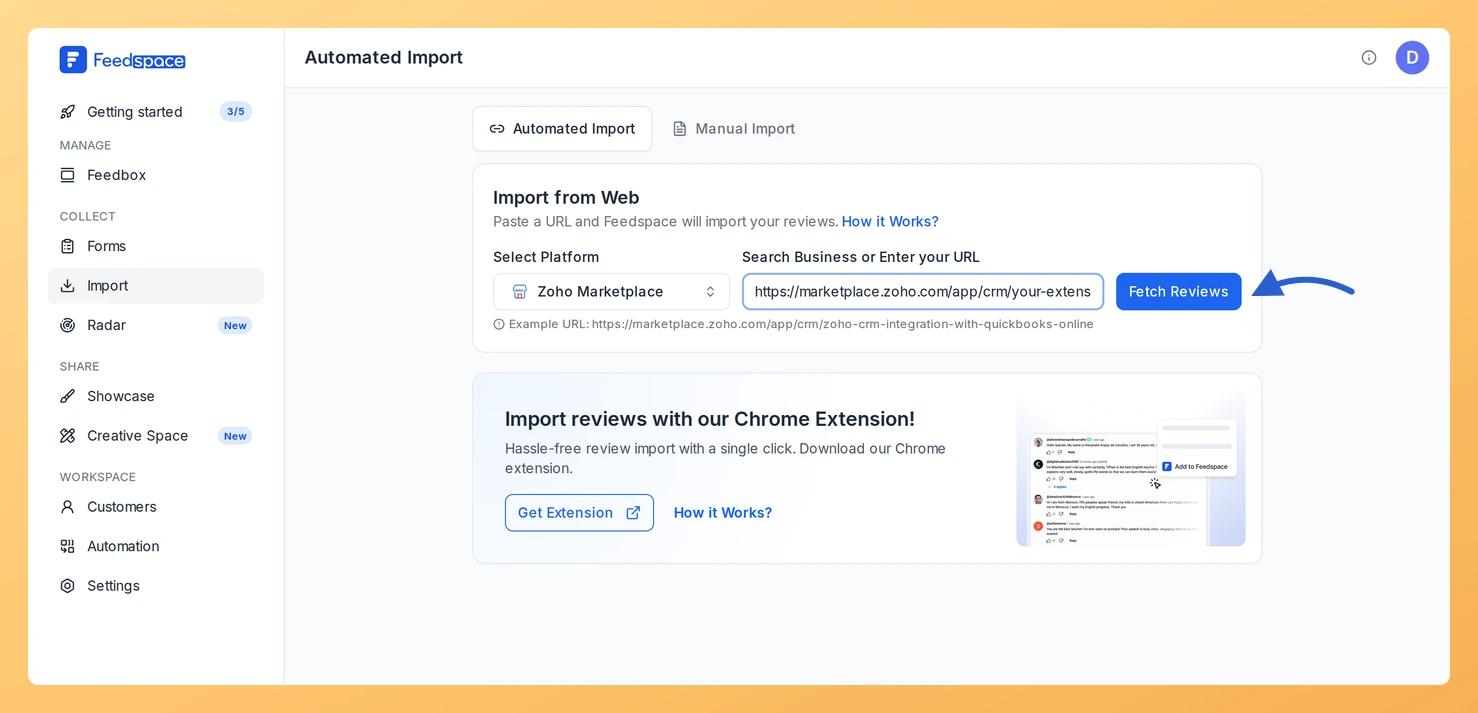
Step 3: Paste the link and click Fetch Reviews
Paste the link into Search Business or Enter your URL. Zoho Marketplace appears under Select Platform. Click Fetch Reviews.
Step 4: Choose the reviews and import them
The list is headed Fetched Reviews from Zoho Marketplace. Tick each review you want, or use Select All, then click Import Review. You can add labels in the Import Reviews with Customization dialog; click Import Reviews to finish.
What’s next
Show the reviews on your extension’s website with a widget, or share a Wall of Love page in your onboarding emails.
Which Zoho Marketplace links does Feedspace recognise?
Links with /app/ in the address, like the extension link in Step 2, whichever Zoho app the extension is for. A link such as https://marketplace.zoho.com/app/desk/your-extension-name is recognised as Zoho Marketplace too. The marketplace home page is not, so copy the extension’s own page.
Can new Zoho Marketplace reviews import automatically?
Yes. If this link has no active auto import yet, a banner above the fetched reviews shows Setup Auto Import. Click it, choose your options in the Setup Auto-Sync dialog and click Setup Auto-Sync. Feedspace then imports new Zoho Marketplace reviews every day. If your plan does not include auto import, or you have used all the auto imports it allows, Feedspace shows the upgrade options instead.
You might also find helpful
How to Import Reviews from Zendesk Marketplace into Feedspace
Overview Feedspace enables businesses to showcase customer feedback by importing reviews from Zendesk Marketplace. Zendesk Marketplace is the official marketplace for Zendesk customer service platform featuring apps and integrations with reviews. By integrating Zendesk Marketplace reviews into your Feedspace dashboard, you can display authentic customer experiences on your website, build...
How to Import Reviews from Pipedrive Marketplace into Feedspace
Overview Feedspace enables businesses to showcase customer feedback by importing reviews from Pipedrive Marketplace. Pipedrive Marketplace is the official app marketplace for Pipedrive CRM featuring integrations with verified user reviews. By integrating Pipedrive Marketplace reviews into your Feedspace dashboard, you can display authentic customer experiences on your website, build credibility,...
How to Import Reviews from HubSpot into Feedspace
Overview HubSpot customers review apps and service partners on the HubSpot Marketplace. Feedspace fetches the reviews from your listing so you can choose which to import. App makers and HubSpot partners use these reviews on their own sites, where prospects who use HubSpot want to see what other HubSpot customers...