Makers collect reviews on their Product Hunt product page, often around a launch. Feedspace fetches those reviews from your product page so you can choose which to import.
Launch-day praise works well on a homepage or signup page, where it shows new visitors that early users liked the product.
Steps to import reviews from Product Hunt
Step 1: Open the Import page
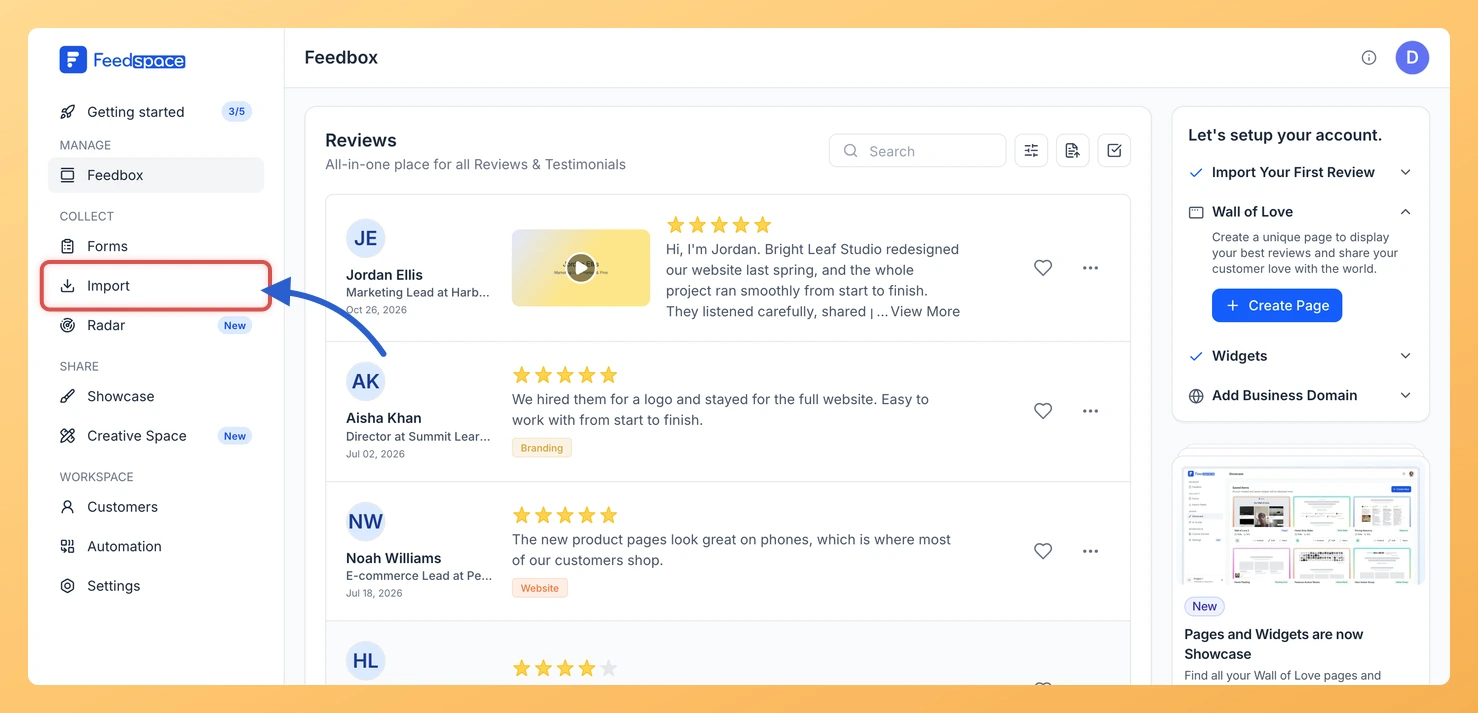
Open the Import page from the Feedspace sidebar. Import from Web is the first card on the Automated Import tab.
Step 2: Copy your Product Hunt product link
Open your product’s page on Product Hunt and copy the address, for example https://www.producthunt.com/products/your-product. If you are not sure which link to use, see how to find your Product Hunt page link.
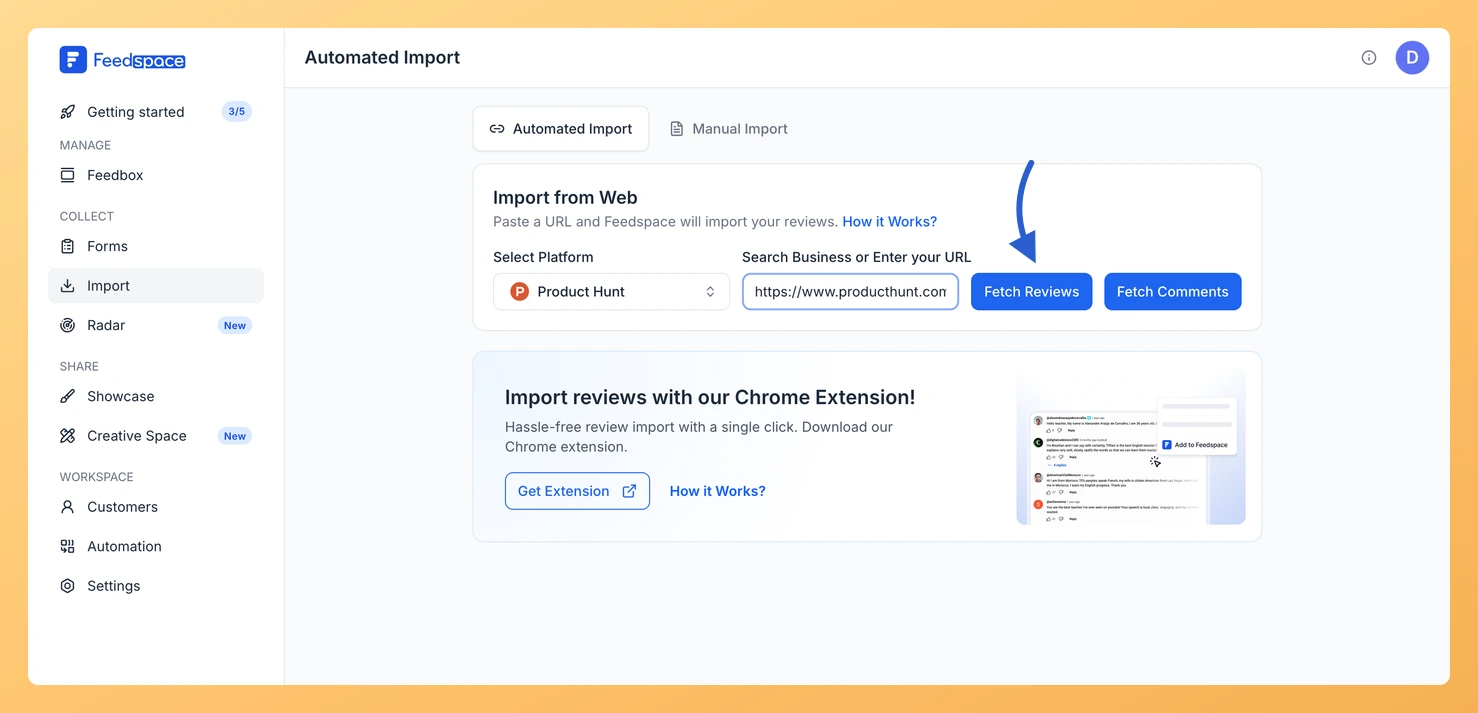
Step 3: Paste the link and click Fetch Reviews
Paste the link into Search Business or Enter your URL. Feedspace shows Product Hunt under Select Platform, with two buttons beside the link: Fetch Reviews and Fetch Comments. Click Fetch Reviews.
Step 4: Choose the reviews and import them
Under Fetched Reviews from Product Hunt, tick the reviews to keep or click Select All. Then click Import Review, and in the Import Reviews with Customization dialog click Import Reviews, with labels added first if you need them.
Yes. With your product link, the Fetch Comments button next to Fetch Reviews brings in the comments from your latest launch. For an earlier launch, paste that launch’s own link: see how to import Product Hunt comments.
Can Product Hunt reviews keep importing automatically?
Yes. When the link has no active auto import, a Setup Auto Import banner sits above the fetched reviews. Click it, pick any options in the dialog that opens and confirm with Setup Auto-Sync. Feedspace will then import new Product Hunt reviews every day. If auto import is not in your plan, or your plan’s auto imports are all in use, Feedspace shows the upgrade options instead.
You might also find helpful
How to Import Comments from Product Hunt into Feedspace
Overview Product Hunt is a platform where users can share feedback, reviews, and comments about new products. Importing comments from Product Hunt into Feedspace allows you to showcase real user feedback directly on your website. Whether you want to display reviews about your product launch or highlight customer interactions, this...
How to Find Your Product Hunt Page URL
Overview If you want to easily import Product Hunt reviews into Feedspace, you’ll need to enter your Product Hunt page URL. This guide shows you how to easily find and copy your Product Hunt page URL to paste into Feedspace. Steps to find your Product Hunt page URL Step 1:...
How to Import Reviews from AppSumo into Feedspace
Overview Products sold on AppSumo collect customer reviews on their AppSumo page. Feedspace fetches those reviews so you can pick the ones to import. Founders who sold through AppSumo can show those reviews on their own pricing page, where new customers are comparing plans. Steps to import reviews from AppSumo...