
Feedspace Home Dashboard

Easily Find Your Favorite Testimonials in Feedspace

Last updated on June 17, 2026

Feedspace allows you to mark testimonials as favorites so you can quickly find and highlight the ones that matter most.

How to Mark a Testimonial as Favorite:

  1. Log in to your Feedspace account.
  2. Go to the Feedbox section.
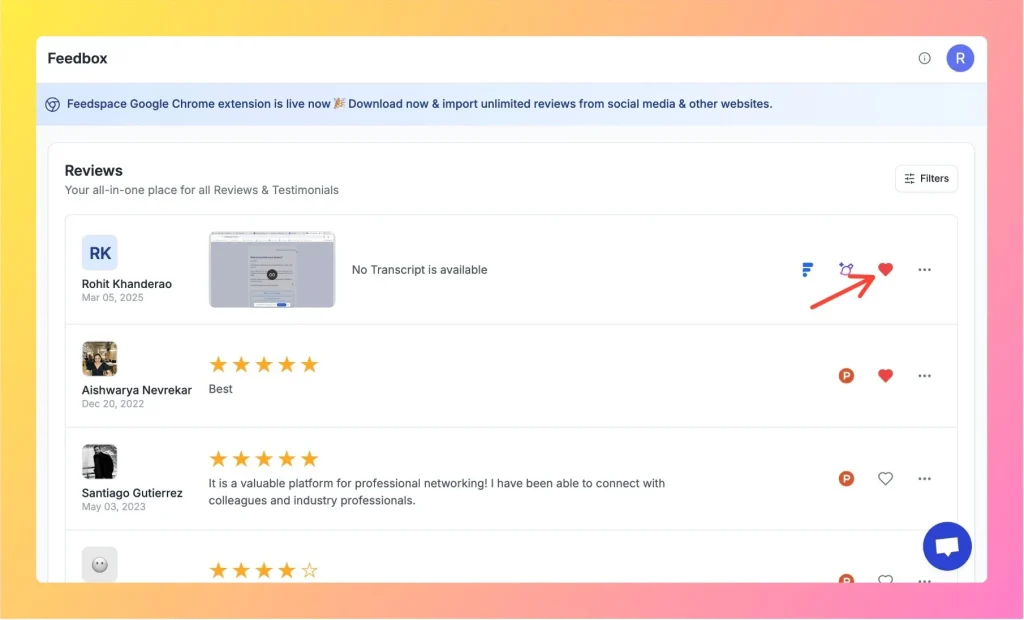
  3. You’ll see a heart icon on every review.
  4. Click the heart to mark a testimonial as your favorite.

Customer feedback in Feedspace with a heart icon to mark it as favourite.

How to Find Your Favorite Testimonials:

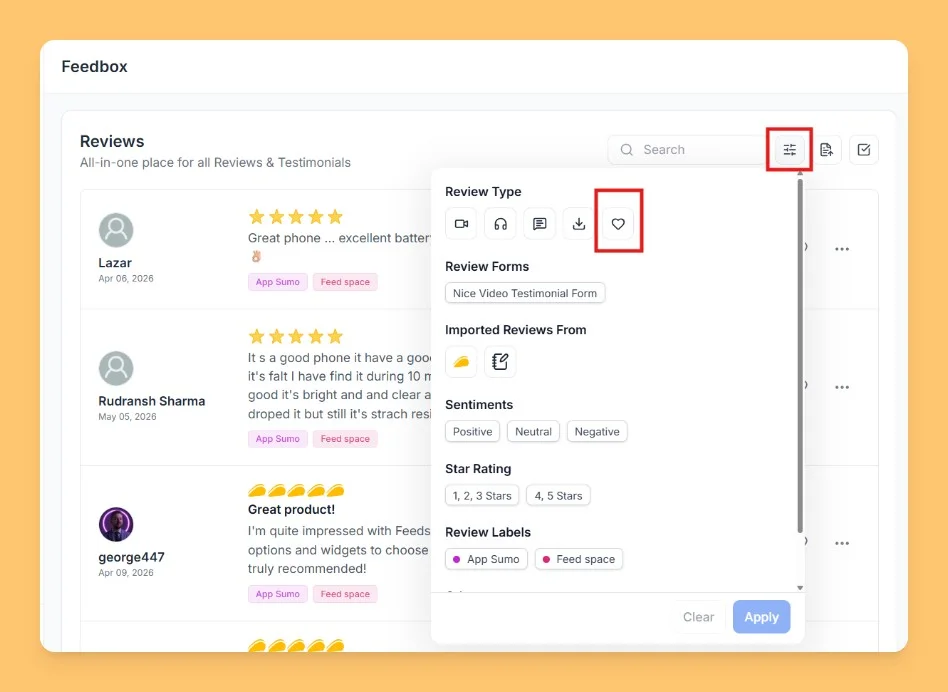
  1. In the Feedbox, open the Filters option.
  2. Select the favorite (heart) icon from the filter options.
  3. Apply the filter, and you’ll see a list of all your favorite testimonials.

Feedspace Feedbox with filter options to sort and manage customer feedback.

This makes it simple to keep track of the most impactful feedback for quick sharing and showcasing.

You might also find helpful

How to Perform Bulk Operations in Feedspace

Overview Managing multiple reviews one by one can be time-consuming. Feedspace makes it easy to take actions on several reviews at once with the Bulk Operation feature. Step 1 Go to Feedbox Open the Feedbox from the left sidebar to view all your reviews. Step 2 Select Reviews To take...

How to Use Filters in Feedspace

Overview Feedspace provides advanced filtering options so you can quickly find and manage the reviews that matter most. Steps 1 Go to Feedbox Navigate to the Feedbox section in your Feedspace dashboard. Click on Filters: On the top-right corner, click the Filters button to open filtering options. Step 2 Apply...

How to Edit a Review in Feedspace

Overview Feedspace allows you to easily edit the details of imported or collected reviews. This is helpful if you want to update user info, correct details, or add missing fields like company name, designation, or email. Step 1 Go to Feedbox Navigate to your Feedbox from the left sidebar. Here,...