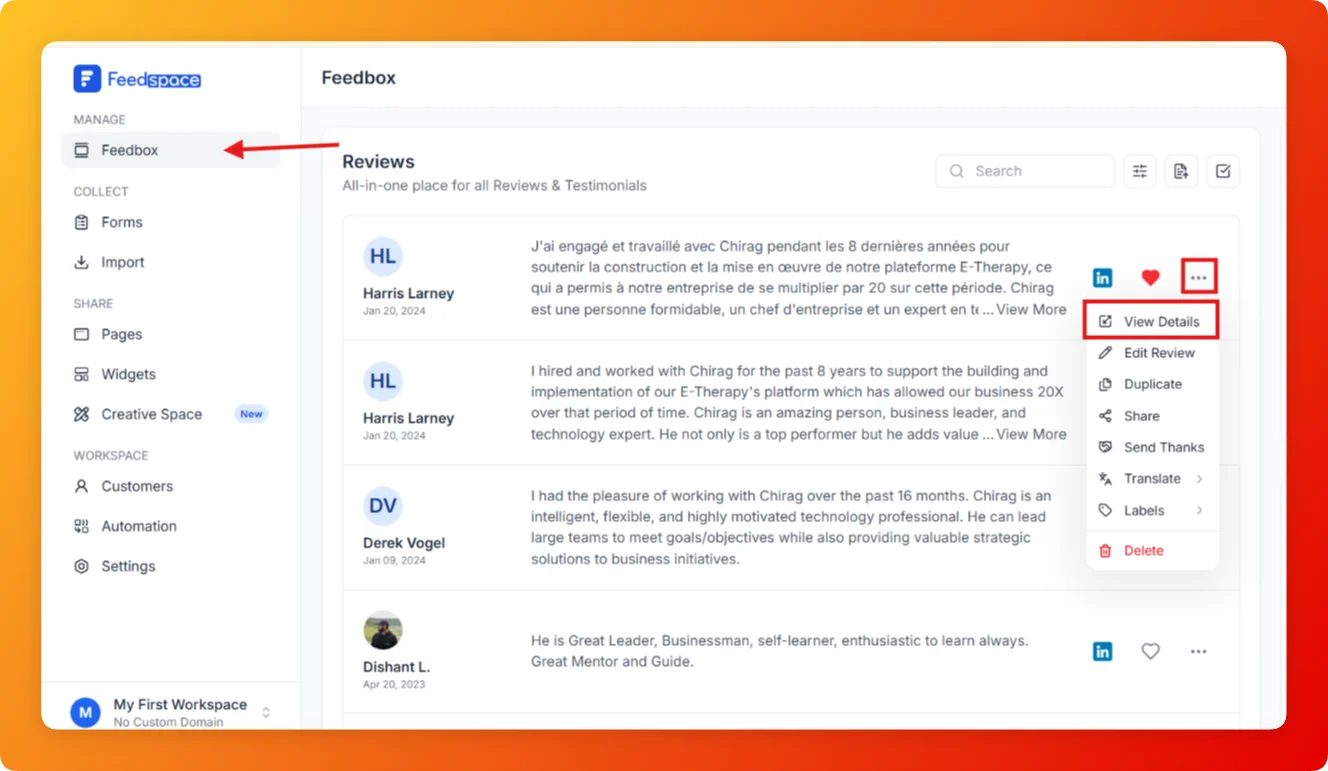
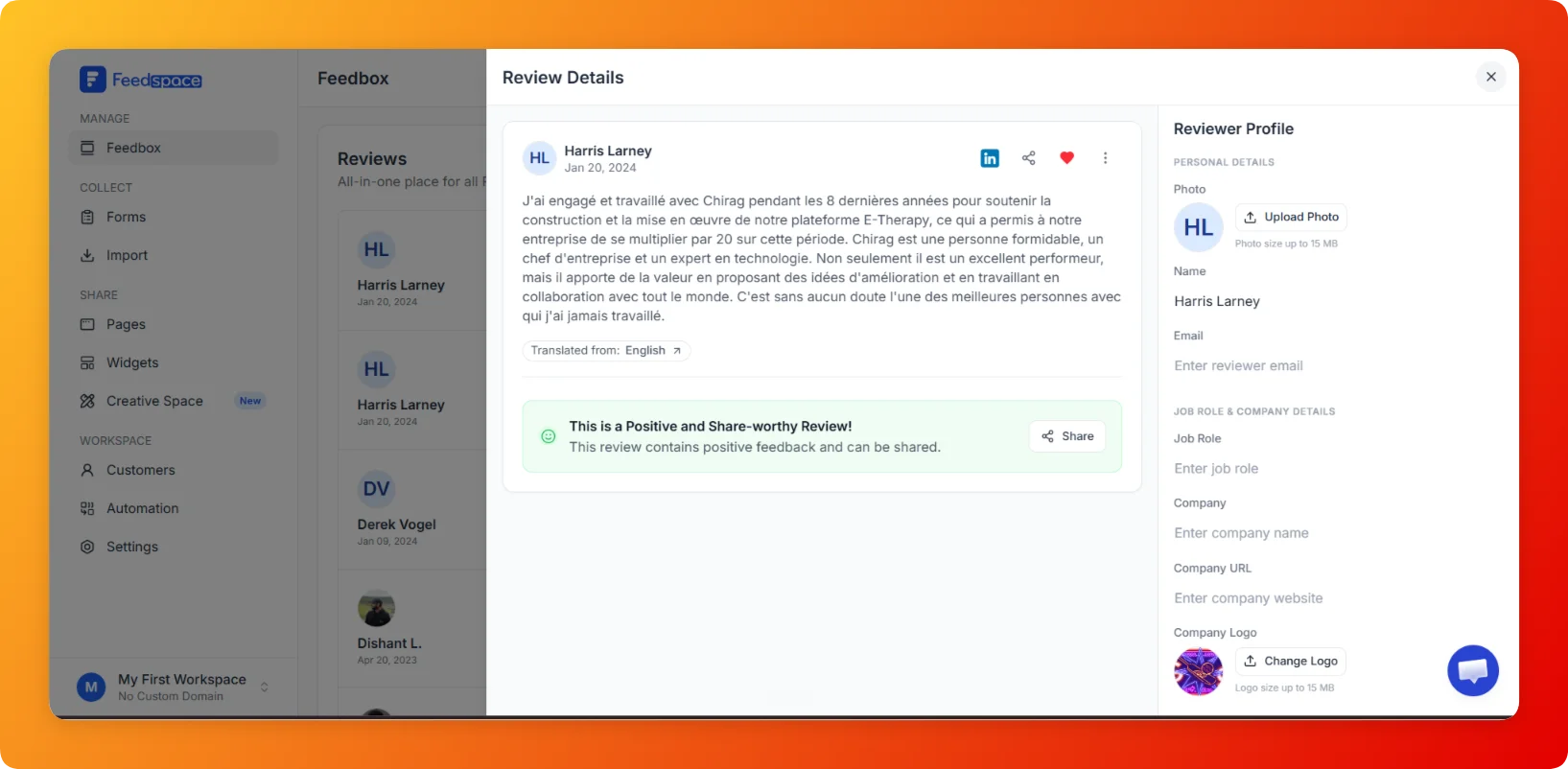
After a review is collected or imported, you can update the reviewer information directly from the Reviewer Profile panel that opens with each review in Feedbox. This is useful when reviewer details are incomplete, outdated, or need enrichment before showcasing the review.
What you can edit
The Reviewer Profile panel groups the details into sections such as Personal Details, Job Role/Company, and Social Profiles. You can update:
Reviewer photo: upload or replace the reviewer photo.
Reviewer email: add or update the reviewer email address.
Company website: add a link to the reviewer company website.
Company logo: upload or replace a company logo.
Social profiles: add Twitter, LinkedIn, Instagram, Facebook, or YouTube profile links.
The reviewer’s name, position, and company are shown in the panel as read-only details, so they stay true to how the review was collected or imported. Everything in the list above can be added or changed at any time.
Steps
Open Feedbox from the sidebar under Manage.
Find the review whose details you want to update.
Click the review card. The detail sidebar slides in from the right with the Reviewer Profile panel.
In the Reviewer Profile panel, update any of the fields listed above.
Click Save at the bottom of the panel.
Tips
Complete reviewer profiles make testimonials more credible on Wall of Love pages and widgets.
Adding a company logo and job role is especially impactful for B2B use cases.
You can enrich reviewer details, like the photo, company logo, and social links, on both imported and form-collected reviews.
Common questions
Can I change the reviewer’s name, position, or company?
These appear as read-only details in the Reviewer Profile panel, so they stay accurate to how the review was collected or imported. You can still add or change the reviewer photo, email, company website, company logo, and social profile links.
Where do my reviewer edits appear?
Once you save, the updated reviewer details appear with that review everywhere it is displayed, including widgets and Wall of Love pages.
You might also find helpful
How to View Full Details of a Review in Feedspace
Overview Each review card in Feedbox shows a short preview of the review text. If you want to see the full review along with all reviewer details, platform information, and metadata, click the review card to open the complete review in one place. Steps Tips
How to Edit a Review in Feedspace
Overview Feedspace lets you edit the details of imported or collected reviews. This is helpful when you want to update reviewer info, correct details, or add missing fields like company name, designation, or email before you showcase the review. Step 1: Go to Feedbox Step 2: Open review options Step...
How to Delete a Review in Feedspace
Overview If you need to remove a review that is no longer relevant, inaccurate, or was added by mistake, the Delete option in Feedbox permanently removes it from your account. Steps Tips Common questions Can I delete more than one review at a time? Yes. Click the checkbox on a...