What Are Review Forms?
Overview Review Forms are an easy way to collect honest opinions, reviews, and experiences from your customers or team members. They allow you to: Why Use Review Forms? How Review Forms Work

Getting your first review form live on Feedspace takes a few minutes. You end up with a branded page where a customer can record a video, leave a voice note, capture their screen, or simply type, with nothing to download and no account to create on their end.
You finish a project on Friday, send the link on Monday, and by the end of the week you have three video testimonials sitting in your Feedbox ready to go on your site. That is the whole loop, and the form is the first half of it.
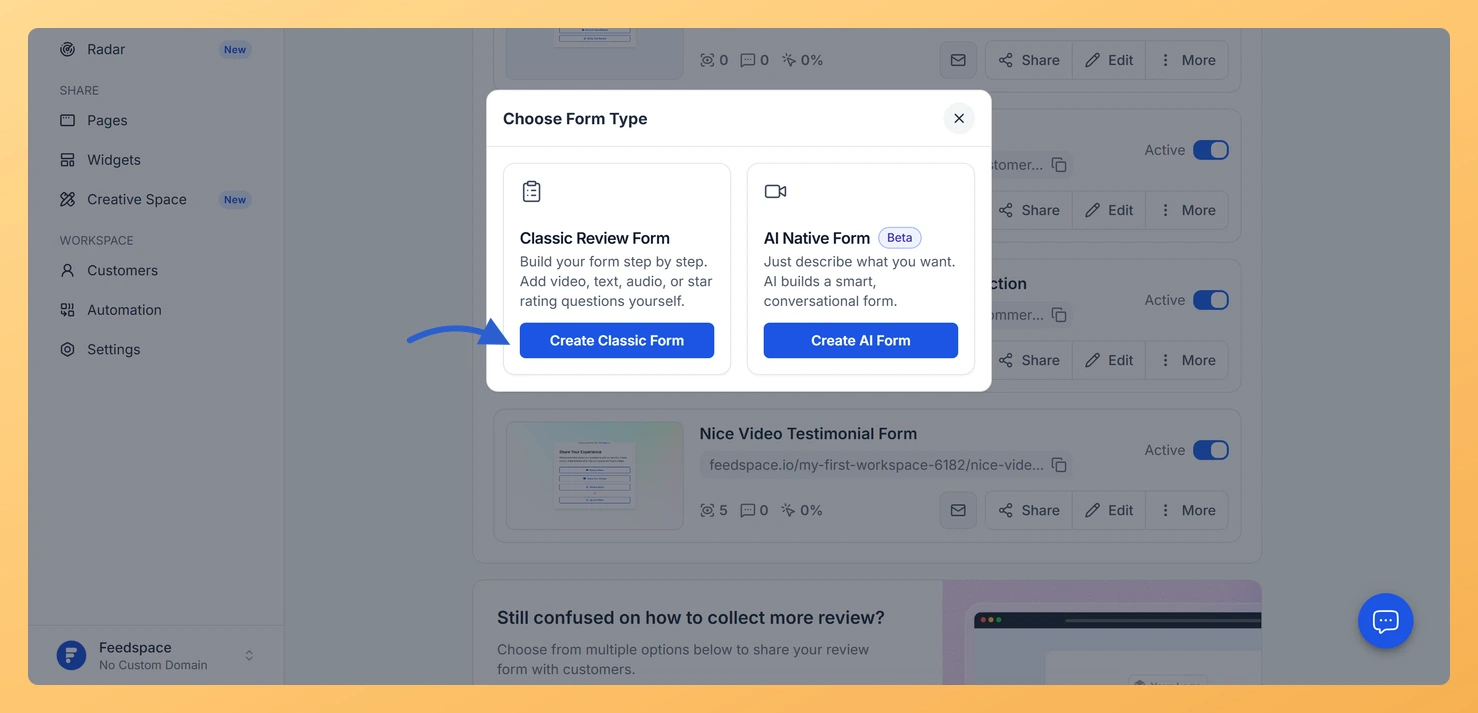
Click Forms in the left sidebar, then New Form at the top right. The Choose Form Type window opens with two cards. Click Create Classic Form, describe what you want to collect in the prompt box, and click Generate form. If your workspace has no branding saved yet, you can also drop your website address into Fetch Brand Asset and Feedspace pulls your logo, colours, and fonts from it.
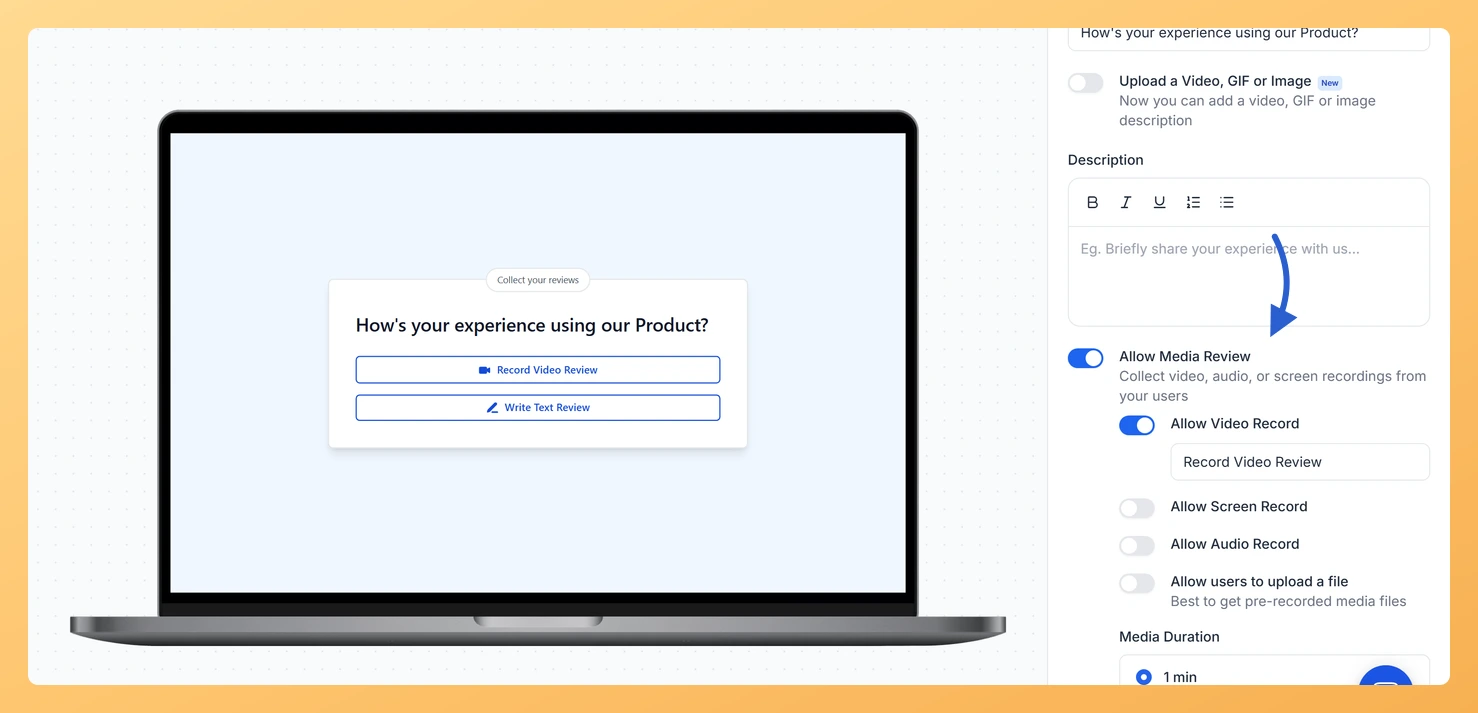
The editor opens on Capture Review, the first of six tabs. The defaults are sensible, so on a first form there are only three tabs worth your time:
Click Save & Next in the header to save the tab you are on and move to the following one.
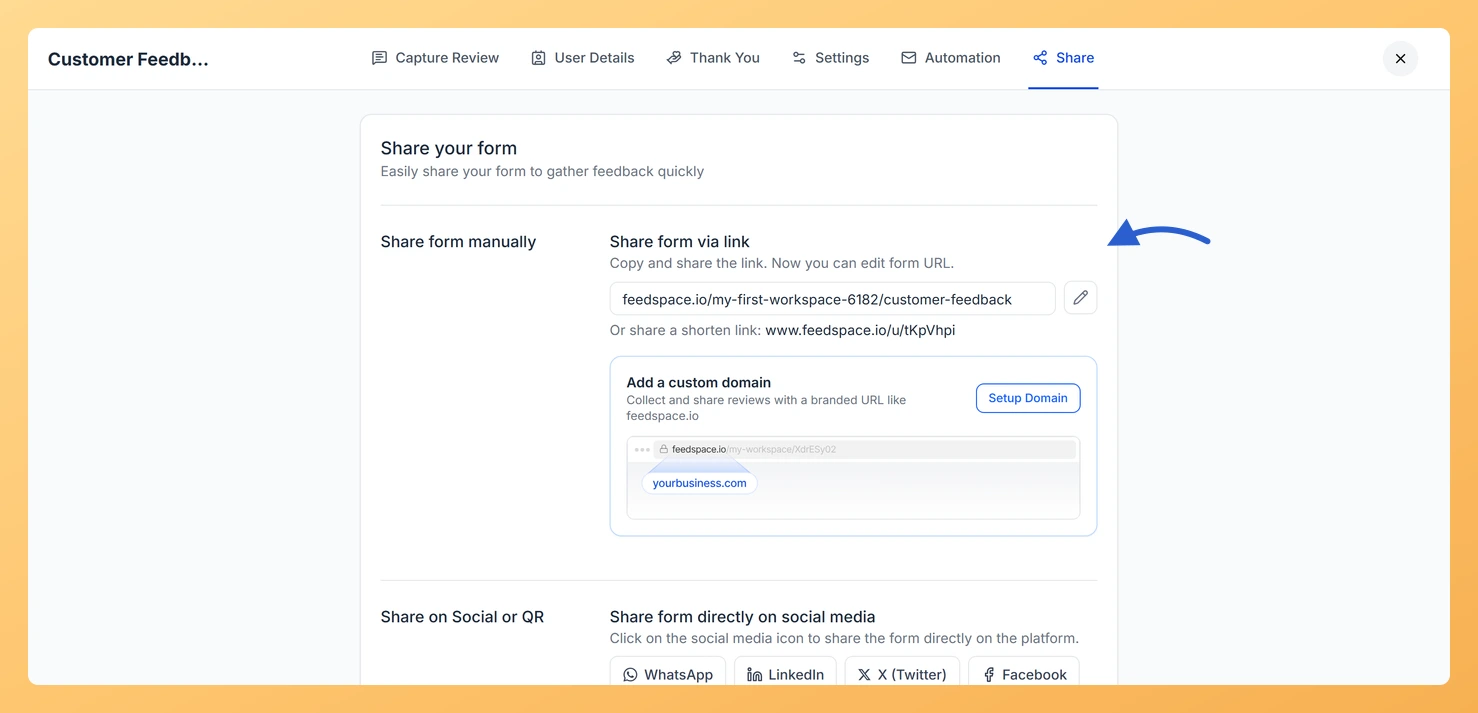
Open the Share tab. Share form via link holds your form address, which you can edit with the pencil beside it, along with a shortened version. Below that, WhatsApp, LinkedIn, X (Twitter), and Facebook post it straight to those platforms, and Download QR Code gives you a code for a receipt, a table card, or a slide. The QR code keeps working after you edit the form.
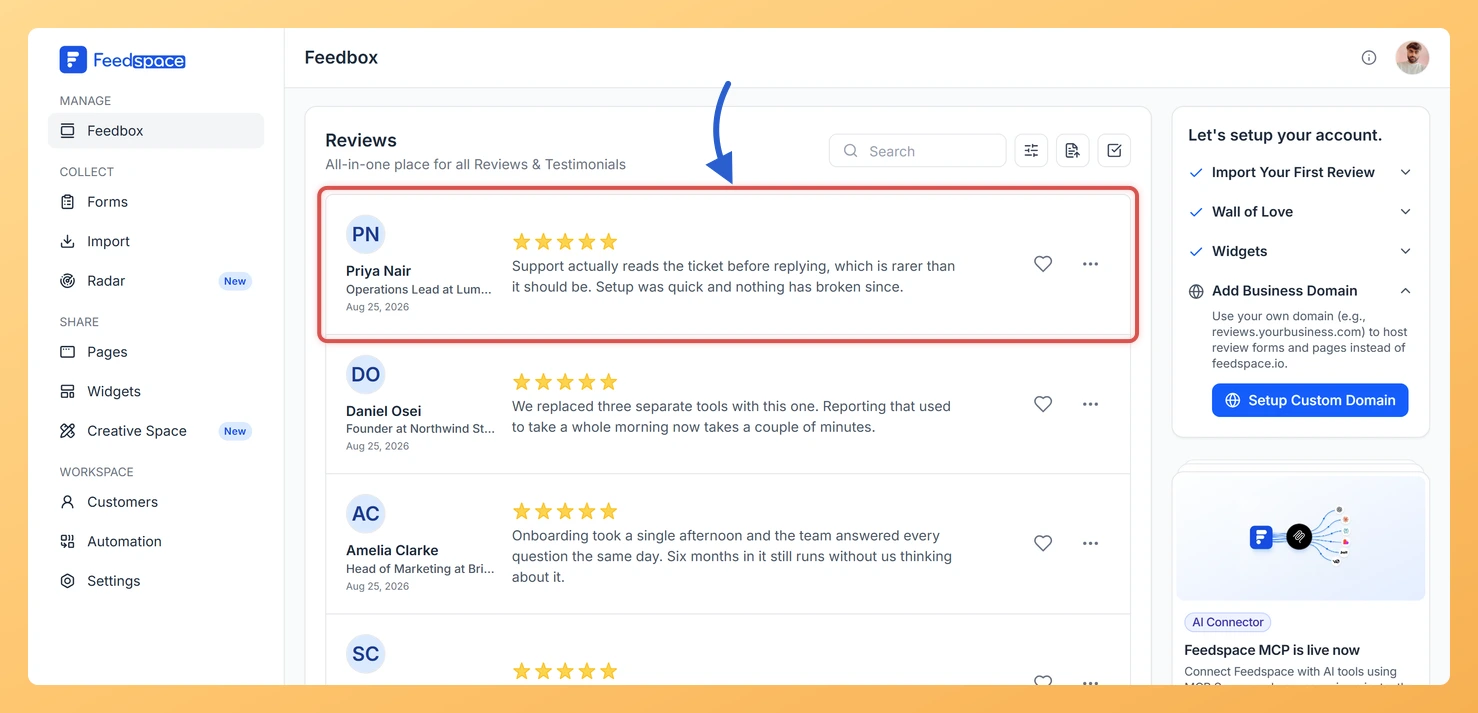
Every submission lands in Feedbox. From there you can edit a review’s details, label it, mark it a favourite, and send it to a Wall of Love page or a widget with Add to Page / Widget.
Chasing people one by one gets old quickly. Once the form works, let Feedspace do the asking: see how to add customers to your form automation, or how to share your review form with customers for every way to get the link out.
No. They open the link, record or type, and submit. There is nothing to install and no account to create.
Yes. Edit it whenever you like and the same link keeps working, so anything already printed or sent stays good. The QR code points to the same address too.
Overview Review Forms are an easy way to collect honest opinions, reviews, and experiences from your customers or team members. They allow you to: Why Use Review Forms? How Review Forms Work
A Feedspace review form is only effective when customers actually see it. This guide covers every way to get your form in front of customers, from a simple direct link to automated sequences and website embeds, so you can choose the method that fits your workflow. What you can do...
Your automation only sends emails to customers you have explicitly added. Feedspace gives you four ways to build your recipient list: manually one by one, via a CSV upload, via an incoming webhook, or through a platform integration. Once a customer is added, they are enrolled in your sequence and...