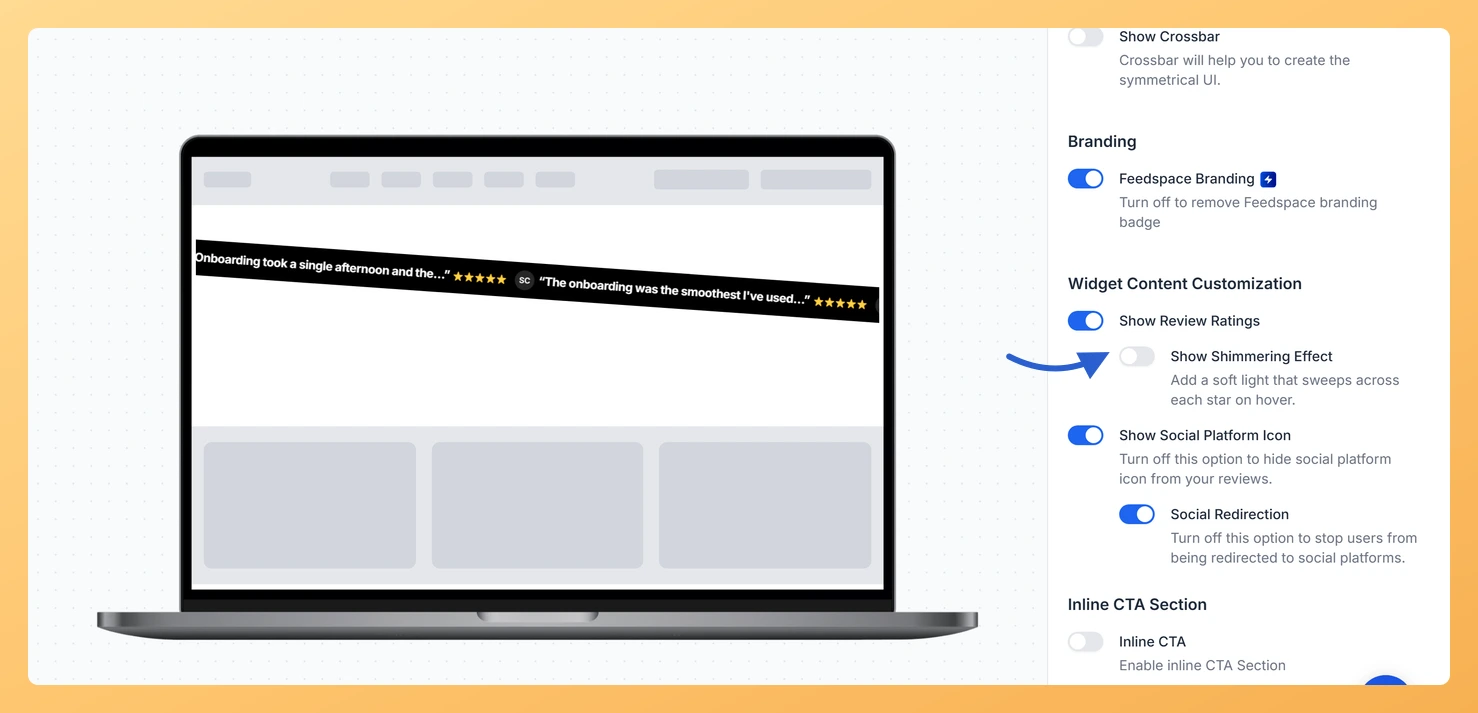
The Cross Slider widget in Feedspace slides your reviews across the page, left to right or right to left, with an optional crossbar. When its star ratings are shown, the Show Shimmering Effect toggle adds a soft light that sweeps across each star on hover.
Use it when the Cross Slider sits in a busy section of your homepage and you want visitors who pause on a review to notice its rating. A light passing over a row of five stars draws the eye to the score without changing the card layout.
Steps to switch on the shimmer
Step 1: Find your Cross Slider
Click Widgets in the left sidebar, then click the Edit (pencil) icon on your Cross Slider widget card.
Step 2: Open the Design settings
At the top of the editor, click the Design tab. Scroll the settings panel to the Widget Content Customization section.
Step 3: Switch on Show Shimmering Effect
The Show Shimmering Effect toggle is nested under Show Review Ratings and appears only while that toggle is on. With ratings on, switch Show Shimmering Effect on. Switch it off whenever you want still stars again.
Step 4: Save your change
Click Save & Next in the editor header.
What’s next
Your embedded Cross Slider loads its settings from Feedspace each time the page opens, so the shimmer shows on your site without replacing the embed code.
Is the shimmer already on for my existing Cross Slider?
Only if the widget is new. Cross Sliders created after the setting was added start with Show Shimmering Effect on. Older Cross Sliders have it off until you switch it on and save.
You might also find helpful
How to Create a Cross Slider Widget in Feedspace
Overview Feedspace’s Cross Slider widget displays your reviews in a dynamic cross-scrolling layout: with rows of cards moving in opposite directions simultaneously. This creates a visually striking testimonial section that immediately draws the eye. Step 1: Log in to Feedspace Go to your Feedspace Dashboard and log in using your...
How Do I Show or Hide Star Ratings on My Cross Slider Widget in Feedspace?
Overview The Cross Slider widget runs short review snippets along a slanted strip that slides across your page. Star ratings give visitors a quick read on each review, though on a page that already carries a rating summary they can start to feel repeated. The Show Review Ratings toggle in...
How Do I Change the Star Rating Color on My Cross Slider Widget in Feedspace?
Overview The Cross Slider widget runs short review snippets along a slanted strip that slides across your page. Star ratings are one of the first things visitors notice, so coloring them to match your brand pulls the whole widget together. Two fields in the Custom Colors group control the stars:...