Reordering lets you set the exact sequence reviews appear in on your Wall of Love page. You can sort by newest or oldest, or drag each review into the position you want for a fully custom order.
This article covers reordering reviews on a Wall of Love page. To change the order of reviews inside an embeddable widget, you set the order in the widget editor instead, on the same review selection step. See how to change the order of reviews in a widget.
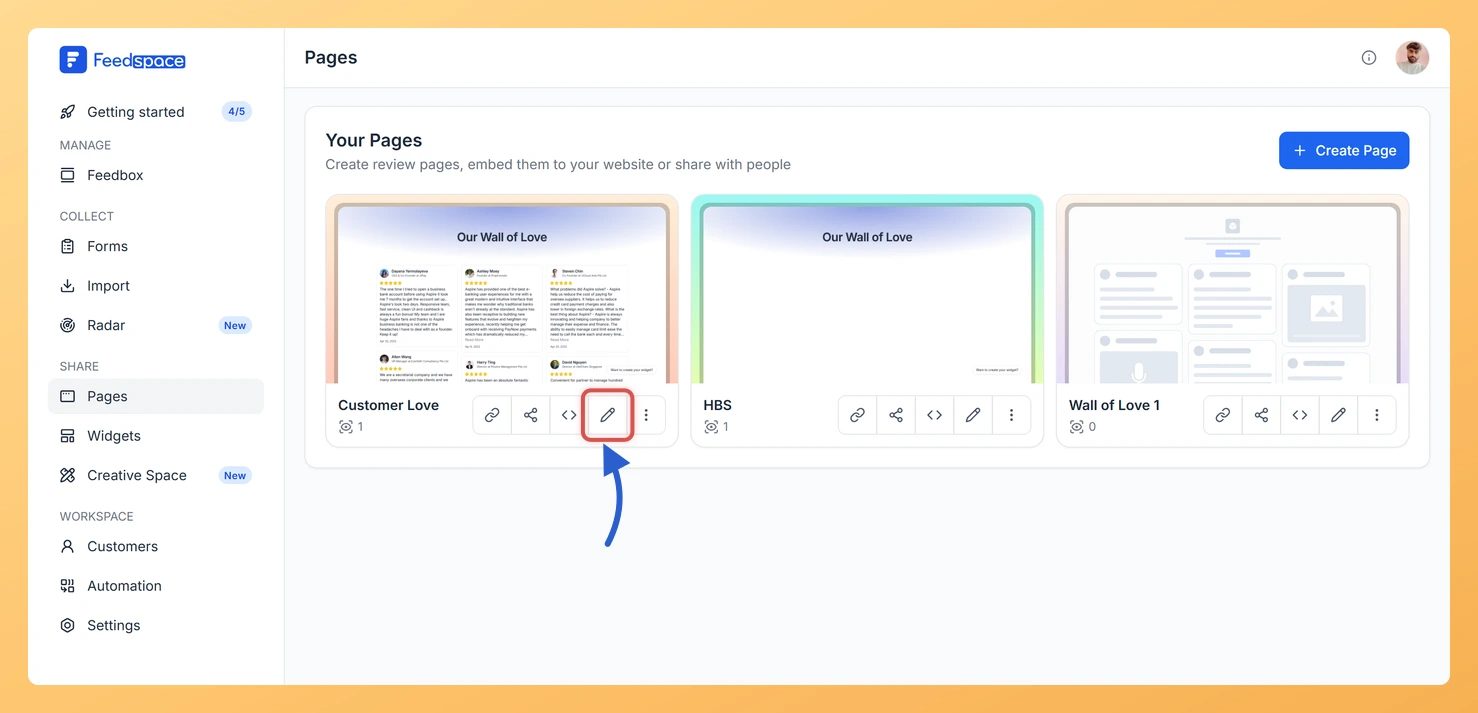
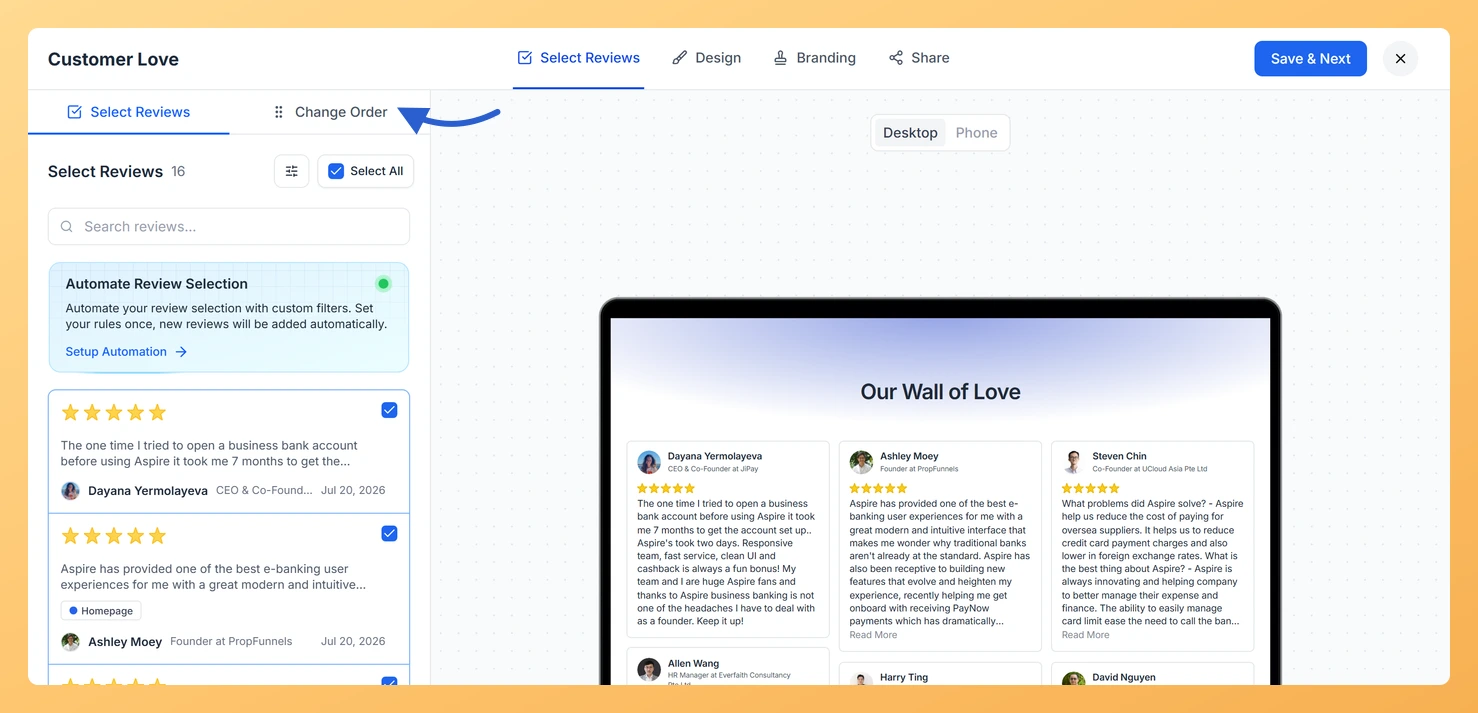
Go to Pages from the left sidebar and click the pencil (edit) icon on the page you want to update. The editor opens on the Select Reviews tab.
Step 2: Open the Change Order sub-tab
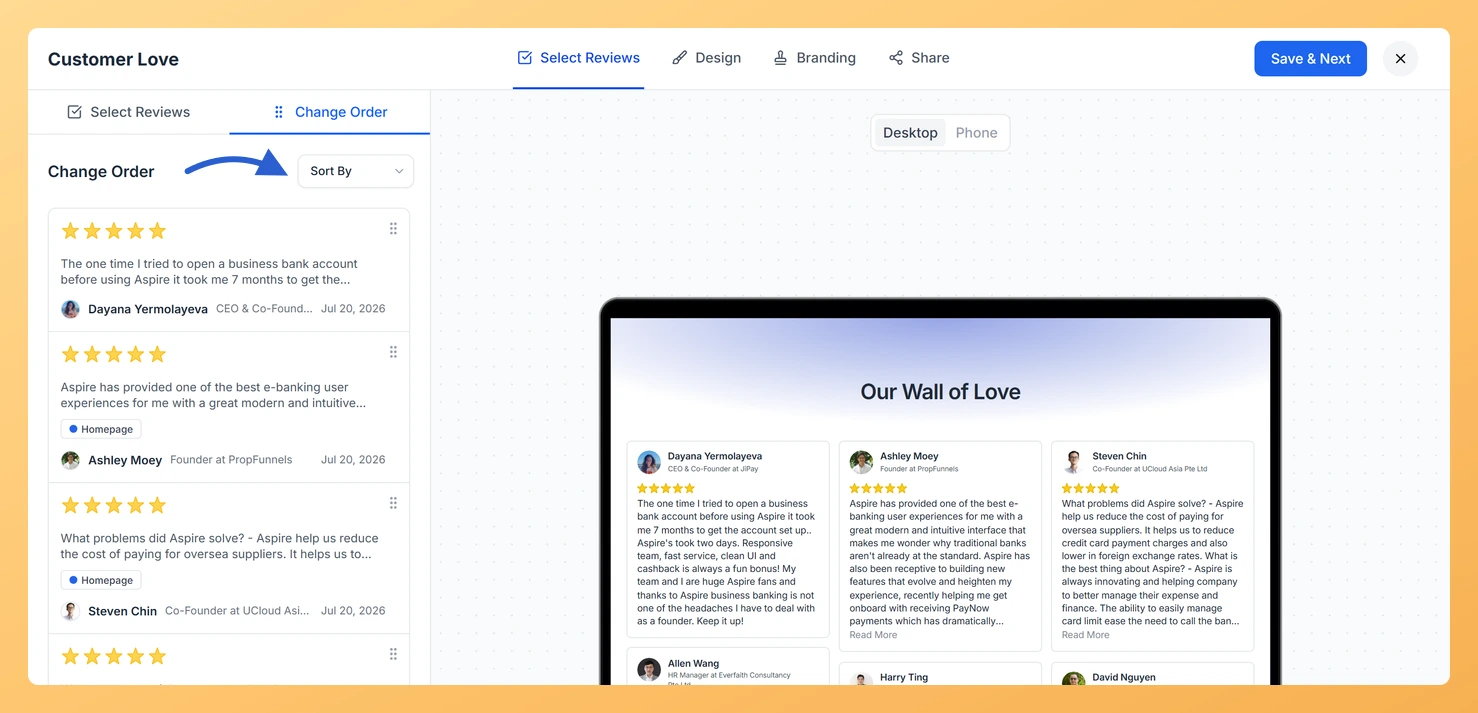
In the left panel, click the Change Order sub-tab. Your selected reviews load in a draggable list, ready to be reordered.
Step 3: Sort or drag reviews into place
Use the sort dropdown at the top of the list to order reviews automatically:
Newest: The most recently collected review appears at the top.
Oldest: The earliest collected review appears at the top.
To set the exact sequence yourself, grab any review card by its drag handle and move it up or down the list. The order you set here is exactly how visitors see the reviews on your published page. Both sorting and drag-and-drop save automatically.
Step 4: Continue setting up your page
Your order is saved as you work, so there is nothing extra to save. Click Save and Next when you are ready to move on to the Design tab.
What’s next
Put your most compelling testimonials first so visitors see strong social proof right away.
Alternate between video and text reviews to create a varied, engaging reading experience.
Tell a story by grouping reviews by topic, product feature, or outcome in a specific sequence.
Switch to Newest after a product launch so fresh reviews always rise to the top automatically.
Common questions
Does this order also change the reviews in my widget?
No. The order you set here applies only to this Wall of Love page. A widget keeps its own review order, which you set in the widget editor on the review selection step. Changing one does not affect the other.
What happens to my custom order if I switch back to Newest?
Choosing Newest or Oldest from the sort dropdown reorders the list by date and overrides your manual sequence. To set a custom order again, drag the review cards back into the arrangement you want.
You might also find helpful
How to Create a Wall of Love Page in Feedspace
Steps to Create a Page Log into Feedspace Sign in with your account credentials. Go to Pages From the left sidebar, click Pages. Create Page Click Create Page. This opens the creation screen with some reviews auto-selected in the space. Select Reviews Go to the Select Review page and choose...
How Do I Select and Filter Reviews for My Wall of Love Page?
Overview The Select Reviews tab is where you choose exactly which testimonials appear on your Wall of Love page. You can search by keyword, open the filter panel to narrow reviews by type, rating, form, source, label, and more, then tick the cards you want to include. This gives you...
How Do I Use Automation to Auto-Select Reviews on My Wall of Love Page?
Overview The automation feature on a Wall of Love page lets you define a set of filters once. After that, any new review in your account that matches those filters is automatically added to the page without any manual action needed. This keeps your page fresh and up to date...